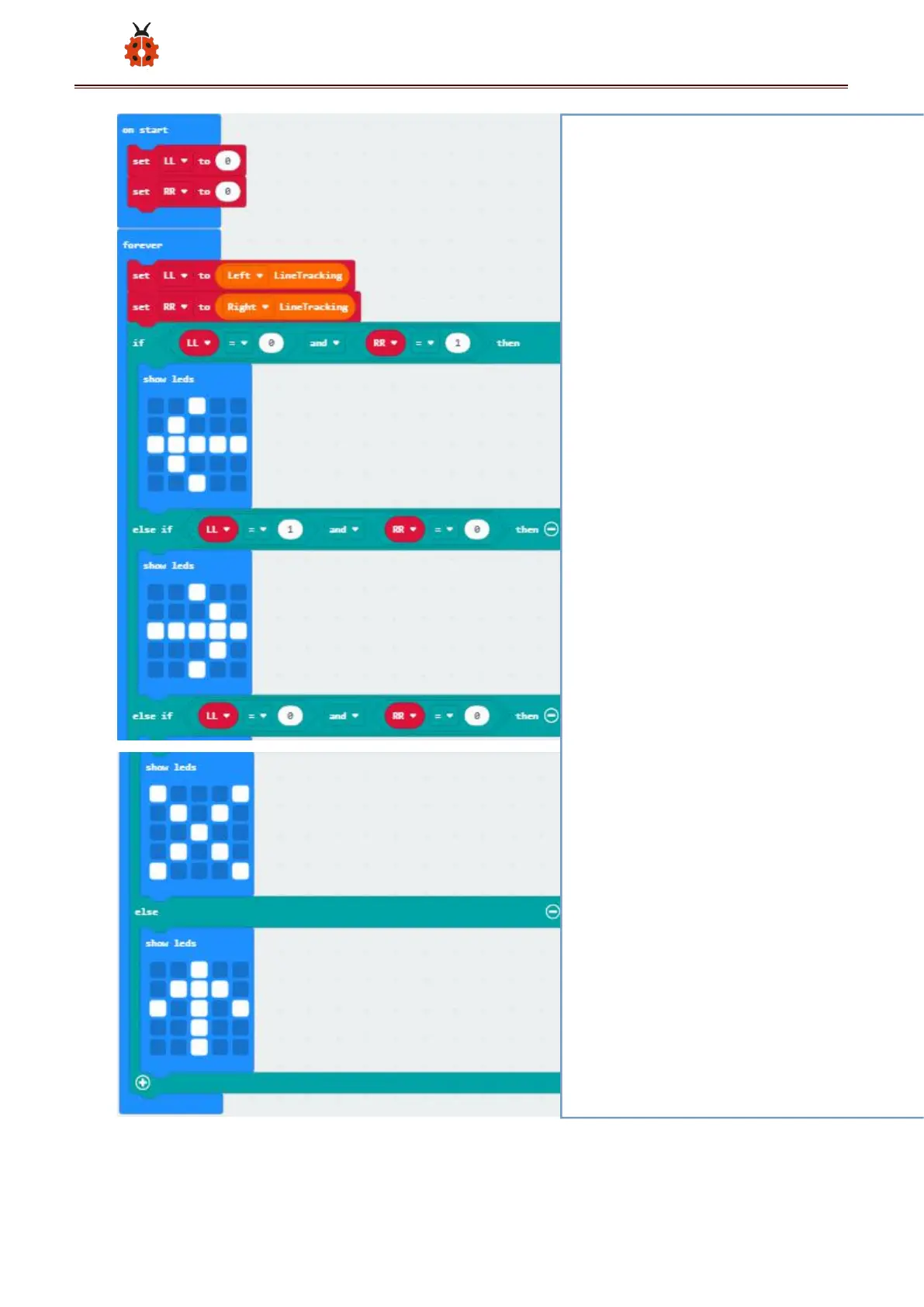
① The "on start" command block runs only once to start the
program.
②Set the variable LL to 0
③Set variable RR to 0
④ In the "forever" instruction block, the program runs
cyclically.
⑤ Set the variable LL to the digital signal read on the left
(1/0)
⑥Set the variable RR to the digital signal read on the right
(1/0)
⑦ When the variables LL=0 and RR=1 are established,
execute the program under then
⑧The left side of the LED dot matrix displays the "←" pattern
⑨ When the variables LL=1 and RR=0 are established,
execute the program under then
⑩ The " → " pattern is displayed on the left of the LED dot
matrix
⑪ When the variables LL=0 and RR=0 are established,
execute the program under then
⑫The "×" pattern is displayed on the left side of the LED dot
matrix
⑬ When the above conditions are not met, execute the
program under else



 To Next Page