iButton Series Programming Guide Section: Programming Guide Non-Software
Programming Guide
Non-Software Version
General Information
E5 v4.1 Non-Software Lock:
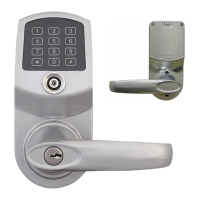
The non-software version of the E5 lock is programmed completely using the keypad on the lock
itself. In other words, a personal computer cannot be used for programming. If you have
purchased a non-software version of the E5 and wish to upgrade to the software version E5, your
E5 (except E5RFKSC) can be retrofitted with a replacement printed circuit board converting it to
software operation. Although field retrofit is possible, it is not normally recommended. Contact
your dealer or distributor for details.
E4 / E5 v8.6 Software Locks:
The software version of the E4 or E5 can be programmed either manually via the keypad on the
E4 / E5 or with a personal computer, DS1977 program iButton key, software and a Blue-dot USB
reader. Most manual program modes and methods used by the non-software E5 are available
when manually programming the software version E4 or E5. However, an important consideration
is that once you elect to program your E4 / E5 software lock manually instead of using a personal
computer you must continue to use that same method. You cannot mix the two programming
methods (manually and using software) for a given lock. Should you program your software
version E4 / E5 lock manually and later decide to use a personal computer to program the E4 /
E5, you will need to completely reinitialize the lock and reprogram the lock from the
manufacturer’s default state using the personal computer hardware, software and processes.
Exit Setting Mode:
To exit the setting mode, enter * or wait 10 seconds.
Low Battery Warning:
After entering a valid iButton key or keypad user code, the LED in the center of the iButton reader
will flash 5 times. This indicates that the total battery voltage is less than 4.8 volts and the AA
batteries need to be replaced.
Non-Software E5 Lock:
The non-software version of the E5 lock will flash the LED red 5 times very rapidly when the
batteries are in need of replacement.
Software Version E5 lock:
The software E4/E5 version will flash the LED red 5 times slowly when the batteries are in need of
replacement.
Keyless Enty Locks For current prices, please visit our website. www.KeylessEntyLocks.com
46 Danada Sq West #4133 Phone: (630) 909-9504
Wheaton, IL 60189 Page 4 of 58 FAX: (630) 447-3635
LockO rders@KeylessEntryLocks.com Path: Z:\KEY\suppliers\Lockey\website-KEL-zc\_dev\pdfs Modified 08/12
©KeylessEntryLocks.com ©KeylessEntryLocks.com
©KeylessEntryLocks.com ©KeylessEntryLocks.com
©KeylessEntryLocks.com ©KeylessEntryLocks.com
©KeylessEntryLocks.com ©KeylessEntryLocks.com
©KeylessEntryLocks.com ©KeylessEntryLocks.com
©KeylessEntryLocks.com ©KeylessEntryLocks.com ©KeylessEntryLocks.com
©KeylessEntryLocks.com ©KeylessEntryLocks.com ©KeylessEntryLocks.com


 To Next Page