iButton Series Programming Guide Section: Programming Guide Non-Software
Unlocking / Locking Indicators
Non-Software E5 Lock:
When in the ‘Storehouse’ mode, the non-software version of the E5 will light the LED in the center
of the iButton reader green when unlocked with the keypad or iButton. It will stay green until the
lock re-locks, when the LED will flash red twice to indicate the lock has relocked itself. In general,
the LED will also flash once every time a key is pressed on the keypad.
Software Version E4 / E5 Lock:
The software E4 / E5 version will light briefly when unlocking. When relocking, the LED does not
light. In general, the LED will also flash once every time a key is pressed on the keypad.
LED Blink Mode:
For both the non-software version E5 and the software version E4 / E5, the LED in the center of
the iButton reader can be set to flash once every 5 seconds. If the lock is locked, it will flash red, if
unlocked it will flash green. This is a useful feature but can also reduce battery life somewhat.
(This function is programmable using 'function code #18')
E4 iButton Reader Location:
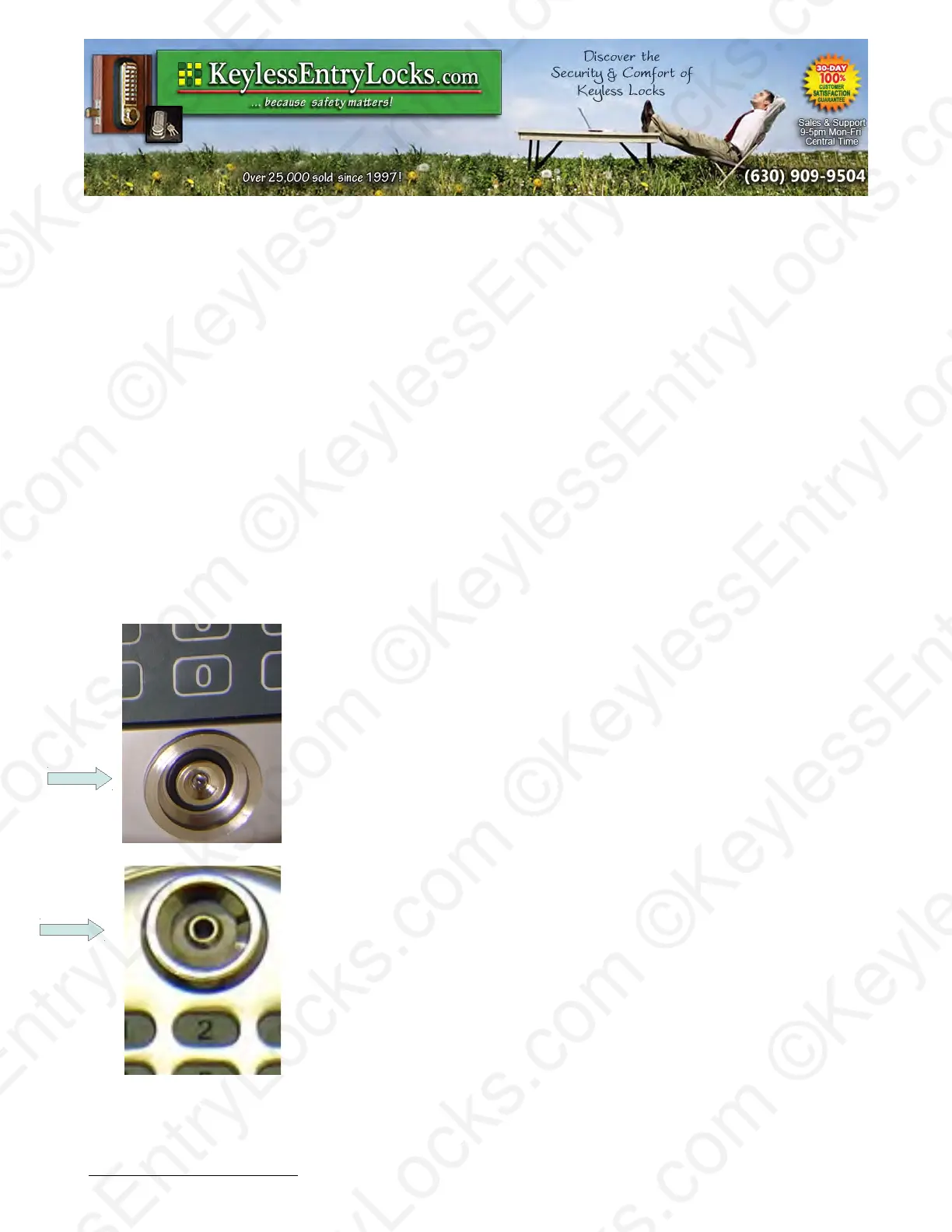
On E4 model locks, the iButton reader is located just below the
keypad on the front of the lock.
E5 iButton Reader Location:
On E5 model locks, the iButton reader is located just above the keypad
on the front of the lock.
Keyless Enty Locks For current prices, please visit our website. www.KeylessEntyLocks.com
46 Danada Sq West #4133 Phone: (630) 909-9504
Wheaton, IL 60189 Page 5 of 58 FAX: (630) 447-3635
LockO rders@KeylessEntryLocks.com Path: Z:\KEY\suppliers\Lockey\website-KEL-zc\_dev\pdfs Modified 08/12
©KeylessEntryLocks.com ©KeylessEntryLocks.com
©KeylessEntryLocks.com ©KeylessEntryLocks.com
©KeylessEntryLocks.com ©KeylessEntryLocks.com
©KeylessEntryLocks.com ©KeylessEntryLocks.com
©KeylessEntryLocks.com ©KeylessEntryLocks.com
©KeylessEntryLocks.com ©KeylessEntryLocks.com ©KeylessEntryLocks.com
©KeylessEntryLocks.com ©KeylessEntryLocks.com ©KeylessEntryLocks.com


 To Next Page