iButton Series Programming Guide Section: Programming Guide Non-Software
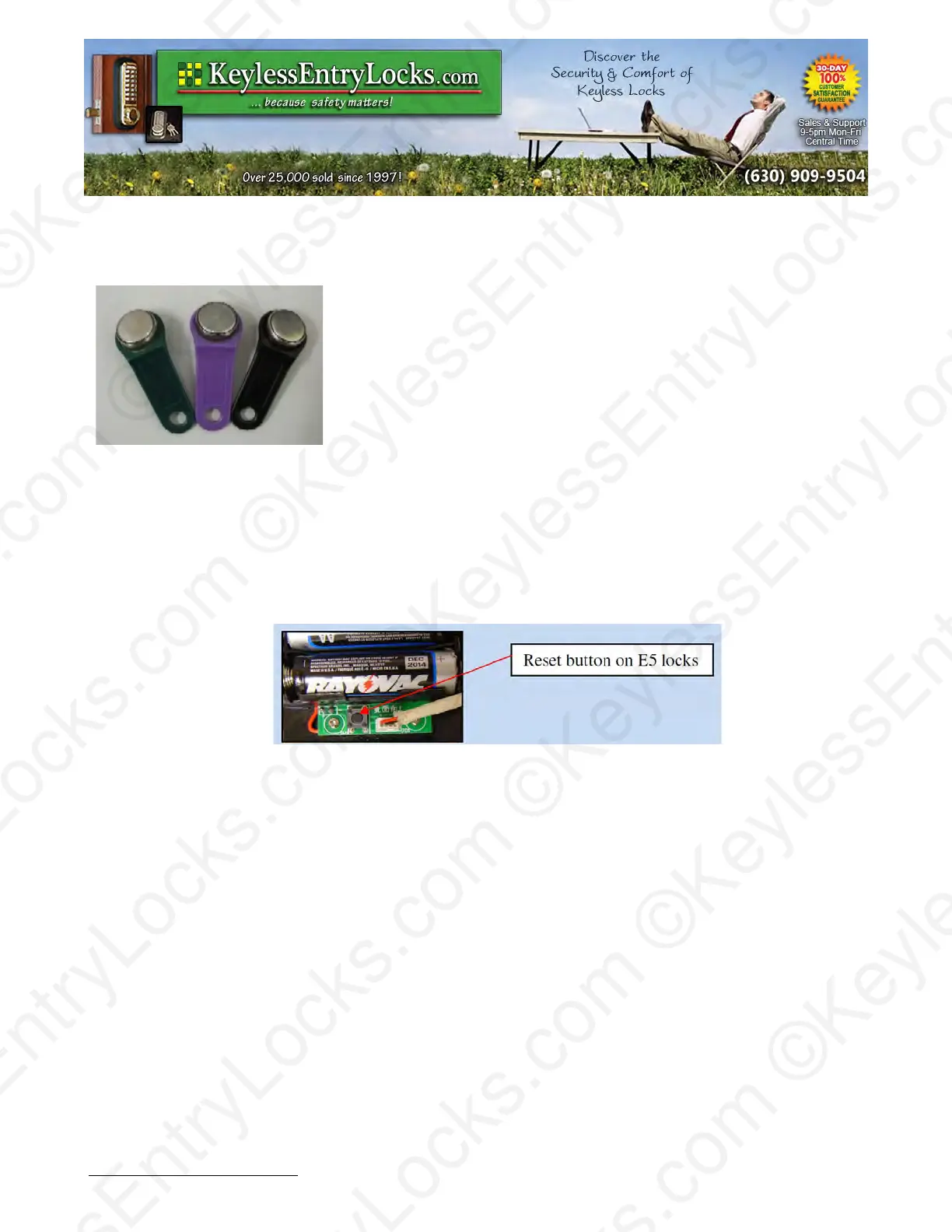
iButton Key Fobs:
iButtons and iButton readers are not magnetic but rather fully
electronic. iButtons are very resistant to water and shock. They are
also available in various types and when desired are installed in
various colored plastic keyring tags. The color has no particular
meaning. Only DS1990 iButtons and user keypad codes are used
as 'User keys' when programming E4 / E5 locks via the keypad.
(DS1977 iButtons are used to program locks only when using PC
computer software to program locks.)
It is not required to apply great physical pressure with an iButton on the reader, only that the
center portion of an iButton touches the center of the reader at the same time as the outer portion
of the iButton rests on the outer ring of the reader. This is most easily done by holding the iButton
against the reader slightly off center and at a bit of an angle.
Resetting, Reinitializing or Erasing Lock Memory
Non-Software E5 Lock:
The reset button is located just below the battery holder, next to the cable connector. Press and
hold the reset button below the battery holder. The LED in the center of the iButton reader will light
red. After 5 seconds, the lock will beep once. Continue to hold the button down until the lock
beeps 3 times rapidly while the LED in the center of the iButton reader flashes green. Release the
reset button immediately.
Software Version E5 lock:
The reset button is located just below the battery holder, next to the cable connector. Press and
hold the reset button below the battery holder. The LED in the center of the iButton reader will light
green. After 5 seconds the lock will beep once. Continue to hold the button down until the LED
flashes red slowly. Release the reset button immediately and press the # key while the LED is still
flashing. The lock will beep 3 times, indicating the reset and clear has been successful.
Keyless Enty Locks For current prices, please visit our website. www.KeylessEntyLocks.com
46 Danada Sq West #4133 Phone: (630) 909-9504
Wheaton, IL 60189 Page 6 of 58 FAX: (630) 447-3635
LockO rders@KeylessEntryLocks.com Path: Z:\KEY\suppliers\Lockey\website-KEL-zc\_dev\pdfs Modified 08/12
©KeylessEntryLocks.com ©KeylessEntryLocks.com
©KeylessEntryLocks.com ©KeylessEntryLocks.com
©KeylessEntryLocks.com ©KeylessEntryLocks.com
©KeylessEntryLocks.com ©KeylessEntryLocks.com
©KeylessEntryLocks.com ©KeylessEntryLocks.com
©KeylessEntryLocks.com ©KeylessEntryLocks.com ©KeylessEntryLocks.com
©KeylessEntryLocks.com ©KeylessEntryLocks.com ©KeylessEntryLocks.com


 To Next Page