iButton Series Programming Guide Section: Programming Guide Software Version
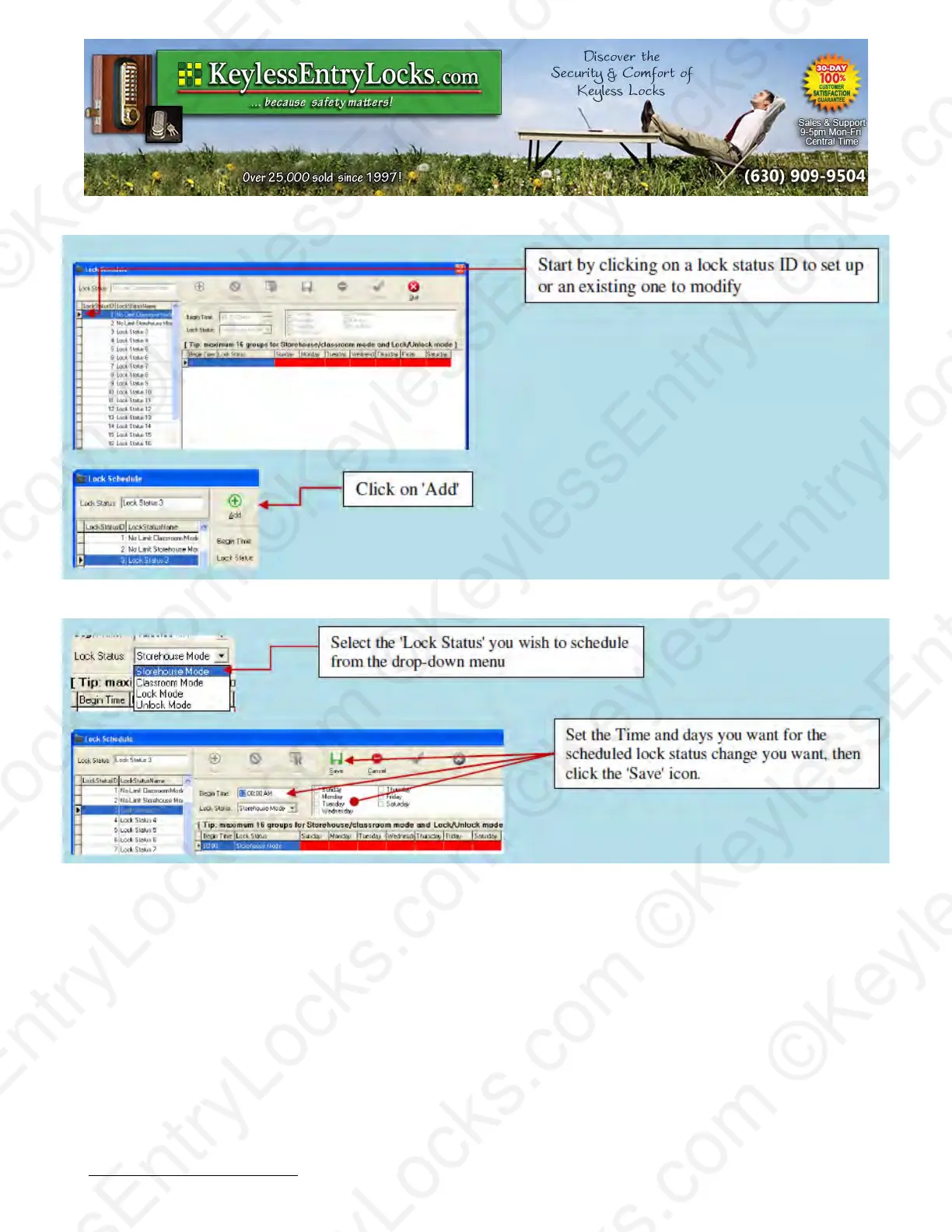
Repeat this process until the entire schedule you want is listed for that Lock Status ID has been
entered, then select the 'Quit' icon from the top of the screen.
Assigning a particular Status schedule group to a particular lock
Overview:
The automatically timed operation settings are applied to individual locks via the 'Lock
Management' ◊ 'Lock Setting' menu by first selecting the lock you wish to apply the schedule
group to, using the 'Modify' icon at the top of the menu, then changing the 'Lock Status' section to
match the schedule you want.
Keyless Enty Locks For current prices, please visit our website. www.KeylessEntyLocks.com
46 Danada Sq West #4133 Phone: (630) 909-9504
Wheaton, IL 60189 Page 43 of 58 FAX: (630) 447-3635
LockO rders@KeylessEntryLocks.com Path: Z:\KEY\suppliers\Lockey\website-KEL-zc\_dev\pdfs Modified 08/12
©KeylessEntryLocks.com ©KeylessEntryLocks.com
©KeylessEntryLocks.com ©KeylessEntryLocks.com
©KeylessEntryLocks.com ©KeylessEntryLocks.com
©KeylessEntryLocks.com ©KeylessEntryLocks.com
©KeylessEntryLocks.com ©KeylessEntryLocks.com
©KeylessEntryLocks.com ©KeylessEntryLocks.com ©KeylessEntryLocks.com
©KeylessEntryLocks.com ©KeylessEntryLocks.com ©KeylessEntryLocks.com


 To Next Page