iButton Series Programming Guide Section: Programming Guide Software Version
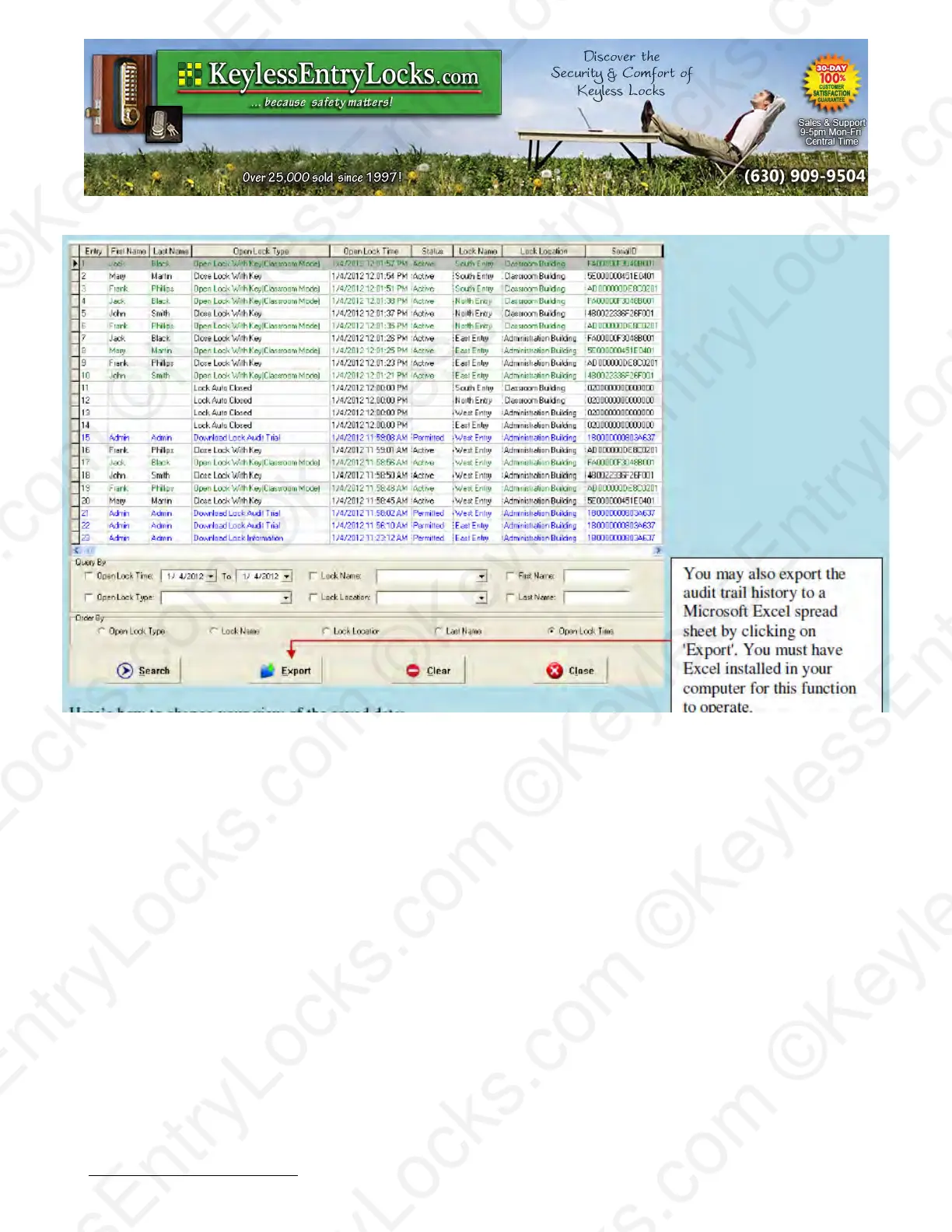
Here’s how to change your view of the saved data:
•
Click on which 'Query By' type you desire, use the pull-down arrows and select the key
words/date you want.
•
In 'Order By' check the records order you desire. The default is open lock time.
•
Click the 'Search' button, the records will appear on screen.
•
Click 'Clear' to clear the entire contents of the PC audit history database only.
Note: Using the 'Clear' function only clears the PC database Audit History records, not lock
memory of audit trails. There is NO facility in this software to clear audit trail information from locks
themselves except by completely re-initializing a lock with the reset button and performing a new
lock setup. Locks themselves can generally hold about 3200 entries in memory per lock, after
which the oldest entries are automatically deleted inside the lock to make room for new entries.
This is handled internally to the lock itself and not by the PC software.
Keyless Enty Locks For current prices, please visit our website. www.KeylessEntyLocks.com
46 Danada Sq West #4133 Phone: (630) 909-9504
Wheaton, IL 60189 Page 56 of 58 FAX: (630) 447-3635
LockO rders@KeylessEntryLocks.com Path: Z:\KEY\suppliers\Lockey\website-KEL-zc\_dev\pdfs Modified 08/12
©KeylessEntryLocks.com ©KeylessEntryLocks.com
©KeylessEntryLocks.com ©KeylessEntryLocks.com
©KeylessEntryLocks.com ©KeylessEntryLocks.com
©KeylessEntryLocks.com ©KeylessEntryLocks.com
©KeylessEntryLocks.com ©KeylessEntryLocks.com
©KeylessEntryLocks.com ©KeylessEntryLocks.com ©KeylessEntryLocks.com
©KeylessEntryLocks.com ©KeylessEntryLocks.com ©KeylessEntryLocks.com


 To Next Page