Keysight N778xB Getting Started Guide 41
Getting Started 1
• Show the properties dialog of the instrument by right-clicking on its
item and choosing Properties
• Click on Change at Device on the Interface-Tab.
• Enter new GPIB address (10..30) and click on OK.
• Turn the instrument off and back on to apply the changed address.
• In the Properties dialog click on OK.
• Run the Configuration Wizard again.
Accessories
Table 3 Keysight Product Options 1
PL Keysight Product No Narrative Description
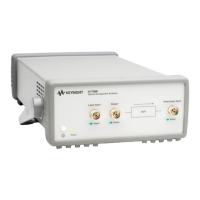
3E N7781B Polarization Analyzer
3E N7781B-300 Polarization Analyzer, 1270nm to 1375nm
3E N7781B-400 Polarization Analyzer, 1270 nm to 1375 nm
and 1460 nm to 1620 nm
3E N7781B-500 Polarization Analyzer, 1460 nm to 1620 nm
3E N7781B-021 straight contact connector
3E N7781B-022 angled contact connector
3E N7781B-KIT Kit -Shipping
3E N7782B PER-Analyzer
3E N7782B-101 PER-Analyzer, 850nm to 1000 nm with 850
nm VCSEL
3E N7782B-400 PER-Analyzer, 1270 nm to 1375 nm and
1460 nm to 1620 nm
3E N7782B-401 PER-Analyzer, 1270 nm to 1375 nm and
1460nm to 1620 nm with 1300 nm / 1550 nm
dual VCSEL
3E N7782B-500 PER-Analyzer, 1460 nm to 1620 nm
3E N7782B-501 PER-Analyzer, 1460 nm to 1620 nm with
1550 nm VCSEL
3E N7782B-021 straight contact connector






 To Next Page