04 | Keysight | N1918A Power Analysis Manager and U2000 Series USB Power Sensors - Demo Guide
Demonstration Preparation
The following instruments and software are required in order to perform the
demonstrations illustrated in this demo guide:
– Keysight N1918A Power Analysis Manager (Power Panel)
– Keysight U2000 Series USB Power Sensors
– Keysight IO Libraries Suite
– Keysight ESG E4438C Vector Signal Generator
Product type Description
N1918A Power Analysis Manager Power Panel—Basic version
Keysight U2000 Series USB Power Sensors Any of the USB sensors—U200xA/B/H Series
Keysight ESG E4438C Vector Signal Generator E4438C rmware revision C.04.60 or later
Keysight Automation-Ready CD Keysight IO Libraries Suite 14.2 or higher
In this guide, keystrokes surrounded by [ ] represent instrument front panel keys.
Connecting and Verifying ESG and U2000 Series USB
Power Sensors
Instructions
1. Connect the USB sensor to a PC that runs the Power Analysis
Manager and the Keysight IO Libraries Suite 14.2 or higher
using the USB mini-B connector.
2. Connect the other end of the USB sensor to the ESG as shown
in Figure 3.
3. Go to Start > All Programs > Keysight IO Libraries Suite >
Keysight Connection Expert to launch the Keysight Connection
Expert application.
4. Detect and verify all connected instruments to ensure suc-
cessful connections have been established. Right-click on
each listed instrument in the Keysight Connection Expert and
send the standard *IDN? command to the instrument for
identication.
5. Once all connected instruments have been successfully veried,
launch the Power Panel to begin. Go to Start > All Programs >
Keysight N1918A Power Analysis Manager > Power Panel.
6. To start using the Power Panel, search for a connected
instrument using the options available in the Find Connected
Instrument panel.
7. Click Find to search for a connected instrument via the sup-
ported IO connectivity—GPIB, LAN, or USB options.
8. Select the USB sensor and click Connect. The Power Panel
is ready to use.
9. Select the USB sensor on the Instrument Navigator panel.
On the Instrument Properties panel, click Zero to perform
zeroing on the USB sensor.
For more information on the Power Panel installation, system
requirements, setup, and usage, visit www.keysight.com/nd/N1918A.
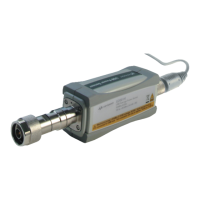
Figure 3. PC, ESG and USB power sensor conguration diagram
Connecting U2000
Series USB sensor to
PC using USB mini-B
connector
RF Out


 To Next Page
 Loading...