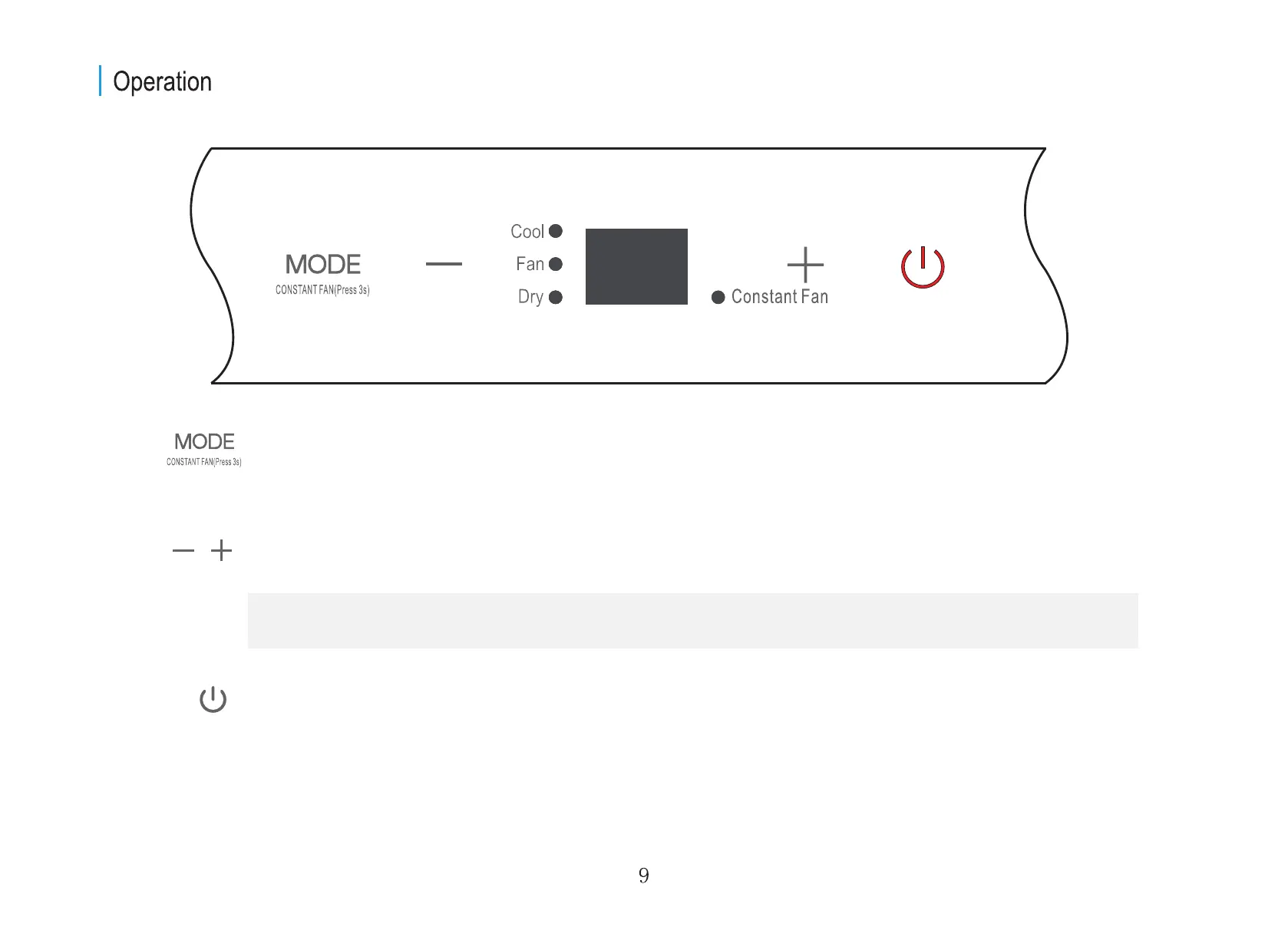
MODE button
Selects the desired operating mode. Each time you press the button, a mode is selected in a sequence that goes from
COOL, FAN, and DRY. The mode light illuminates and indicates the selected mode.
Used to adjust (increasing/decreasing) temperature settings in 1°C/1°F increments in a range of 17°C/62°F to 30°C/86°F.
Up (+) and Down (-) buttons
Power button
Power switch on/off.
NOTE: The control is capable of displaying temperature in degrees Fahrenheit or degrees Celsius. To convert from one to
the other, press and hold the Up and Down buttons at the same time for 3 seconds.


 To Next Page