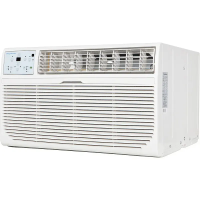
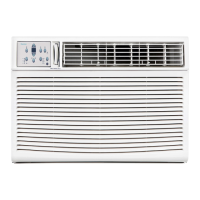
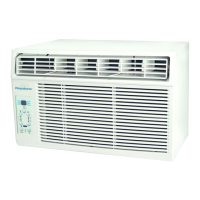
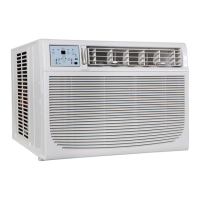
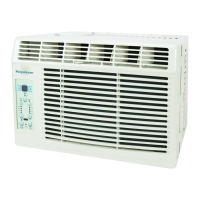
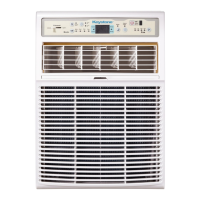
This document is a user manual for a Keystone window/wall-type room air conditioner, models KSTSW08B and KSTSW10B.
The air conditioner is designed to provide cooling for a room and can be installed in either a window or a wall. It features electronic controls for operation and includes various modes and settings to optimize comfort and energy efficiency.
Function Description:
The primary function of this device is to cool a room. It operates as a window/wall-type room air conditioner, meaning it can be installed in either a window opening or a prepared wall opening. The unit draws in room air, cools it, and then circulates the cooled air back into the room. It also has an exhaust control feature that allows it to either circulate inside air (Closed position for maximum cooling) or exhaust stale air to the outside (Open position for fresh air intake).
Important Technical Specifications:
- Models: KSTSW08B, KSTSW10B
- Power Supply Cord: Contains a current detection device to reduce fire risk. If damaged, it must be replaced by the manufacturer.
- Electrical Requirements: Requires a properly grounded wall receptacle. A dedicated power circuit with a time delay fuse or circuit breaker (minimum 14 gauge copper wire) is necessary.
- Operating Temperature Range (Cooling):
- Outdoor temp: 64-109°F (18-43°C) (or 64-125°F / 18-52°C for special tropical models)
- Indoor temp: 62-90°F (17-32°C)
- Operating Temperature Range (Heating):
- Outdoor temp: 23-76°F (-5-24°C)
- Indoor temp: 32-80°F (0-27°C)
- Note: Performance may be reduced outside these operating temperatures.
- Window Dimensions for Installation:
- Minimum width: 15-1/2 inches
- Maximum width (for casement windows): 16-1/4 inches
- Minimum height (with window panel retainer): 21-1/4 inches
- Minimum height (window panel retainer removed): 20-5/16 inches
- Maximum height: 39-7/16 inches
- Slope for Drainage: The unit should be installed with a slight tilt (3/16-inch to 1/2-inch lower on the outside, or 3-4 degrees downward) to ensure proper water drainage from the overflow drain hole.
Usage Features:
- Electronic Control Panel: The unit can be controlled via the electronic control panel on the unit itself or with a remote control.
- ON/OFF Button: Turns the unit on or off. The Energy Saver function automatically initiates in Cool, Dry, and Auto (only Auto-Cooling and Auto-Fan) modes.
- Temperature Setting: Uses UP/DOWN buttons to change the desired temperature, which can be maintained between 62°F (17°C) and 86°F (30°C). The display can show either the set temperature or the actual room temperature (in Fan Only mode).
- Operating Modes:
- Auto Mode: Automatically selects cooling, heating (if applicable), or fan-only operation based on the selected temperature and room temperature. Fan speed is automatically adjusted.
- Cool Mode: Provides cooling.
- Dry Mode: Operates as a dehumidifier, with some degree of cooling.
- Fan Only Mode: Circulates room air or exhausts stale air (with vent open). Fan speed can be chosen. The display shows the actual room temperature.
- Fan Speeds: Selectable fan speeds include Auto, Low, Med, and High.
- Sleep Feature: Increases the selected temperature by 2°F/1°C after 30 minutes, and by another 2°F/1°C after an additional 30 minutes. This new temperature is maintained for 6 hours before returning to the original setting.
- Energy Saver Feature: Available in Cool, Dry, and Auto (only Auto-Cooling and Auto-Fan) modes. The fan runs for 3 minutes after the compressor shuts off, then cycles on for 2 minutes at 10-minute intervals to monitor room temperature.
- Clean Air Feature (on some models): Activates an ion generator to remove pollen and impurities from the air, trapping them in the filter.
- Timer (Auto Start/Stop): Allows setting a time for the unit to automatically turn on or off. The time can be adjusted in 0.5-hour increments up to 10 hours, then 1-hour increments up to 24 hours.
- Follow Me Feature (on some models): Activated via the remote control, which acts as a remote thermostat, sensing the temperature at its location and sending signals to the unit every 3 minutes for precise temperature control.
- 4-Way Air Directional Louvers: Allows directing airflow up, horizontal, left, or right throughout the room.
- Exhaust Control: A lever to choose between circulating inside air (Closed) for maximum cooling or exhausting stale air to the outside (Open).
- Temperature Display: Can display temperature in degrees Fahrenheit (°F) or Celsius (°C). To switch, press and hold the Left and Right Temp/Timer buttons simultaneously for 3 seconds.
- Automatic Restart: If power is cut, the unit will restart with the previous function settings when power resumes.
- Compressor Delay: The Cool circuit has an automatic 3-minute time-delayed start if the unit is turned off and on quickly, preventing overheating and circuit breaker tripping. The fan continues to run during this delay.
Maintenance Features:
- Check Filter Feature: A reminder light illuminates after 250 hours of operation to indicate that the air filter needs cleaning. Pressing the Check Filter button resets the light.
- Air Filter Cleaning: The air filter should be checked at least once a month. It can be washed with liquid dishwashing detergent and warm water, rinsed thoroughly, and dried, or vacuumed. Do not use hot water over 40°C (104°F) or operate the unit without the filter.
- Cabinet Cleaning: Unplug the unit before cleaning. The cabinet and front can be dusted with an oil-free cloth or washed with a cloth dampened in a solution of warm water and mild liquid dishwashing detergent. Rinse thoroughly and wipe dry. Avoid harsh cleaners, wax, or polish. Wring excess water from the cloth before wiping around controls to prevent damage.
- Winter Storage: If storing the unit for winter, remove it carefully according to installation instructions, cover it with plastic, or return it to its original carton. Store in an upright position in a dry place to prevent rust or electrical connection damage.
Safety Instructions:
The manual emphasizes several safety precautions, including proper grounding, avoiding extension cords or adapter plugs, not operating with wet hands, ensuring adequate ventilation, and not modifying the unit or power cord. It also warns against blocking air inlets/outlets and using the unit for special purposes like preserving precision devices or plants.


 To Next Page
 General