EasyManua.ls Logo

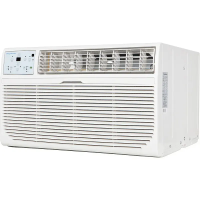
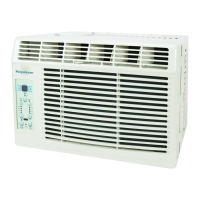
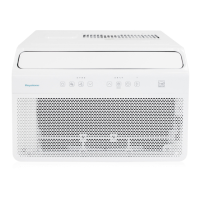
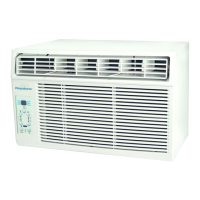
Keystone KSTAW08A - User Manual

Keystone KSTAW08A
40 pages
Print Icon
To Next Page IconTo Next Page
Loading...
Model KSTAW08A
1
12A
Question and Answer IconNeed help?

Do you have a question about the Keystone KSTAW08A and is the answer not in the manual?

Summary

Safety Precautions

IMPORTANT SAFETY INSTRUCTIONS

Electrical Information

Essential electrical safety guidelines and grounding requirements for the unit.

Operation of Current Device

Instructions for testing and using the power supply cord's current detection device.

NORMAL SOUNDS

Sound of Rushing Air

Describes the normal sound of air movement caused by the fan.

Gurgle;Hiss

Explains gurgling or hissing noises from refrigerant flow during operation.

High Pitched Chatter

Describes high-pitched chatter from compressors during cooling.

Vibration

Explains potential vibration and noise due to installation factors.

Pinging or Switching

Describes pinging or switching sounds from water hitting the condenser.

AIR CONDITIONER FEATURES

Turn Unit On

Step-by-step instructions on how to power the air conditioner on.

Change Temperature Setting

How to adjust the desired temperature using the unit controls or remote.

Adjust Fan Speeds

Guide on selecting fan speed settings like Auto, Low, Med, or High.

Select Operating Mode

Explains how to choose between Auto, Cool, Dry, and Fan operating modes.

Use Energy Saver Feature

Instructions on activating and using the energy-saving mode.

Sleep Mode Operation

Details on how to use the Sleep mode for gradual temperature adjustments.

Auto Start;Stop Timer

How to set automatic start and stop times for the unit.

Check Filter Indicator

Information about the filter indicator light and resetting it.

Follow Me Remote Thermostat

Explanation of the remote control's function as a thermostat.

ADDITIONAL THINGS YOU SHOULD KNOW

Fresh Air Vent Control(10,000 Btu; 12,000 Btu Models)

How to use the fresh air vent for different ventilation modes.

INSTALLATION INSTRUCTIONS

Adjust Air Louvers

How to adjust the louvers for directing airflow up/down and left/right.

Mounting Hardware Details

Lists and describes the hardware required for mounting the unit.

Top Rail Hardware Installation

Details on the top rail hardware and its installation for specific models.

Window Installation Steps

Step-by-step guide for installing the air conditioner into a window.

Installation with Storm Window

Advice on installing the AC with a storm window present.

Removing Unit from Window

Instructions for safely removing the air conditioner from the window.

CARE AND CLEANING

Cleaning the Air Filter

Steps for cleaning the air filter and maintenance tips.

Cleaning the Unit Cabinet

Guidelines for cleaning the exterior cabinet and front of the unit.

Winter Storage Instructions

Instructions on how to store the air conditioner during the winter.

TROUBLESHOOTING TIPS

Unit Does Not Start

Common solutions for when the unit fails to power on.

Insufficient Cooling

Troubleshooting steps for insufficient cooling performance.

Room too warm with ice on cooling coil.

Addresses issues with ice formation and room temperature imbalance.

Room too warm, no ice on cooling coil.

Solutions for warm rooms without ice buildup on the cooling coil.

Unit Cycles Rapidly

Explains causes and fixes for the unit cycling on and off frequently.

Unit Noise Issues

Identifies normal sounds and solutions for excessive noise.

Internal Water Dripping

Troubleshooting for internal water dripping issues during operation.

External Water Dripping

Explains normal outside dripping and potential issues.

Remote Sensing Issues

Troubleshooting for the remote sensing feature shutting off early.

Room Becomes Too Cold

Solutions for the room becoming excessively cold.

Air Conditioner Warranty

Warranty Period Details

Details the duration of the full and limited warranties.

Mideas Warranty Responsibilities

Outlines Midea's responsibilities under the warranty.

Consumer Warranty Responsibilities

Lists consumer responsibilities related to warranty service.

Consumers Normal Duties

Specific duties of the consumer for product use and maintenance.

Warranty Exclusions

Conditions and failures not covered by the warranty.

Obtaining Warranty Service

Instructions on how to obtain warranty service and contact information.

Summary

Safety Precautions

IMPORTANT SAFETY INSTRUCTIONS

Electrical Information

Essential electrical safety guidelines and grounding requirements for the unit.

Operation of Current Device

Instructions for testing and using the power supply cord's current detection device.

NORMAL SOUNDS

Sound of Rushing Air

Describes the normal sound of air movement caused by the fan.

Gurgle;Hiss

Explains gurgling or hissing noises from refrigerant flow during operation.

High Pitched Chatter

Describes high-pitched chatter from compressors during cooling.

Vibration

Explains potential vibration and noise due to installation factors.

Pinging or Switching

Describes pinging or switching sounds from water hitting the condenser.

AIR CONDITIONER FEATURES

Turn Unit On

Step-by-step instructions on how to power the air conditioner on.

Change Temperature Setting

How to adjust the desired temperature using the unit controls or remote.

Adjust Fan Speeds

Guide on selecting fan speed settings like Auto, Low, Med, or High.

Select Operating Mode

Explains how to choose between Auto, Cool, Dry, and Fan operating modes.

Use Energy Saver Feature

Instructions on activating and using the energy-saving mode.

Sleep Mode Operation

Details on how to use the Sleep mode for gradual temperature adjustments.

Auto Start;Stop Timer

How to set automatic start and stop times for the unit.

Check Filter Indicator

Information about the filter indicator light and resetting it.

Follow Me Remote Thermostat

Explanation of the remote control's function as a thermostat.

ADDITIONAL THINGS YOU SHOULD KNOW

Fresh Air Vent Control(10,000 Btu; 12,000 Btu Models)

How to use the fresh air vent for different ventilation modes.

INSTALLATION INSTRUCTIONS

Adjust Air Louvers

How to adjust the louvers for directing airflow up/down and left/right.

Mounting Hardware Details

Lists and describes the hardware required for mounting the unit.

Top Rail Hardware Installation

Details on the top rail hardware and its installation for specific models.

Window Installation Steps

Step-by-step guide for installing the air conditioner into a window.

Installation with Storm Window

Advice on installing the AC with a storm window present.

Removing Unit from Window

Instructions for safely removing the air conditioner from the window.

CARE AND CLEANING

Cleaning the Air Filter

Steps for cleaning the air filter and maintenance tips.

Cleaning the Unit Cabinet

Guidelines for cleaning the exterior cabinet and front of the unit.

Winter Storage Instructions

Instructions on how to store the air conditioner during the winter.

TROUBLESHOOTING TIPS

Unit Does Not Start

Common solutions for when the unit fails to power on.

Insufficient Cooling

Troubleshooting steps for insufficient cooling performance.

Room too warm with ice on cooling coil.

Addresses issues with ice formation and room temperature imbalance.

Room too warm, no ice on cooling coil.

Solutions for warm rooms without ice buildup on the cooling coil.

Unit Cycles Rapidly

Explains causes and fixes for the unit cycling on and off frequently.

Unit Noise Issues

Identifies normal sounds and solutions for excessive noise.

Internal Water Dripping

Troubleshooting for internal water dripping issues during operation.

External Water Dripping

Explains normal outside dripping and potential issues.

Remote Sensing Issues

Troubleshooting for the remote sensing feature shutting off early.

Room Becomes Too Cold

Solutions for the room becoming excessively cold.

Air Conditioner Warranty

Warranty Period Details

Details the duration of the full and limited warranties.

Mideas Warranty Responsibilities

Outlines Midea's responsibilities under the warranty.

Consumer Warranty Responsibilities

Lists consumer responsibilities related to warranty service.

Consumers Normal Duties

Specific duties of the consumer for product use and maintenance.

Warranty Exclusions

Conditions and failures not covered by the warranty.

Obtaining Warranty Service

Instructions on how to obtain warranty service and contact information.

Keystone KSTAW08A Specifications

General IconGeneral
Cooling Capacity8, 000 BTU
Cooling Area350 sq. ft.
Voltage115V
Noise Level52 dB
RefrigerantR32
Power Consumption660 W

Related product manuals