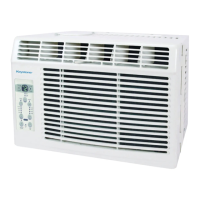
EasyManua.ls Logo

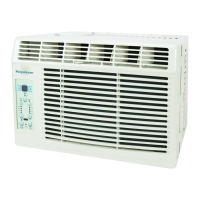
Keystone KSTAW05A - User Manual

Keystone KSTAW05A
39 pages
Print Icon
To Next Page IconTo Next Page
Loading...
ModeIKSTAW05A
Question and Answer IconNeed help?

Do you have a question about the Keystone KSTAW05A and is the answer not in the manual?

Summary

Air Conditioner Warranty

Product Warranty Card

Details the warranty coverage and responsibilities for the product.

Safety Precautions

Understanding Safety Symbols

Explains WARNING and CAUTION symbols and general safety guidelines.

Important Safety Instructions

Electrical Safety and Grounding

Covers electrical information, grounding, and proper power cord usage.

Operation of Current Device

Explains the function and testing of the power supply cord's current device.

Normal Sounds

Common Operational Sounds

Describes the typical sounds the air conditioner may produce during operation.

Air Conditioner Features

Electronic Control Operating Instructions

Guide to using the unit's control panel and remote for operation.

Air Conditioner Features (Continued)

Turning Unit On and Off

Instructions for powering the air conditioner unit on and off.

Adjusting Temperature Settings

Steps to change the desired temperature setting for the unit.

Adjusting Fan Speeds

How to select and change the fan speed of the air conditioner.

Air Conditioner Features (Continued)

Selecting Operating Modes

Guide to choosing between Auto, Cool, Dry, and Fan operating modes.

Using the Energy Saver Feature

Instructions for activating and using the energy-saving function.

Sleep Feature Operation

Explains how to use the sleep mode for gradual temperature adjustment.

Air Conditioner Features (Continued)

Auto Start;Stop Timer Function

Details on setting the timer for automatic start or stop operations.

Check Filter Indicator

Information on the filter reminder light and reset procedure.

Air Conditioner Features (Continued)

Follow Me Feature

How to use the remote as a thermostat for precise temperature control.

Additional Operational Tips

Useful information on compressor delay, temperature range, and unit conversion.

Air Directional Louvers

Instructions on how to adjust the louvers for airflow direction.

Installation Instructions

Window Requirements and Airflow

Specifies window size requirements and necessary airflow clearance.

Mounting Hardware and Tools

Lists necessary mounting hardware and tools for installation.

Installation Instructions (Continued)

Installing Window Filler Panels

Step-by-step guide for fitting the window filler panels.

Installation Instructions (Continued)

Securing the Unit in the Window

Instructions for securing the air conditioner within the window frame.

Extending Side Panels

How to extend the side panels to fit the window opening.

Installing Frame Locks and Screws

Details on placing and fastening frame locks and screws for stability.

Installation Instructions (Continued)

Finalizing Sash Locks and Foam Seal

Instructions for securing the lower sash and applying foam seal.

Handling Storm Window Obstructions

Advice on installing with storm windows or removing them.

Removing the Air Conditioner

Steps for safely disconnecting and removing the unit from the window.

Care and Cleaning

Air Filter Cleaning Procedure

Guide on how to check, clean, or vacuum the air filter.

Cabinet Exterior Cleaning

Instructions for cleaning the unit's cabinet and front panel.

Winter Storage Recommendations

Tips for storing the air conditioner during the winter season.

Troubleshooting Tips

Unit Not Starting or Cooling

Solutions for when the air conditioner fails to start or cool properly.

Warm Room or Ice Formation

Addresses issues of insufficient cooling, ice buildup, or warm air output.

Rapid Cycling or Noise Issues

Explains causes for rapid on/off cycling and common operational noises.

Water Dripping Inside Unit

Solutions for internal water leakage during cooling operation.

Troubleshooting Tips (Continued)

Water Dripping Outside Unit

Explains normal condensation dripping outside the unit.

Remote Sensing Malfunctions

Troubleshooting steps for premature deactivation of remote sensing.

Room Temperature Too Cold

Advice on adjusting settings when the room becomes too cold.

Air Conditioner Warranty

Consumer Responsibilities and Exclusions

Outlines consumer duties, warranty exclusions, and limitations.

Obtaining Service and Support

Information on how to get service and contact customer support.

Summary

Air Conditioner Warranty

Product Warranty Card

Details the warranty coverage and responsibilities for the product.

Safety Precautions

Understanding Safety Symbols

Explains WARNING and CAUTION symbols and general safety guidelines.

Important Safety Instructions

Electrical Safety and Grounding

Covers electrical information, grounding, and proper power cord usage.

Operation of Current Device

Explains the function and testing of the power supply cord's current device.

Normal Sounds

Common Operational Sounds

Describes the typical sounds the air conditioner may produce during operation.

Air Conditioner Features

Electronic Control Operating Instructions

Guide to using the unit's control panel and remote for operation.

Air Conditioner Features (Continued)

Turning Unit On and Off

Instructions for powering the air conditioner unit on and off.

Adjusting Temperature Settings

Steps to change the desired temperature setting for the unit.

Adjusting Fan Speeds

How to select and change the fan speed of the air conditioner.

Air Conditioner Features (Continued)

Selecting Operating Modes

Guide to choosing between Auto, Cool, Dry, and Fan operating modes.

Using the Energy Saver Feature

Instructions for activating and using the energy-saving function.

Sleep Feature Operation

Explains how to use the sleep mode for gradual temperature adjustment.

Air Conditioner Features (Continued)

Auto Start;Stop Timer Function

Details on setting the timer for automatic start or stop operations.

Check Filter Indicator

Information on the filter reminder light and reset procedure.

Air Conditioner Features (Continued)

Follow Me Feature

How to use the remote as a thermostat for precise temperature control.

Additional Operational Tips

Useful information on compressor delay, temperature range, and unit conversion.

Air Directional Louvers

Instructions on how to adjust the louvers for airflow direction.

Installation Instructions

Window Requirements and Airflow

Specifies window size requirements and necessary airflow clearance.

Mounting Hardware and Tools

Lists necessary mounting hardware and tools for installation.

Installation Instructions (Continued)

Installing Window Filler Panels

Step-by-step guide for fitting the window filler panels.

Installation Instructions (Continued)

Securing the Unit in the Window

Instructions for securing the air conditioner within the window frame.

Extending Side Panels

How to extend the side panels to fit the window opening.

Installing Frame Locks and Screws

Details on placing and fastening frame locks and screws for stability.

Installation Instructions (Continued)

Finalizing Sash Locks and Foam Seal

Instructions for securing the lower sash and applying foam seal.

Handling Storm Window Obstructions

Advice on installing with storm windows or removing them.

Removing the Air Conditioner

Steps for safely disconnecting and removing the unit from the window.

Care and Cleaning

Air Filter Cleaning Procedure

Guide on how to check, clean, or vacuum the air filter.

Cabinet Exterior Cleaning

Instructions for cleaning the unit's cabinet and front panel.

Winter Storage Recommendations

Tips for storing the air conditioner during the winter season.

Troubleshooting Tips

Unit Not Starting or Cooling

Solutions for when the air conditioner fails to start or cool properly.

Warm Room or Ice Formation

Addresses issues of insufficient cooling, ice buildup, or warm air output.

Rapid Cycling or Noise Issues

Explains causes for rapid on/off cycling and common operational noises.

Water Dripping Inside Unit

Solutions for internal water leakage during cooling operation.

Troubleshooting Tips (Continued)

Water Dripping Outside Unit

Explains normal condensation dripping outside the unit.

Remote Sensing Malfunctions

Troubleshooting steps for premature deactivation of remote sensing.

Room Temperature Too Cold

Advice on adjusting settings when the room becomes too cold.

Air Conditioner Warranty

Consumer Responsibilities and Exclusions

Outlines consumer duties, warranty exclusions, and limitations.

Obtaining Service and Support

Information on how to get service and contact customer support.

Keystone KSTAW05A Specifications

General IconGeneral
BrandKeystone
ModelKSTAW05A
CategoryAir Conditioner
LanguageEnglish

Related product manuals