1
2
* For more details, visit docs.khadas.com/tone2
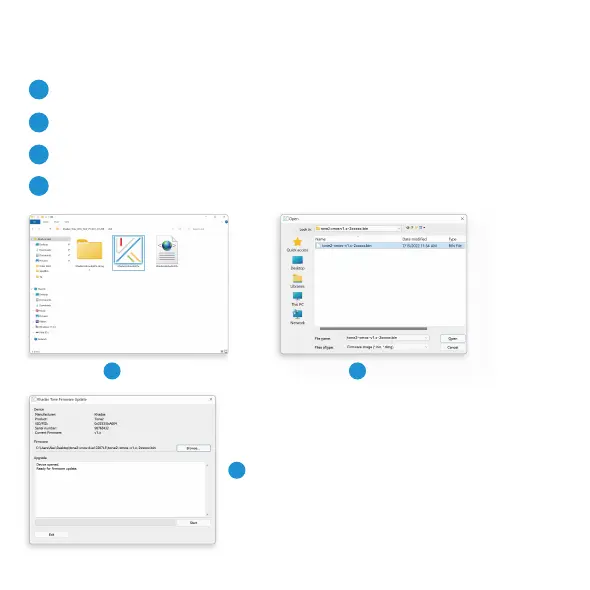
Open the Khadas DFU Upgrade Tool
Download the latest tool from dl.khadas.com/products/tone2/dfu_tool
Download the latest Tone2 rmware
Download the latest rmware from dl.khadas.com/products/tone2/rmware
3
Flash new rmware to Tone2
Connect your Tone2 via a USB-C cable to your PC, and use the DFU tool to burn the new rmware.
4
Power o and resta your Tone2
After the rmware update is completed, Tone2 needs to be powered o and restaed to activate the new rmware.
Firmware Upgrade
Step 1
1
Step 2
2
Step 3
3



 To Next Page