Features of your vehicle
1084
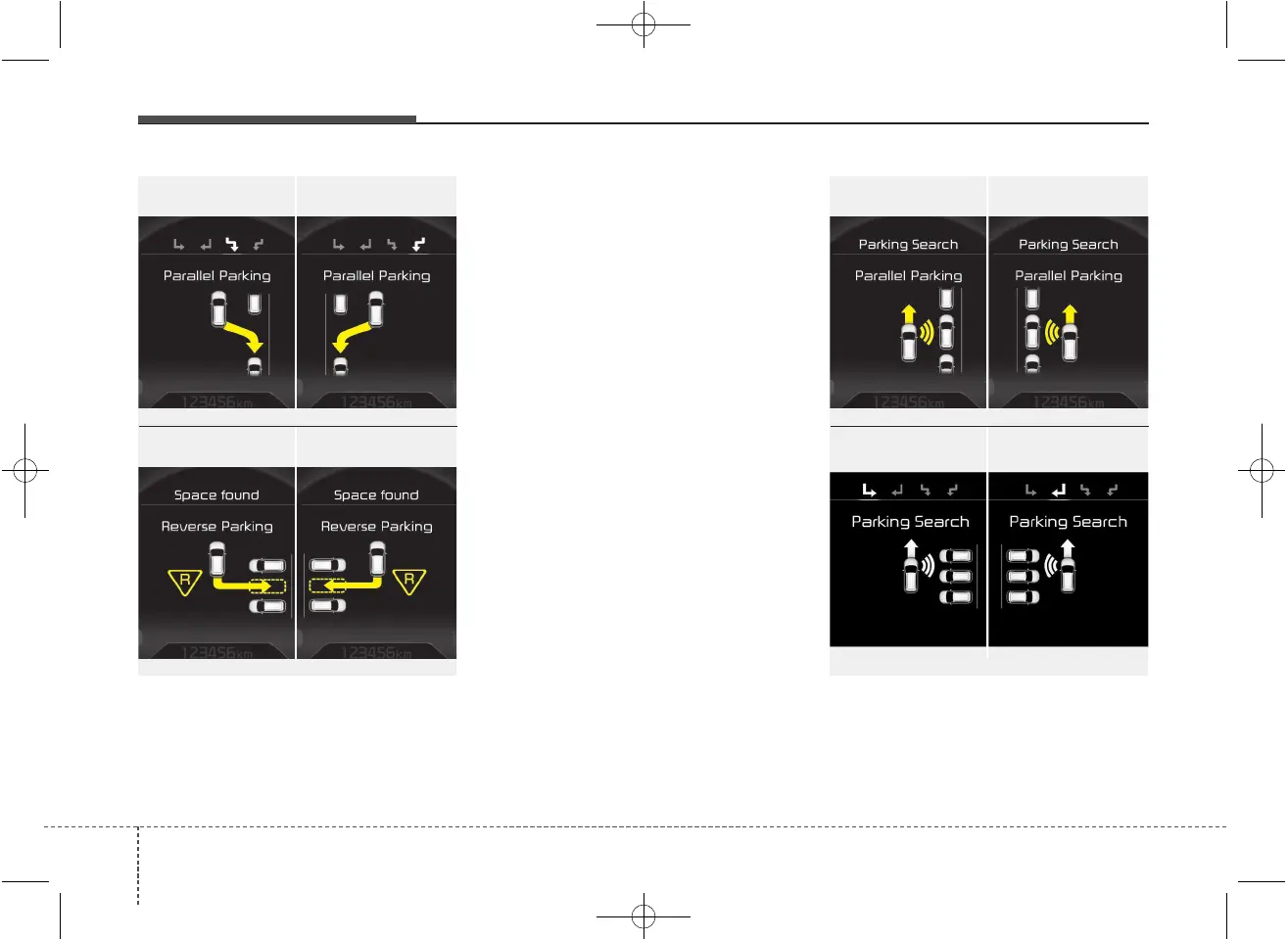
2. Select parking assist mode
• Select the parking assist mode by press-
ing the Smart Parking Assist System
button with the shift lever in N (Neutral)
or D(Drive) and the brake pedal
depressed. If the speed of the vehicle
has not exceeded 5km/h with the IGN in
ON, move the shift lever to N(Neutral) to
select the parallel exit mode.
• The right side parallel mode is select-
ed automatically when the Smart
Parking Assist System is activated.
• To select the left side parallel mode
press the Smart Parking Assist System
button once more.
• If the button is pressed again, the sys-
tem will turn off.
• The mode changes from parallel mode
(right → left) to reverse mode (right →
left) whenever the Smart Parking Assist
System button is pressed. (for LHD)
• The mode changes from parallel mode
(left → right) to reverse mode (left →
right) whenever the Smart Parking
Assist System button is pressed. (for
RHD)
3. Search for parking space (optional)
• Slowly drive forward maintaining the
distance of approximately 50cm ~
150cm (19.6in.~59.0in.) with the
parked vehicles. The side sensors will
search for a parking space.
■ Right side
- parallel mode
■ Left side
-parallel mode
■ Right side
- reverse mode
■ Left side
- reverse mode
OJD045306L/OJD045307L
OUM044308L/OUM044309L
■ Right side
- parallel mode
■ Left side
-parallel mode
■ Right side
- reverse mode
■ Left side
- reverse mode
OJD045536L/OJD045537L
OJD045304L/OJD045305L



 To Next Page