4175
Features of your vehicle
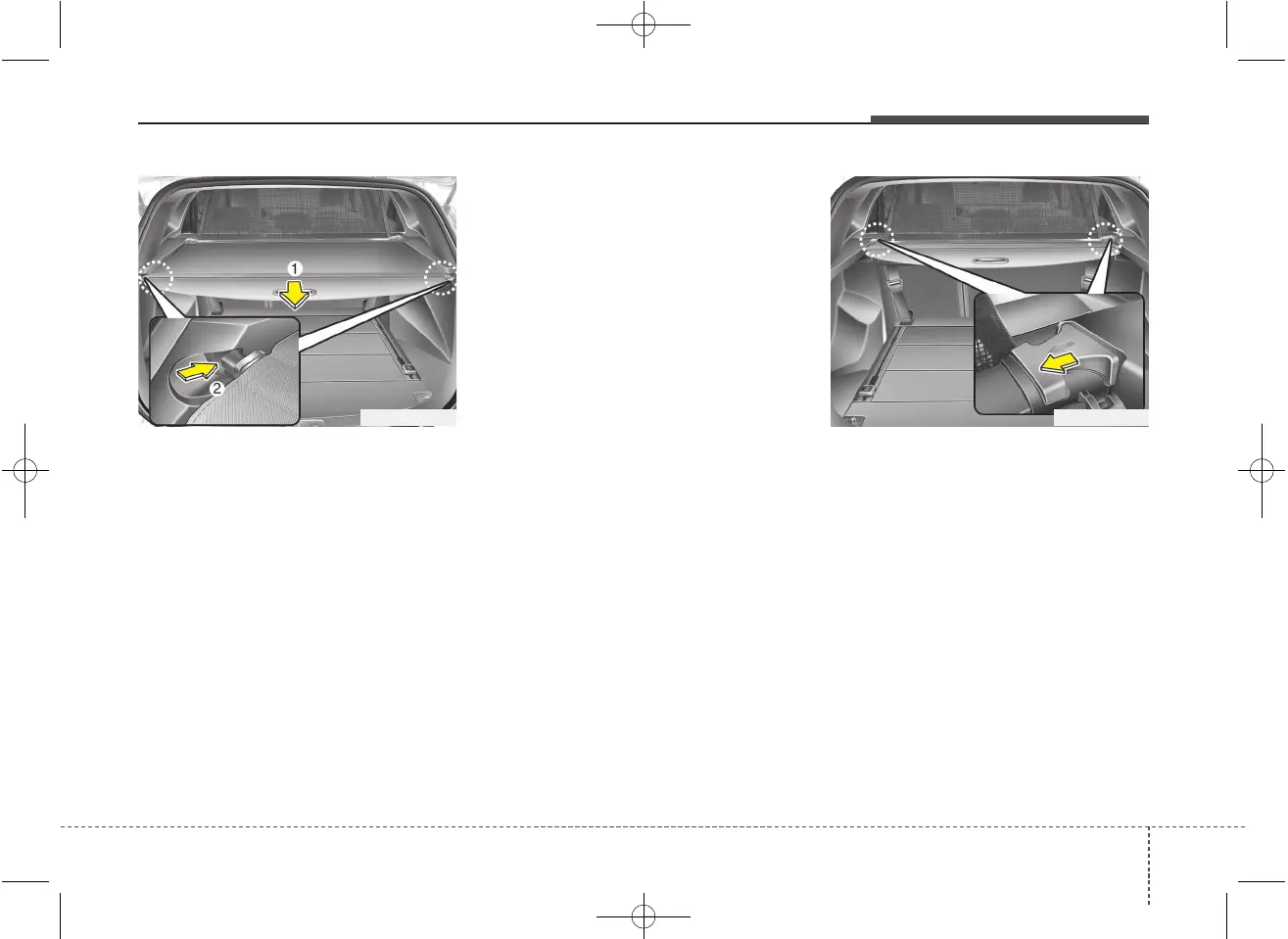
To use the cargo security screen
1. Pull the cargo security screen towards
the rear of the vehicle by the handle
(1).
2. Insert the guide pin into the guide (2).
✽✽
NOTICE
Pull out the cargo security screen with
the handle in the center to prevent the
guide pin from falling out of the guide.
When the cargo security screen is not in
use:
1. Pull the cargo security screen rear and
down to release it from the guides.
2. The cargo security screen will auto-
matically slide back in.
✽✽
NOTICE
The cargo security screen may not auto-
matically slide back in if the cargo secu-
rity screen is not fully pulled out. Fully
pull it out and then let go.
To remove the cargo security screen
1. Push the guide pin inward.
2. While pushing the guide pin, pull out
the cargo security screen.
OGDE042305 OGDE042306



 To Next Page