Features of your vehicle
4201
Phone Settings
(
Bluetooth
®
Wireless
Technology equipped model)
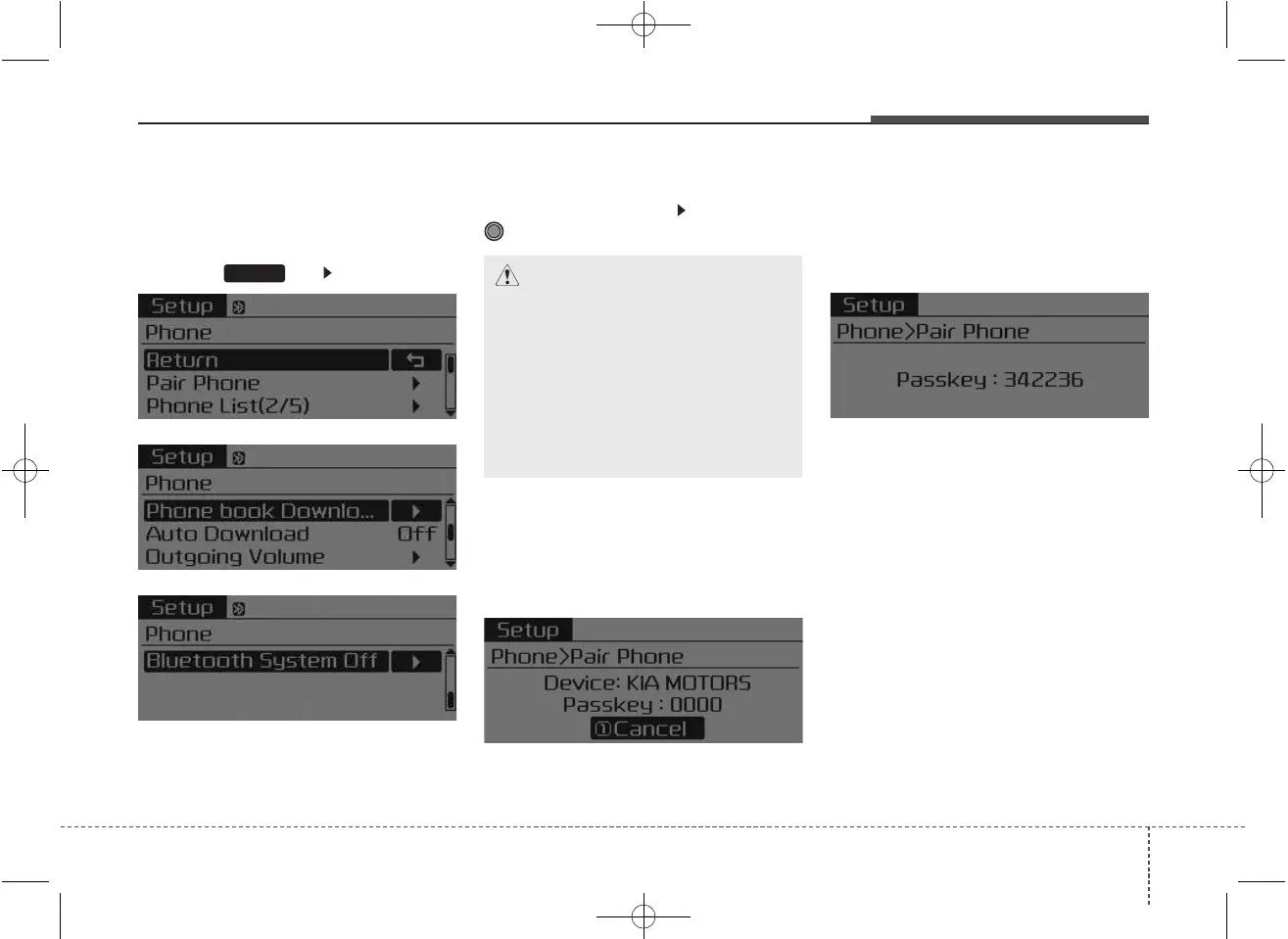
Press the key Select [Phone]
Pair Phone
Select [Pair Phone] Set through
TUNE knob
➀ Search for device names as dis-
played on your mobile phone and
connect.
[Non SSP supported device]
(SSP: Secure Simple Pairing)
➁ After a few moments, a screen is
displayed where the passkey is
entered.
Enter the passkey “0000” to pair
your
Bluetooth
®
Wireless
Technology device with the car
audio system.
[SSP supported device]
➁ After a few moments, a screen is
displayed 6 digits passkey.
Check the passkey on your
Bluetooth
®
Wireless Technology
device and confirm.
❈ The device name and passkey will
be displayed on the screen for up
to 3 minutes. If pairing is not com-
pleted within the 3 minutes, the
mobile phone pairing process will
automatically be canceled.
➂ Pairing completion is displayed.
❈ In some mobile phones, pairing
will automatically be followed by
connection.
❈ It is possible to pair up to five
Bluetooth
®
Wireless Technology
enabled mobile phones.
SETUP
CAUTION
To pair a Bluetooth
®
Wireless
Technology enabled mobile
phone, authentication and con-
nection processes are first
required. As a result, you can-
not pair your mobile phone
while driving the vehicle. First
park your vehicle before use.



 To Next Page