Features of your vehicle
2704
✽✽
NOTICE
• The call history list will display up
to 50 outgoing, incoming, and
missed calls.
• Upon downloading call histories,
previously saved histories are
deleted.
• Incoming calls with hidden caller
IDs will not be saved in the call
history list.
• Previously saved phone book
entries are stored even if a device
is disconnected and re-connected.
• The download feature may not be
supported in some mobile phones.
Check to see that the Bluetooth
®
Wireless Technology device sup-
ports the download feature.
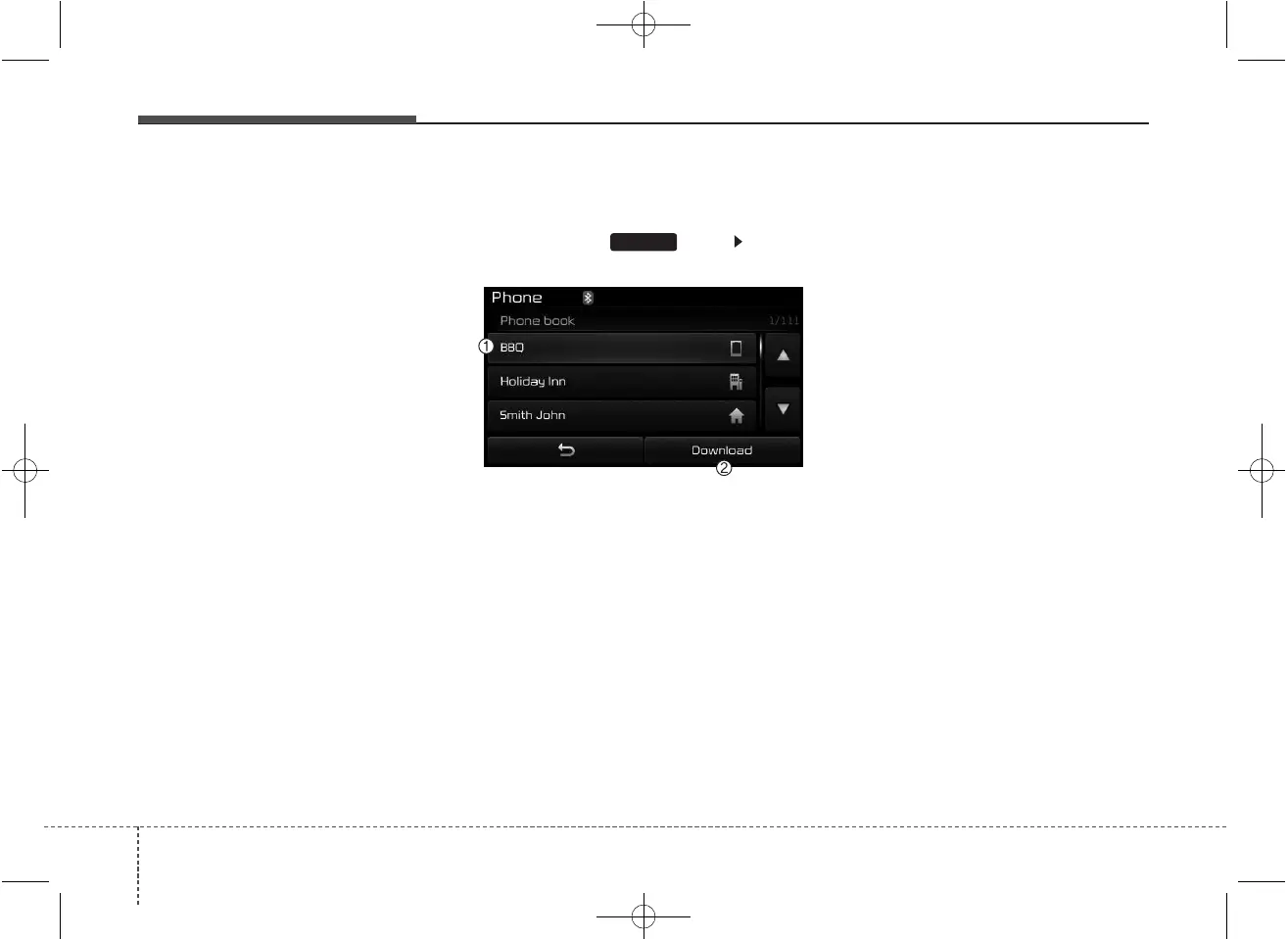
Phone Book
Press the key Select
[Phone book]
The list of saved phone book entries
is displayed. Press the [Download]
button to download the call history.
(1) Contact List :
- Displays downloaded phone book
entries
- Connects call upon selection
(2) Download : Download phone
book entries
✽✽
NOTICE
• Up to 1,000 phone book entries
can be copied into car phone book.
• Upon downloading phone book
data, previously saved phone book
data will be deleted.
• Downloading is not possible if the
phone book download feature is
turned off within the Bluetooth
®
Wireless Technology device. Also,
some devices may require device
authorization upon attempting to
download. If downloading cannot
be normally conducted, check the
Bluetooth
®
Wireless Technology
device setting or the screen state.
• Caller ID information will not be
displayed for unsaved callers.
• The download feature may not be
supported in some mobile phones.
Check to see that the Bluetooth
®
Wireless Technology device sup-
ports the download feature.
PHONE



 To Next Page