Driving your vehicle
645
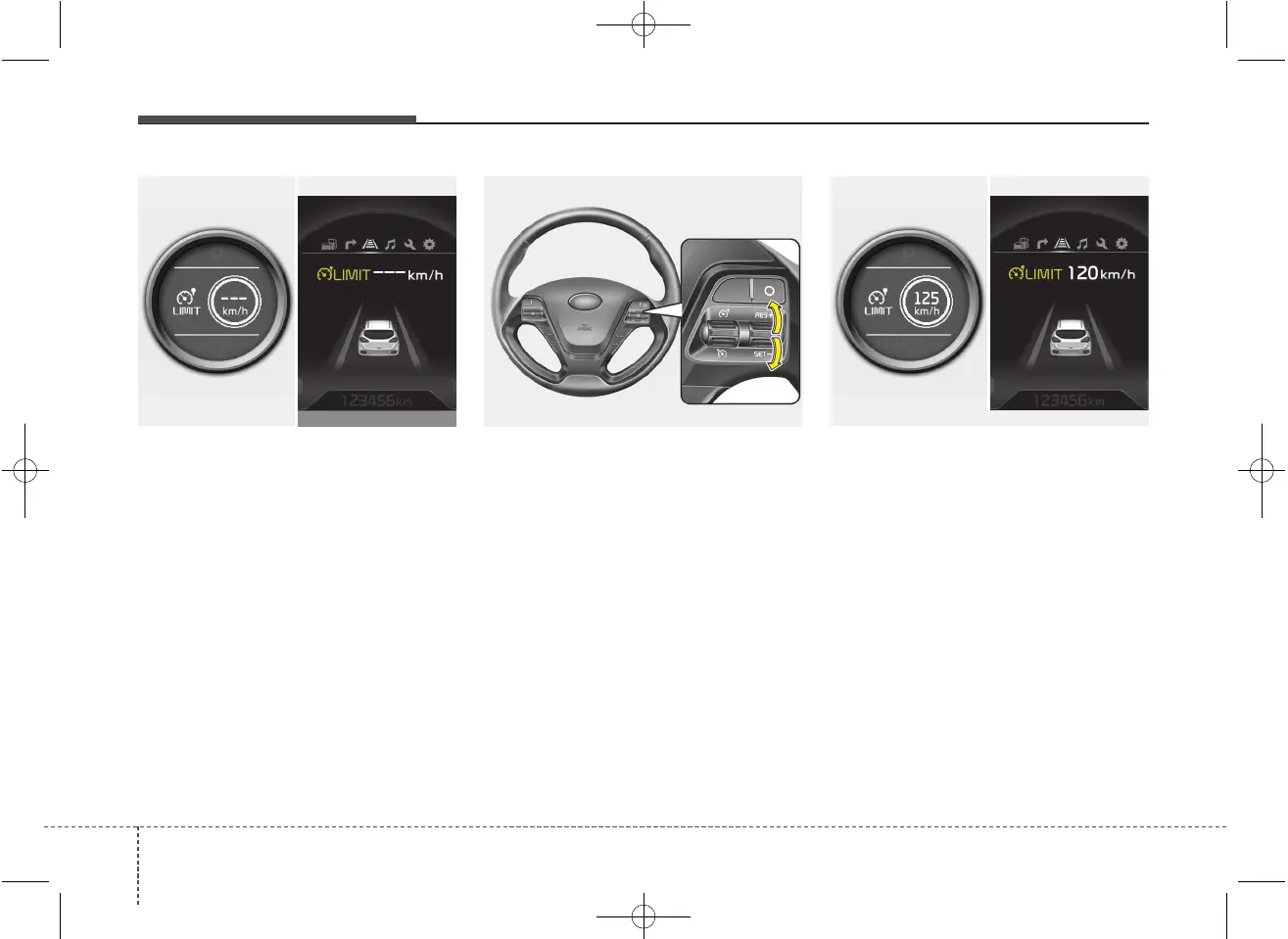
The speed limit indicator light will illumi-
nate.
2. Move the lever down (to SET-).
3. Move the lever up (to RES+) or down
(to SET-), and release it at the desired
speed. Move the lever up (to RES+) or
down (to SET-) and hold it. The speed
will increase or decrease by 5 km/h (3
mph).
Move the lever up (to RES+) or down
(SET-) and release it immediately. The
speed will increase or decrease by 1
km/h.
The set speed limit will display on the
instrument cluster.
The set speed limit will be displayed.
OJD052031/OJD055034L
Normal vision
Supervision
OJD053022
Normal vision
Supervision
OJD052032/OJD055044L



 To Next Page