Features of your vehicle
132
Using RADIO, SETUP, VOLUME
and AUDIO CONTROL
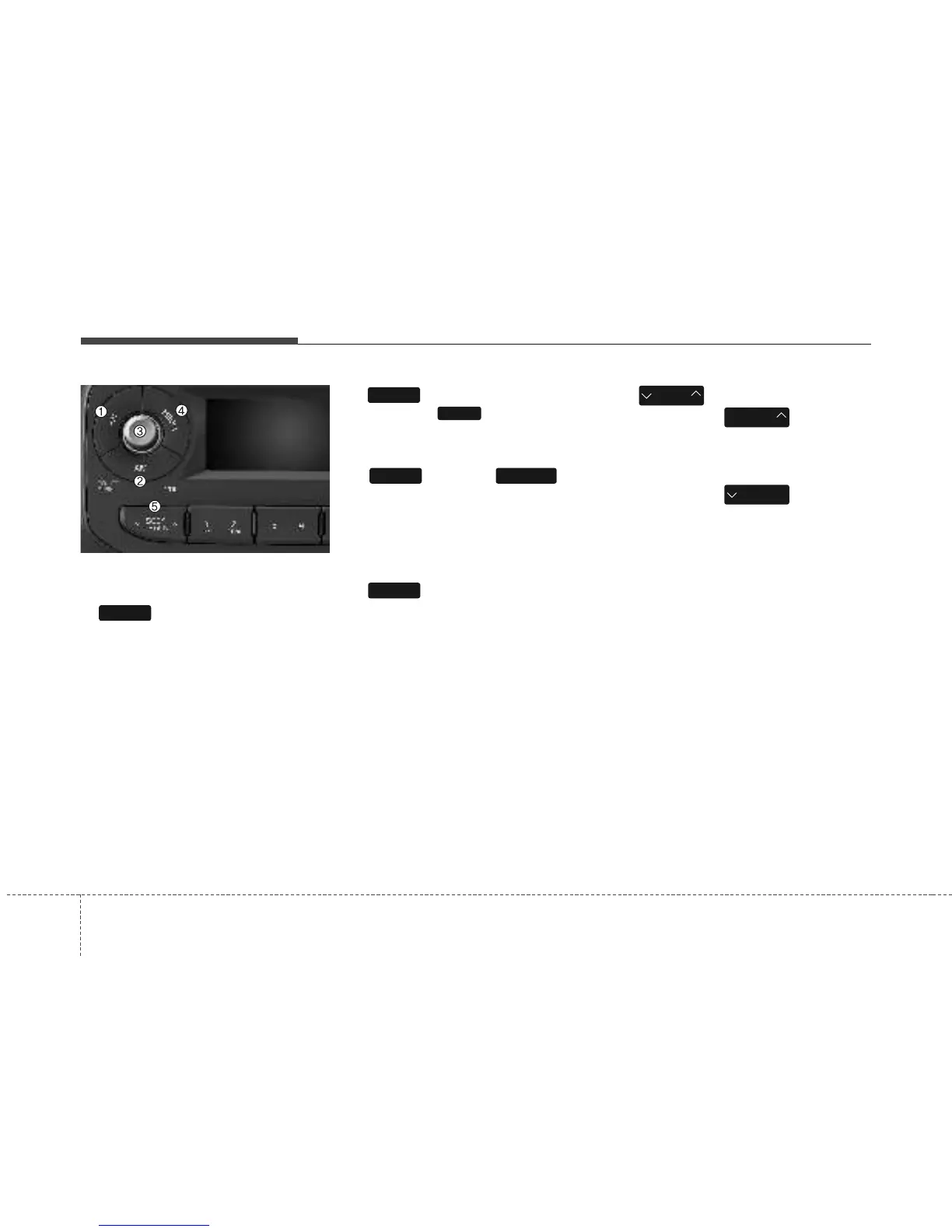
1. Button
Turns to FM mode and toggles FM1 and
FM2 when the button is pressed each
time.
2. Button
Pressing the button selects the
AM band. AM Mode is displayed on the
LCD.
3. Button & Knob
• Turns the audio system on/off when the
ignition switch is on ACC or ON.
• If the knob is turned clockwise/counter-
clockwise, the volume will increase
/decrease.
4. Button
• Changes to USB(iPod
®
), AUX mode.
• Each time the key is pressed, the mode
is changed in order of USB(iPod
®
),
AUX.
5. Button
• When the button is
pressed, it increases the band fre-
quency to automatically select chan-
nel. Stops at the previous frequency if
no channel is found.
• When the button is
pressed, it decreases the band fre-
quency to automatically select chan-
nel. Stops at the previous frequency if
no channel is found.
SEEK
TRACK
SEEK
TRACK
SEEK
TRACK
MEDIA
VOLUMEPOWER
AM
AM
FM
4


 To Next Page