161
Features of your vehicle
4
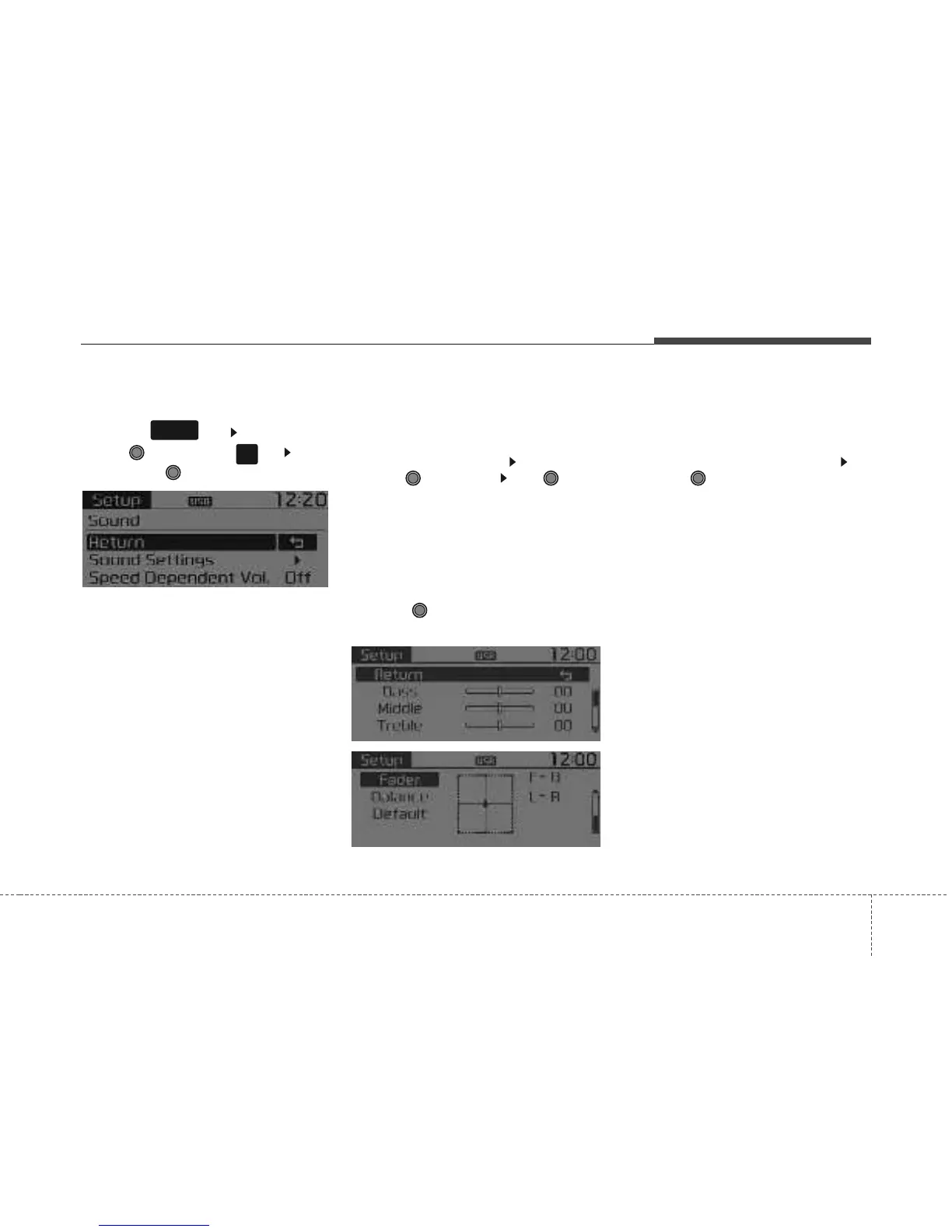
SOUND SETTINGS
Press the key Select [Sound]
through TUNE knob or key Select
menu through TUNE knob
Sound Settings
This menu allows you to set the ‘Bass,
Middle, Treble’ and the Sound Fader and
Balance.
Select [Sound Settings] Select menu
through
TUNE knob
Tu r n
TUNE
knob
left/right to set
• Bass, Middle, Treble : Selects the sound
tone.
• Fader, Balance : Moves the sound fader
and balance.
• Default : Restores default settings.
❈ Return : While adjusting values, press-
ing the TUNE knob will restore the
parent menu.
Speed Dependent Volume Control
This feature is used to automatically con-
trol the volume level according to the
speed of the vehicle.
Select [Speed Dependent Vol.] Set
[Off/On] of
TUNE
knob
2
RDM
SETUP
CLOCK



 To Next Page