10
3.2. Connection to available
Wi-Fi network
Wi-Fi network with password protec-
tion.
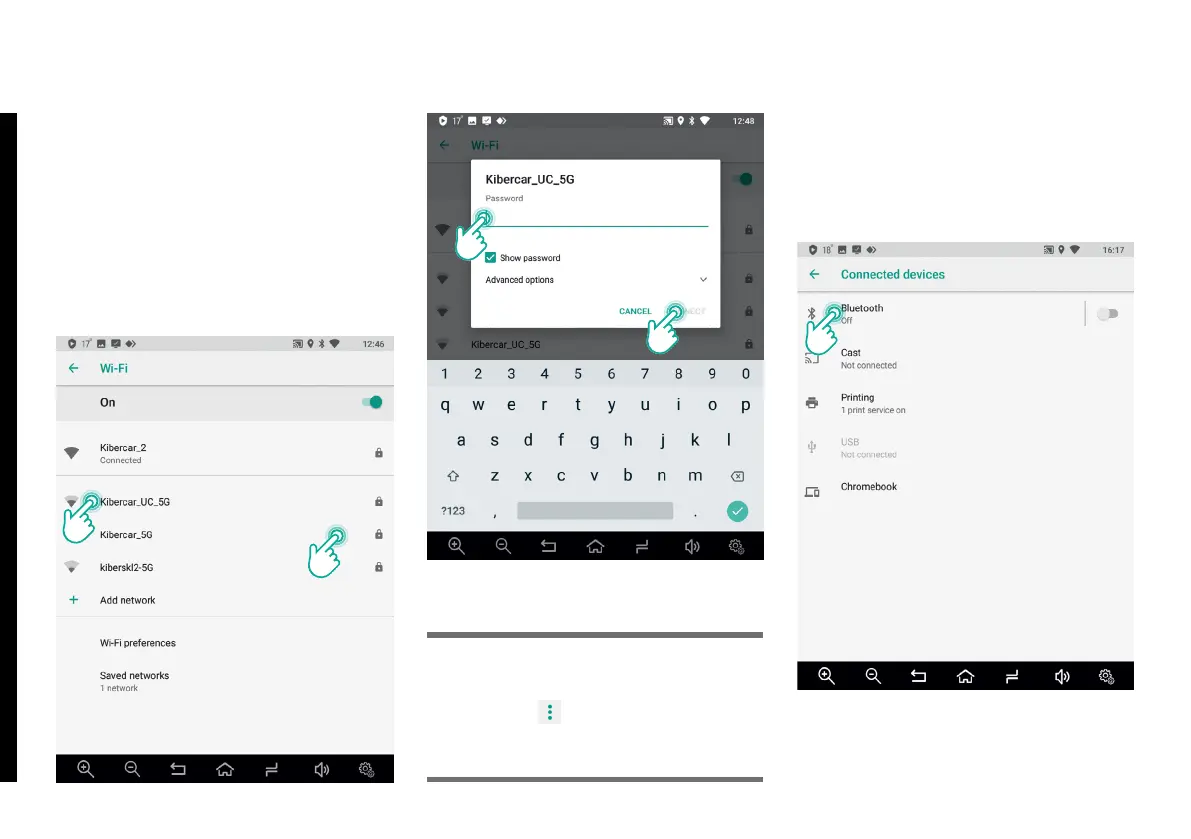
Step-by-step instructions on how to
connect to available Wi-Fi network are
shown in the following gures.
If you need to reset Wi-Fi and Internet
settings, tap
button in this menu
and then select Reset Wi-Fi and
Network settings.
Please Note!
3.3. Connected Devices
This item includes standard Google
Android 8.1 elements and allows con-
necting to external devices.
3. GOOGLE ANDROID SETTINGS



 To Next Page