3
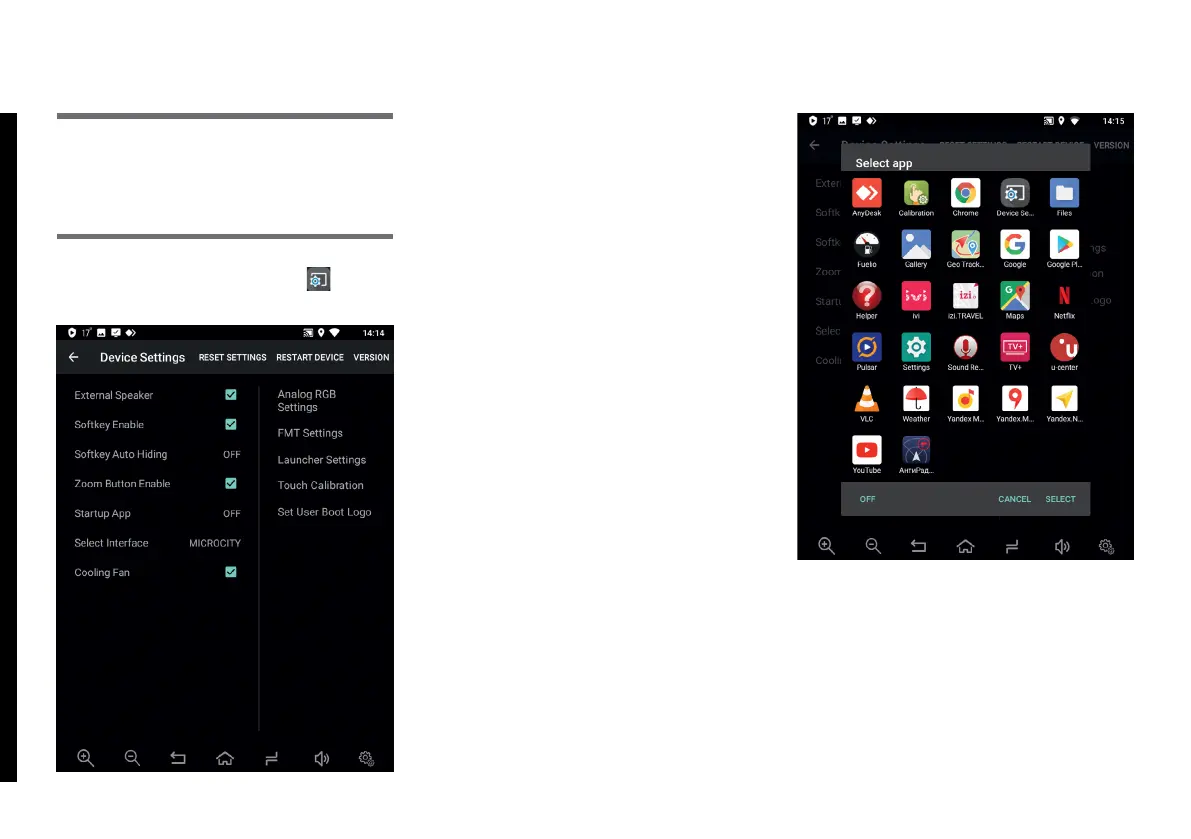
To enter Device Settings, tap
button.
This menu allows making individual
settings in AirTouch Performance
system.
External Speaker – turn on / off voice
prompts speaker in map (navigation)
apps.
Softkey Enable – turn on / off virtual
buttons panel.
SoftKey Auto Hiding – set duration
(5 or 10 seconds) of virtual buttons
panel visibility and turn on / off virtual
buttons panel. After the set time (5 or
10 seconds) expires, virtual buttons
panel becomes invisible.
Zoom Button Enable – allows
displaying zoom-in / zoom-out
buttons in in map (navigation) apps
or displaying selected (assigned) app
shortcut buttons.
Startup App – allows selecting an app
(from a drop-down list of installed
apps) that is automatically launched
on system start-up.
Making changes in Device Settings
may result in incorrect operation or
malfunction of the device!
Please Note!
2. DEVICE SETTINGS



 To Next Page