2
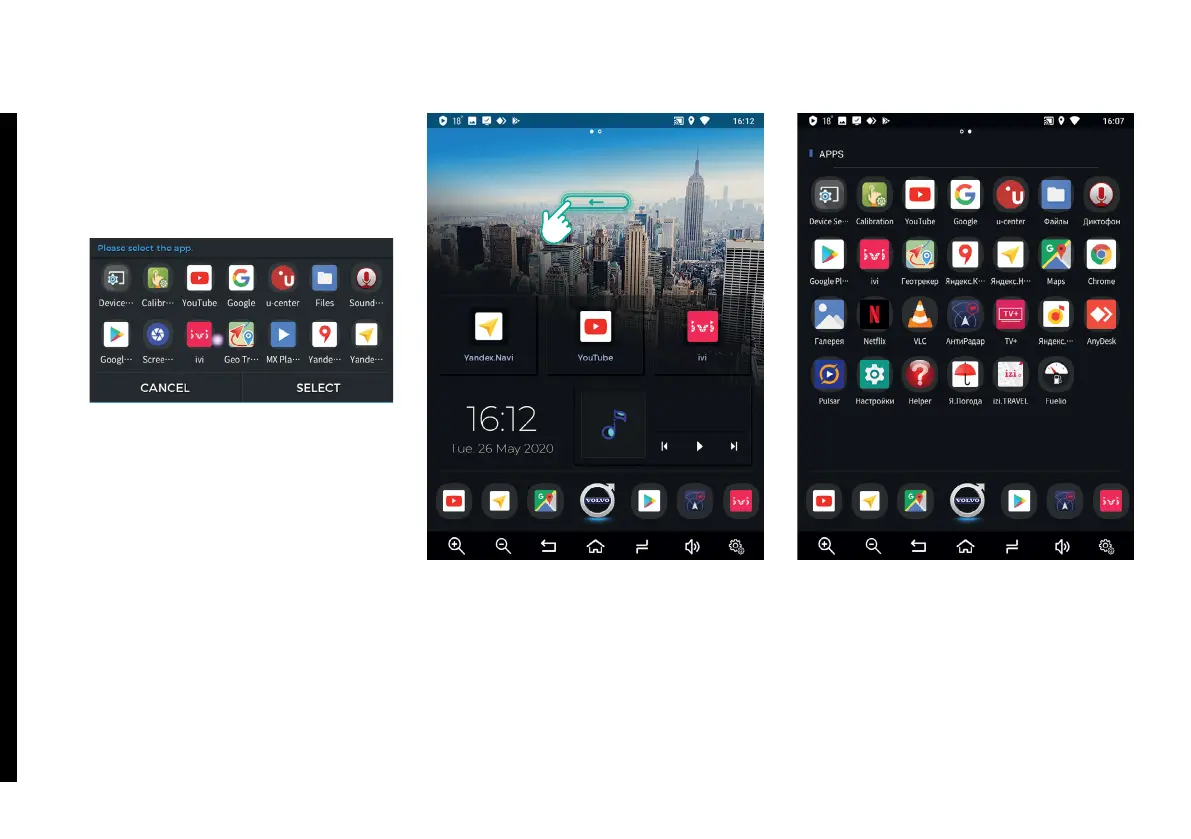
Assigned buttons.
To assign an app to a specic but-
ton, press and hold the button for
two seconds and tap the required
app, then tap Select button.
Date and Time.
Pulsar Music Player.
10.
11.
12.
1.2. Viewing Installed Apps List
To view Installed Apps List, swipe left
in the upper part of Home Screen.
To launch an app from the Apps List,
tap its icon.
1. MAIN INTERFACE



 To Next Page