1
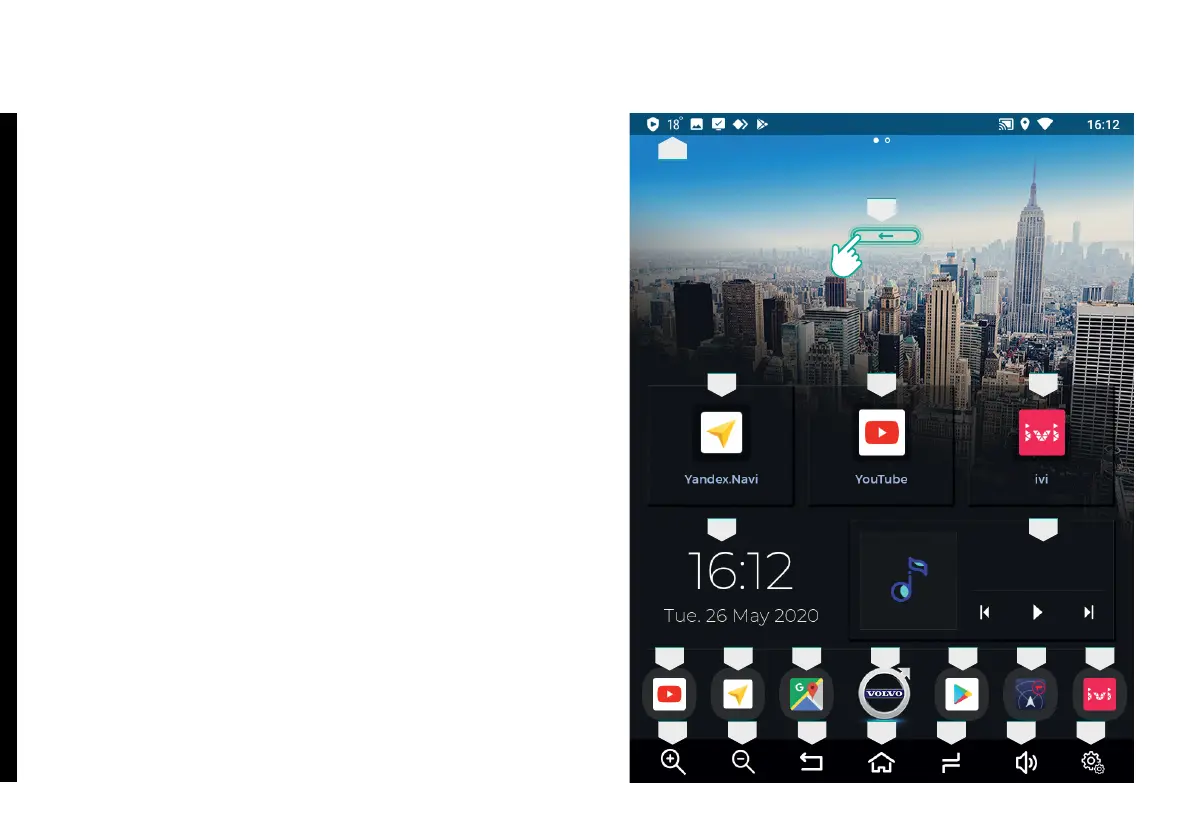
Return
Return to Main Menu
Dual-purpose button. Running Apps / Split Screen
function. To turn on Split Screen, press and hold for two
seconds.
Dual-purpose button. Sound level / Turn on and off
voice prompts speaker. To turn on and off voice prompts
speaker, press and hold for two seconds.
Installed apps.
Device Settings.
Dual-purpose button. Zoom-in button for map (navigation)
apps / Shortcut button for set (dened) app (see Zoom
button enable in Device Settings).
Dual-purpose button. Zoom-out button for map
(navigation) apps / Shortcut button for set (dened) app
(see Zoom button enable in Device Settings).
Standard Google Android OS notication panel.
1.
2.
3.
4.
5.
6.
7.
8.
9.
1.1. Home Screen
1
10 10
8
10 10
5
3
10 10 10
1211
6
6
2 47
10 10
9
1. MAIN INTERFACE



 To Next Page