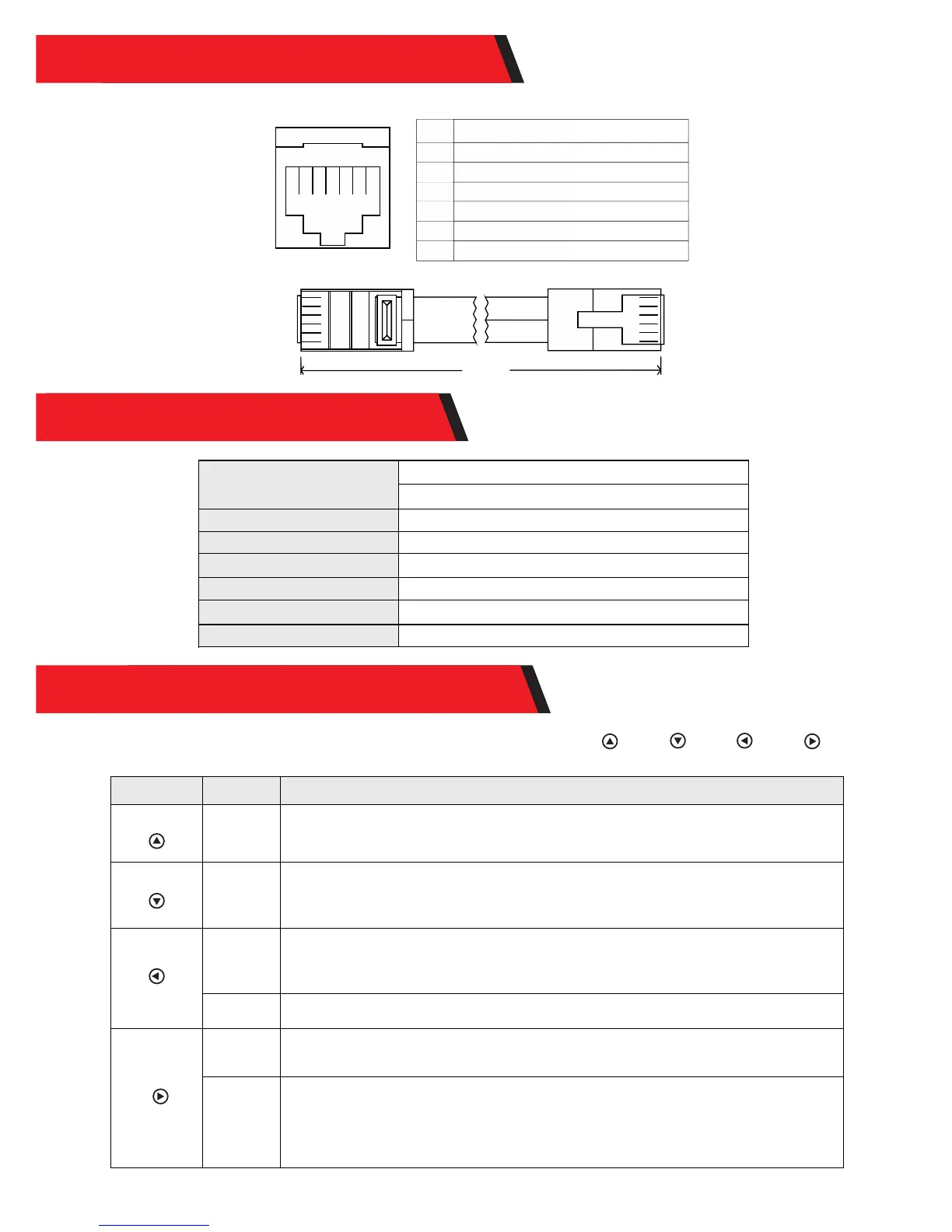
Controller communication port RJ12 and the core series number is as follows:
No
①
②
③
④
⑤
⑥
① ② ③ ④ ⑤ ⑥
Definition
Receiving terminal RX
Transmitting terminal TX
Power supply grounding/ signal grounding
Power supply grounding/ signal grounding
Power supply positive
Power supply positive
Data cable, RJ12 (6-pin) connector
①
②
③ ④ ⑤ ⑥
①
②
③ ④ ⑤ ⑥
2m long
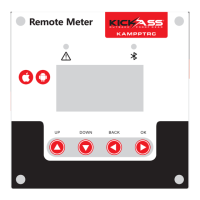
The product design features 4 keys which, from left to right, are:“ ”、“ ”、“ ”、“ ”
They equal to ("UP", "DOWN", "ESC", "OK")
Key Operation
Tap, press
and hold
Tap, press
and hold
Tap
Press and
hold
Tap
Press and
hold
Description
1) When browsing a menu , tap the key for a page up;
2) In parameter setting, tap the key to increase the value by a minimum unit;
3) Press and hold the key for quick page-up movement or value increasing.
1) When browsing a menu , tap the key for a page down;
2) In parameter setting, tap the key to decrease the value by a minimum unit;
3) Press and hold the key for quick page-down movement or value decreasing.
1) When browsing a menu, tap the key to return to the previous level, until the main
menu is reached;
2) In the setting mode, a tap on this key can cancel the data modification in process
and exit the setting mode.
In any menu, press and hold the key to immediately skip to the "error code page for
convenient checkup.
1) In a menu which contains submenus, tap the key to enter into a submenu;
2) In a menu with settable or adjustable parameters, tap the key to enter into or
confirm parameter setting.
If "manual mode" is selected as the load mode, a press-and-hold on the key to
switch on/ off the load.
If it's not in the manual mode, a press-and-hold will cause the display to skip to the
load mode setting interface as a reminder.
(Note: if no load is connected to the controller, this function and related load
parameters will become inoperative.)
6. DATA CABLE DEFINITION
7. PARAMETER DETAILS
8. USAGE OF NAVIGATION KEYS
Static power consumption
LCD backlight on <35mA/12V
Communication port
RS232
Operating temperature
0.5kg
Product weight
LCD backlight off <25mA/12V
-35℃ to+65℃;
115.82×115.82 (mm) (L×W)
Baud rate
9600bps
Communication port
Dimensions
Rj12 (6-pin)


 To Next Page