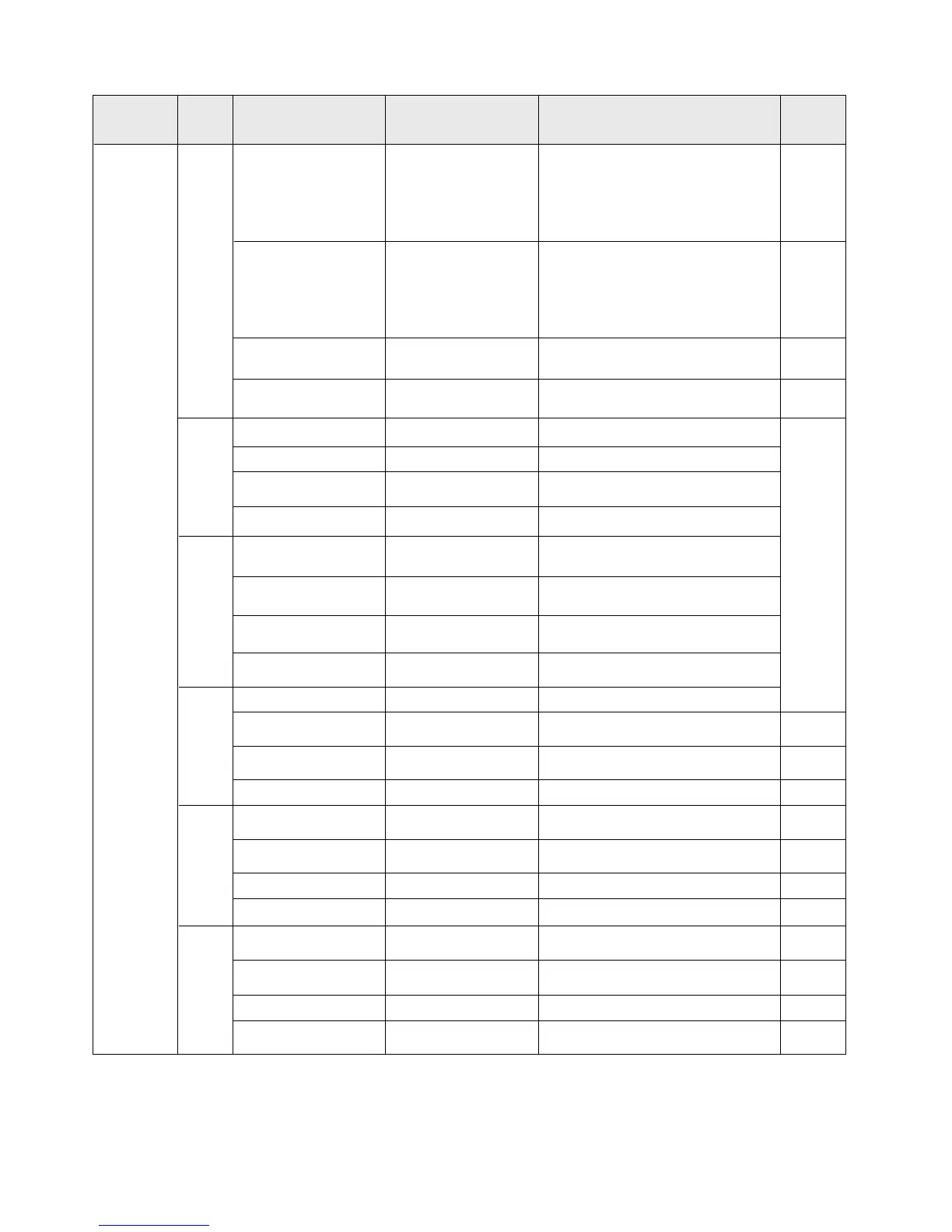
Parameter settings list
Menu level
Page Item to set
1
Battery system
voltage
BatSysVol :
Battery type
BatType:
Nominal battery
capacity
Capacity :
Device address
Parameter and setting range Remarks
“
12V ”12Vsystem
“24V”24Vsystem
“36V”36Vsystem
“
48V ”48Vsystem
“
AUTO” auto recognition
“SLD”sealed lead-acid battery
“FLD” open lead-acid battery
“GEL” gel battery
“LI ” lithium battery
“USE”user defined
0~9999
± 5
Address : 1~60 ± 1
2
Over-voltage threshold OverVolDsc : 9.0~17.0V
Charging limit voltage ChgLimtVol : 9.0~17.0V
*n,±1
Equalizing charging
voltage
EquChgVol:
9.0~17.0V
Boost charging voltage
BstChgVol :
9.0~17.0V
3
Floating charging
voltage
FltChgVol
:
9.0~17.0V
Boost charging
recovery voltage
BstChgRev
:
Over-discharge
recovery voltage
LowVolRev
:
Under-voltage
warning level
UndVolWrn
:
4
Over-discharge voltage LowVolDsc :
Over-discharge time
delay
LVD Delay:
0~60s
± 1
Equalizing charging
time
Equ-Time:
0~300 MIN
± 1
Boost charging time
Bst-Time: 0~300 MIN ± 1
5
Equalizing charging
interval
Equ-Inv : 0~30 D(days )
± 1
Temperature
compensation
Temp-Com:
-(3~5)mV/℃/2V
± 1
Light control time
L-CON-T: 0~60 MIN ± 1
Light control voltage
L-CON-V: 5~11V
*n
,
± 1
6
LCD screen backlight
time
BackLight-T :
± 1
Fault voice alarm;
Voice Alarm :
Clear historical data <ClrHistoryData>
Reset to factory
settings
<Restore Default>
Note:
1) In this manual, "n" assigned with a value of 1, 2, 3 or 4 denotes a battery system of 12V, 24V, 36V
or 48V accordingly.System voltage indication
2) Before setting parameters, first refer to the User Manual of the corresponding controller. As some
parameters are not settable, operation of setting these parameters on the display unit will be deemed as
invalid or impossible by the controller.
9.0~17.0V
9.0~17.0V
9.0~17.0V
9.0~17.0V
2 st-level
menu
1 to 600s (ON indicates the
screen is lit constantly)
"ON", voice alarm enabled
"OFF", voice alarm disabled
Select "YES" for execution
Select "YES" for execution
Displayed item/
parameter
10.3 Parameter Settings


 To Next Page