3
ENGLISH
Playing your iPod / iPhone / iPad
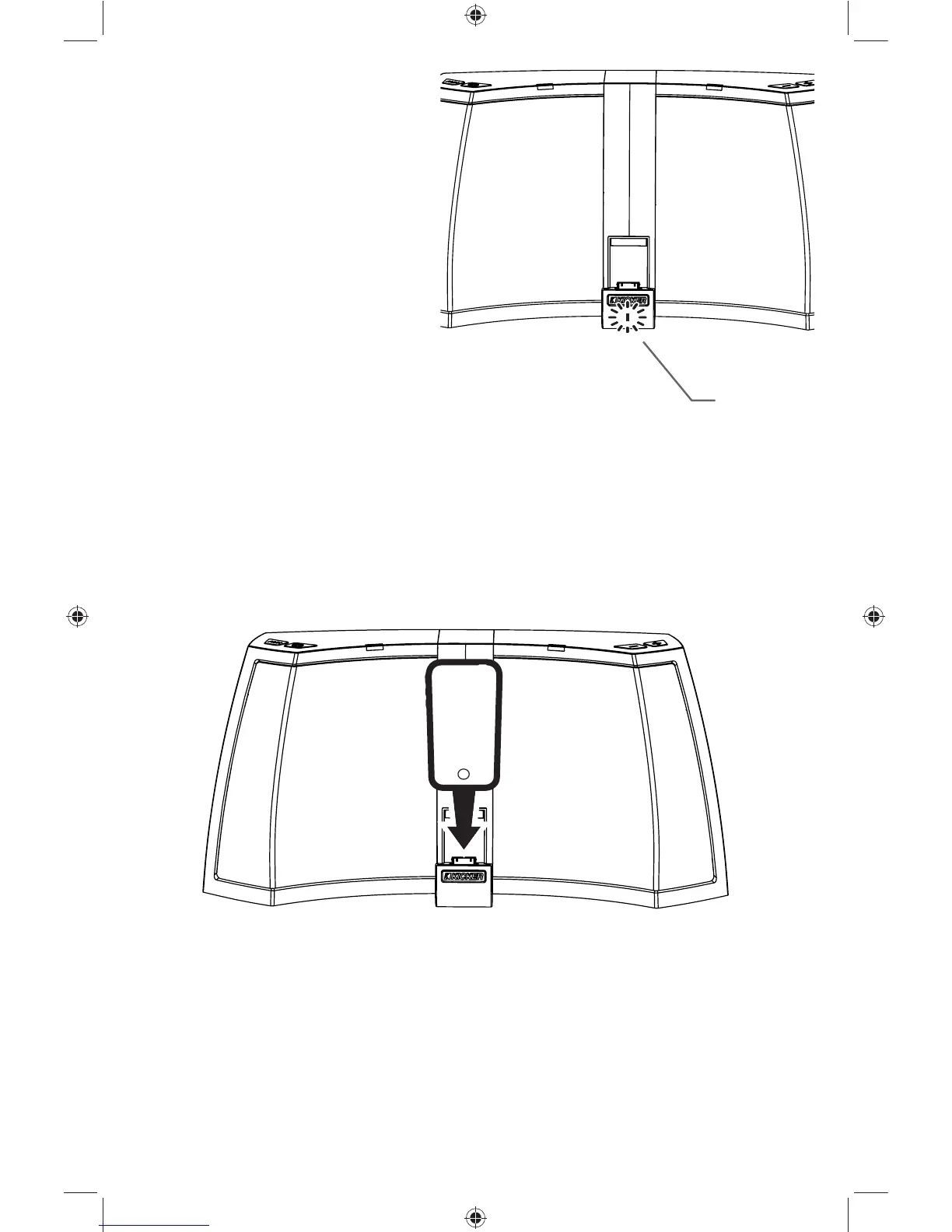
Carefully align and connect the dock connector to your Apple® device
After connecting a device running iOS, you will be prompted to download the
free KICKSTART app from iTunes. We highly recommend it. The app provides:
•8-band EQ
•customizable presets
•enhanced bass and spatialization
•integrated alarm-wake to music
•device fi rmware updates
•night mode customization
Download the KICKSTART App
Status LED
LED color displays audio source:
White - dock connector (iPod / •
iPhone / iPad)
Purple - 1/8” (3.5mm) auxiliary •
input
LED status indicators:
• illuminated when the AMPHITHEATER is powered
• fl ashes briefl y after docking your iPod / iPhone / iPad
• fl ashes when receiving commands from the remote
• breathes slowly when your iKICK™ is muted
Status LED
iK5 User Manual Translated (Rev 12).indd 3iK5 User Manual Translated (Rev 12).indd 3 8/7/2012 1:52:50 PM8/7/2012 1:52:50 PM


 To Next Page