4
ENGLISH
Connecting Audio Devices
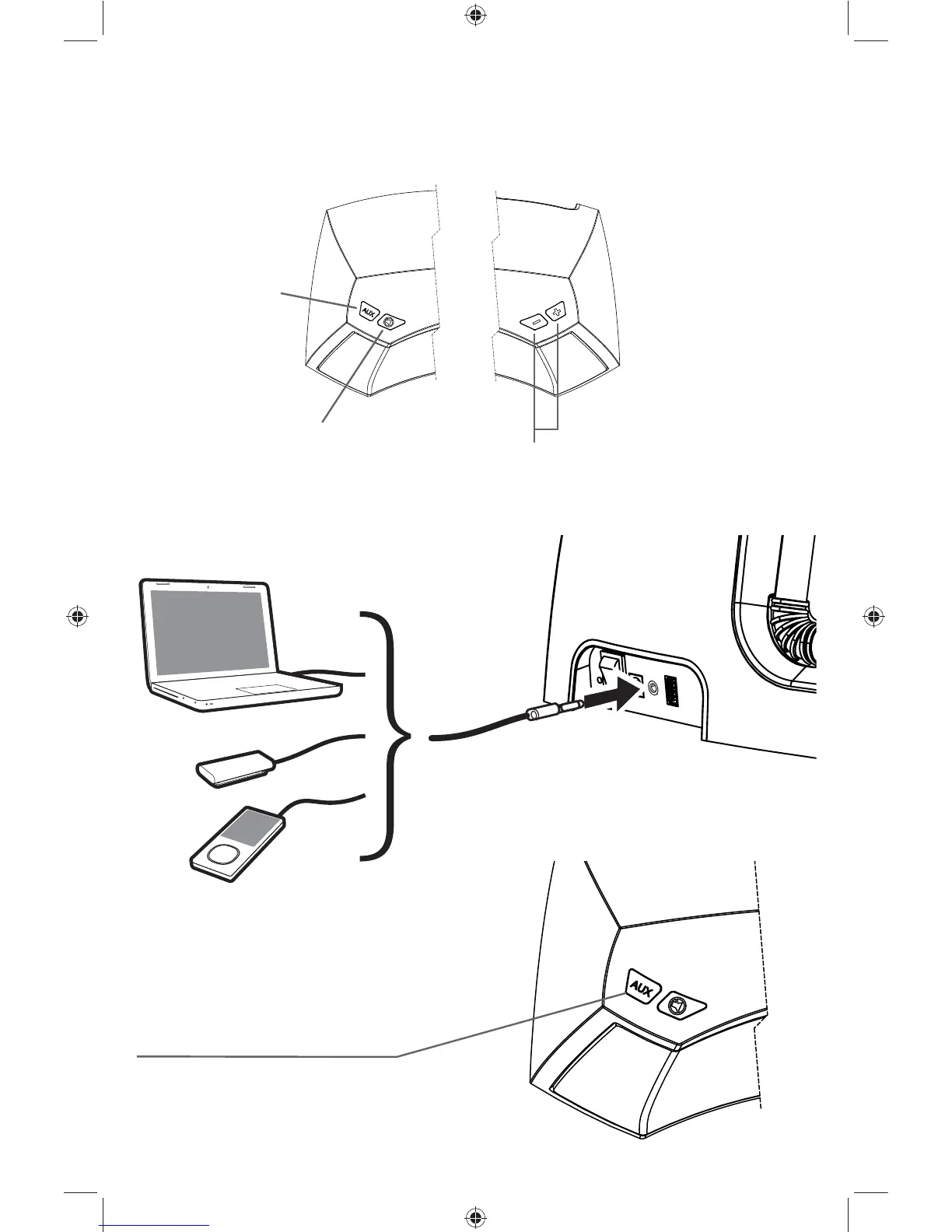
Touch AUX to listen to music from
your external device. The aux-input
is activated when the status LED
is purple.
Before you play your iPod/iPhone/iPad, make sure that the auxiliary input is
turned off. Touch the AUX button to switch between your iPod/iPhone/iPad and
the auxiliary input. When the status LED is white, the auxiliary input is off.
increase / decrease volume.
mute
input select
iK5 User Manual Translated (Rev 12).indd 4iK5 User Manual Translated (Rev 12).indd 4 8/7/2012 1:52:51 PM8/7/2012 1:52:51 PM


 To Next Page