Home
Kikusui
Power Supply
PCR1000WEA
Kikusui PCR1000WEA - User Manual
258 pages
Manual
Specs
Ask a question
Save Page as PDF
To Next Page
To Next Page
Loading...
User
’
s Manual
PCR-WEA
Series
AC Power Supply
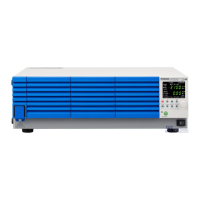
PCR1000WEA
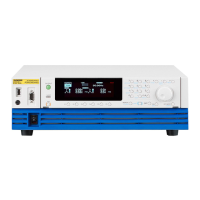
PCR2000WEA
PCR-WEA2 Series
AC Power Supply
PCR3000WEA2
PCR6000WEA2/ PCR6000WEA2R
PCR12000WEA2/ PCR12000WEA2R
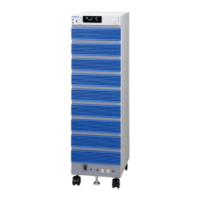
PCR18000WEA2/ PCR18000WEA2R
PCR24000WEA2/ PCR24000WEA2R
PCR30000WEA2/ PCR30000WEA2R
PCR36000WEA2/ PCR36000WEA2R
Contents
7
Component Names
10
Installation
16
Basic Functions
37
A
dvanced Funct
ions
86
Sequence Funct
ion
114
External Control
154
Parallel Operation
185
System Settings
195
Maintenance
205
Specifications
208
Appendix
232
Part No. IB034873
May 2021
2
Table of Contents
Main Page
About Manuals
2
Open Source Software
2
Notations Used in this Document
3
Checking the Package Contents
3
Safety Precautions
4
Precautions When Choosing the Installation Location
4
Moving the Product
4
Product Overview
5
Table of Contents
7
Component Names
10
Installation
16
Connecting the Power Cord
16
Connecting the PCR1000WEA/PCR2000WEA/ PCR3000WEA2
19
Connecting the PCR6000WEA2/PCR12000WEA2
20
Connecting the PCR18000WEA2/PCR24000WEA2/ PCR30000WEA2/PCR36000WEA2
22
Turning the Power on
24
Preventing the Shutdown Function from Activating
24
Turning the POWER Switch on
25
Setting the Condition that the Product will be in When the POWER Switch Is Turned on
26
Turning the POWER Switch off
26
Connecting the Load
27
Connecting to the OUTPUT Terminal Block
28
Connecting the PCR1000WEA/PCR2000WEA
29
Connecting the PCR3000WEA2
30
Connecting the PCR6000WEA2/PCR12000WEA2
32
Connecting the PCR18000WEA2/PCR24000WEA2/ PCR30000WEA2/PCR36000WEA2
34
Basic Functions
37
Panel Operation Basics
37
Control Panel
37
Parts of the Screen
39
Explanation of Function Keys in this Manual
40
Home Position
40
Canceling Settings
40
Waiting for Confirmation
40
Busy Status
41
Returning the Product to the Factory Default Settings
41
Switching from Remote Mode to Local Mode
41
Displaying Single-Phase Three-Wire Output and Three-Phase Output (PCR-WEA2 Only)
42
Specifying Values
44
Adjusting the Screen Brightness
45
Viewing the Firmware Version
46
Locking Panel Operations (Key Lock)
46
Selecting the Output Method
47
Switching between Single-Phase Three-Wire Output and Two-Phase Output
48
Setting the Output Voltage
49
Setting the Output Voltage Range
49
About Setting the Output Voltage
50
Output Voltage Setup Procedure for Single-Phase Output
52
Output Voltage Setup Procedure for Single-Phase Three-Wire Output
53
Output Voltage Setup Procedure for Two-Phase Output
54
Output Voltage Setup Procedure for Three-Phase Output
55
Setting the Voltage Offset
56
Setting the Frequency
57
Turning the Output On/Off
58
Impedance When the Output Is off
59
Voltage Surge Suppression When the Output Is Turned off
60
Output On/Off Phase Control
61
AC Coupling
62
Measurement Display
63
Displaying the Voltage
63
Load Level Meter
65
Displaying the Current, Power, and Power Factor
66
Limit Function and Protection Function
68
Setting Limits
69
Upper and Lower Voltage Limits
69
Upper and Lower Frequency Limits
70
Current Limit and Peak Current Limits
70
Using Protection Functions
74
Using the Memory
76
Items that Can be Saved
76
Using Internal Preset Memory
77
Setting the Date and Time (Time Zone)
79
Using the Internal Setup Memory
80
Using a USB Memory Device
81
Advanced Functions
86
Using the Sync Function
86
Using the Compensation (Voltage Compensation) Function
88
Wiring the Hard Sensing and Soft Sensing Functions
90
Wiring the Regulation Adjustment Function
94
Compensation Function Setup Procedure
95
Ending the Use of the Compensation Function
97
Using Power Line Abnormality Simulations
98
Power Line Abnormality Simulation Setup Procedure
100
Executing and Stopping Power Line Abnormality Simulations
101
Using the Harmonic Analysis Function
102
Generating Special Waveforms (Waveform Bank)
103
Setting the Waveform Bank
104
Generating Special Waveforms
105
Setting the Output Impedance
106
Configuring Soft Start and Soft Stop
108
Configuring Soft Start
108
Configuring Soft Stop
109
Selecting the Response
110
Using the Power Management Functions
111
Sleep Function
111
Power-Saving Function
112
Power Module Management Function
113
Sequence Function
114
Sequence Overview
114
Editing Steps
119
Common Items
119
Frequency and AC Voltage
120
Execution Time, Waveform Bank
121
DC Voltage, Output
122
Status Output, Trigger Output, Trigger Input (Pause)
123
Jump Function
125
Starting Phase Angle, Ending Phase Angle, Sudden Phase Change
126
Output Impedance (for Single-Phase Output)
127
Output Impedance (for Single-Phase Three-Wire Output and Three-Phase Output, Resistance Component)
127
Output Impedance (for Single-Phase Three-Wire Output and Three-Phase Output, Reactance Component)
127
Phase Difference for Three-Phase Output and Two-Phase Output
128
Setting Sequence Conditions
130
Executing, Pausing, and Stopping Sequences
131
Sequence Creation Tutorial
132
Sequence Creation Basics
134
Voltage Sweep and Frequency Sweep
137
Switching Steps at Specific Phase Angles
139
Suddenly Changing the Phase
142
Single-Phase Three-Wire Output and Three-Phase Output Basics
144
Phase Setting for Multi-Phase Output
146
Phase Sweep
150
Line Voltage Dip
152
External Control
154
Control Using Analog Signals
155
ANALOG in Connector Pin Arrangement
156
Selecting the Parameter to Control
157
Amplifying the Input Waveform (EXTDC Mode)
158
Varying the Output Voltage or Frequency Using DC Signals (VPROG Mode)
161
Control Using Digital Signals
165
DIGITAL I/O Connector Pin Arrangement and Mapping
166
Controlling the PCR-WEA through External Contacts
169
Monitoring the Operation Status
174
Selectable I/O
177
Selectable Signals When INP.SIG Is Selected
179
Selectable Signals When OUTP.SIG Is Selected
179
Analog Monitor Output (Factory Option)
180
ANALOG out Connector Pin Arrangement
181
Parallel Operation
185
Configuring the Master and Slave Units
186
Installation and Connection
187
Installation
187
Connecting PCR-Weas Together
187
Turning the Power on and Checking the Operation
191
Connecting the OUTPUT Terminal Block and Relay Terminals
191
Turning the Power on
192
Operation Check
192
Connecting the Load
193
Ending Parallel Operation
194
System Settings
195
Setting the Watchdog Protection (WDP)
195
Displaying/Changing the Interface Settings
196
Controlling the PCR-WEA/WEA2 from a PC
196
Displaying SCPI Errors
197
Factory Default Settings and Reset Settings
198
Factory Default Settings
199
Updating
204
Maintenance
205
Cleaning the Dust Filter
205
Backup Battery Replacement
207
Calibration
207
Specifications
208
Main Unit Specifications
208
Input (AC Rms)
209
Output
210
Output Voltage Stability (Phase Voltage)
212
Measurement
213
Limit Values and Protection Functions
214
Power Line Abnormality Simulations
215
Sequence Operations
215
Special Waveform Output
215
Output Impedance Setting
216
Output On/Off Phase Setting
217
Communication Interface
218
Signal I/O
219
Parallel Operation (PCR1000WEA/ PCR2000WEA/ PCR3000WEA2 Excluded)
224
Memory
224
Sync Function
224
Compensation Function
224
Response Selection Function
225
Ecological Function
225
Soft Start and Soft Stop Functions
225
LIN, DSI Connection I/O
225
General
226
Rated Output Current Characteristics (Derating)
228
Outline Drawing
229
Appendix
232
Terminology
232
Power Regeneration Function (PCR-WEA2R Only)
235
Output and Load
236
Rated Output Current for AC Output
236
AC Output Voltage Frequency Response
238
Frequency Response for Analog Input
238
Options
239
Input Power Cords
239
External Control Connector
240
Rack Mount Brackets
240
GPIB Interface Board (IB07-PCR-WE)
244
Base Hold Angles (OP03-KRC)
245
Parallel Operation Cables (PC01-PCR-WE, LC01-PCR-LE)
245
Troubleshooting
246
Alarms and Trouble
249
Overview
249
Remedy
250
Error Messages
253
Index
255
Need help?
Do you have a question about the Kikusui PCR1000WEA and is the answer not in the manual?
Ask a question
Kikusui PCR1000WEA Specifications
General
Brand
Kikusui
Model
PCR1000WEA
Category
Power Supply
Language
English
Related product manuals
Kikusui PCR500LE
134 pages
Kikusui PCR500MA
164 pages
Kikusui PCR4000LE
134 pages
Kikusui PCR 2000M
92 pages
Kikusui PCR-M Series
55 pages
Kikusui PCR-WE series
246 pages
Kikusui PCR-LE Series
134 pages
Kikusui PCR-MA Series
164 pages
Kikusui PLZ334W
216 pages
Kikusui PWR401L
147 pages
Kikusui PLZ664WA
216 pages
Kikusui PBZ20-20
170 pages

 Need help?
 General





 To Next Page