KI 9000 UM-14 35
PERFORMANCE VERIFICATION TESTS
Optical Light Source
Output Power (CW) Test
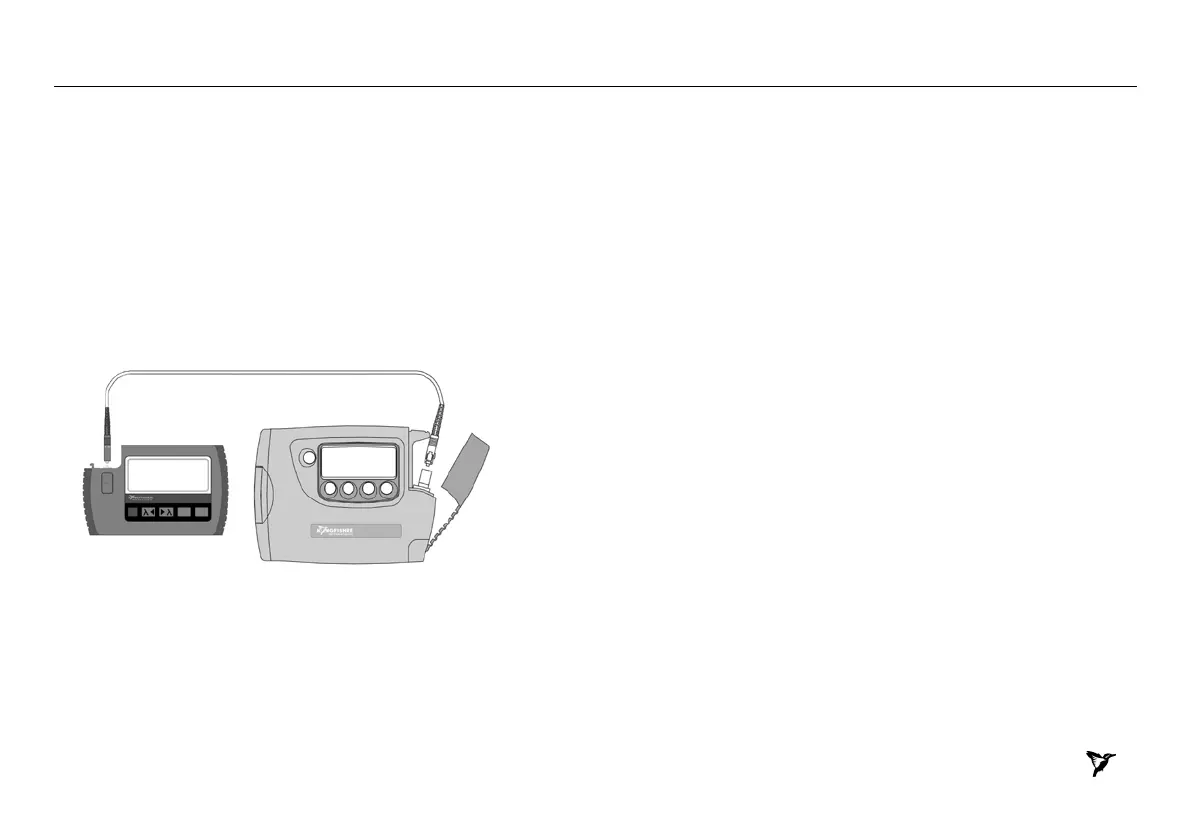
1. Connect the equipment as shown in Figure 3.
2. Switch on the instruments.
3. Set the Optical Power Meter to 1310 nm
4. On Light Source, enable the source and set the wavelength to 1310 nm.
5. Note the measured power level value in the test report in Table 5.
6. Repeat the above on 1550 nm.
Light Source Power Meter
Figure 3. Test set-up for KI 9800 Light Source Output Power (CW) Test


 To Next Page