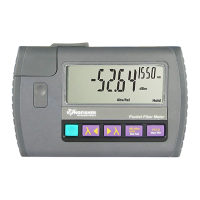
KI 9000 UM-14 44
QUICK REFERENCE GUIDE – KI 9600 Series Optical Power Meter
• To start SlowMode, press and hold [dB/dBm/mW Set
Ref] while turning power meter on. “- tonE” will be
displayed.
• To start SlowMode when power meter is already
turned on, press and hold [λ], then press
[dB/dBm/mW Set Ref]. “- tonE” will be displayed.
• To start SlowMode when test tone detection is active,
press [dB/dBm/mW Set Ref].
• While SlowMode is on, alternating “” and “B”
symbols will be displayed.
• To exit SlowMode, press and hold [λ], then press
[dB/dBm/mW Set Ref].
• Turning power meter off will end Slow Mode.
TamperLock Mode:
• While in TamperLock Mode, user is prevented from
changing wavelength, dB/dBm/mW, Hold, min max
and SlowMode settings.
• To start TamperLock Mode, press and hold [λ],
then press and hold [HOLD].
When display show “codE”, enter six key sequence
(all keys other than [POWER] can be used). Triple
beep will be heard and display will show “LOut” to
indicate completion.
• While TamperLock Mode is active, “<<<” and “>>>”
symbols will be displayed.
• If power meter had been locked while in dB R mode,
press and hold [Set Ref] to set reference.
• To clear TamperLock, turn off instrument then press
[POWER] while holding down [λ] and [HOLD].
When display show “codE”, enter six key sequence.
If the correct sequence had been entered, “PASS”
will be displayed indicating TamperLock had been
cleared.
• In case where entered sequence was not correct,
“FAIL x” will be displayed (where x is attempt count).
• TamperLock will be cleared after three unsuccessful
attempts.


 To Next Page