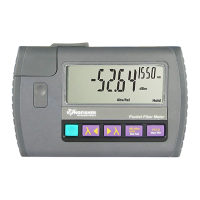
KI 9000 UM-14 45
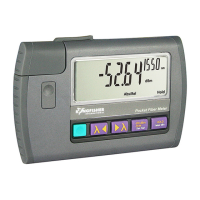
QUICK REFERENCE GUIDE – KI 9800 Series Optical Light Source
• To remove interchangeable connector adaptor, press
the button on the front of the instrument and pull off
adaptor.
• To defeat auto power-off, press and hold [POWER] for
3 seconds during turn on. ‘Perm’ is displayed on the top
right of the LCD.
• Low battery is indicated with a battery symbol.
• During instrument turn on:
- to view all display segments, press and hold [λ].
- to display firmware version, press and hold
[LEVEL].
- to turn buzzer off, press and hold [λ].
• To enable source emitter, press [λ] or [λ] after
turning on instrument. Operating wavelengths will be
shown in the top corner on the right hand side and
source power level on the left hand side. Do not enable
a laser when there is no fibre attached to the optical
output connector.
• To scroll wavelength, press [λ] or [λ].
ToneMode:
• Modulation is active only while the source emitter is
enabled. To select a modulation tone, press [MOD] to
scroll through available settings.
• Press and hold [MOD], then press [λ] to step down
or [λ] to step up the modulation tone or fiber ID
number.
• Press and hold [MOD], then press [λ] for 3 seconds
to turn off modulation.
• Press and hold [MOD], then press [λ] for 3 seconds
to advance to ID12.
• To exit, press [MOD] for 3 seconds. Alternatively, press
[POWER] while holding [MOD].
Laser Output Power Adjustment (not available on LED source)
• To decrease the laser output power, turn the laser ‘on’,
then press [LEVEL].
• Press and hold [LEVEL], then press [λ] to step down
or [λ] to step up the output power.
• Press and hold [LEVEL], then press [λ] for 3
seconds to set output power to the lowest level.


 To Next Page