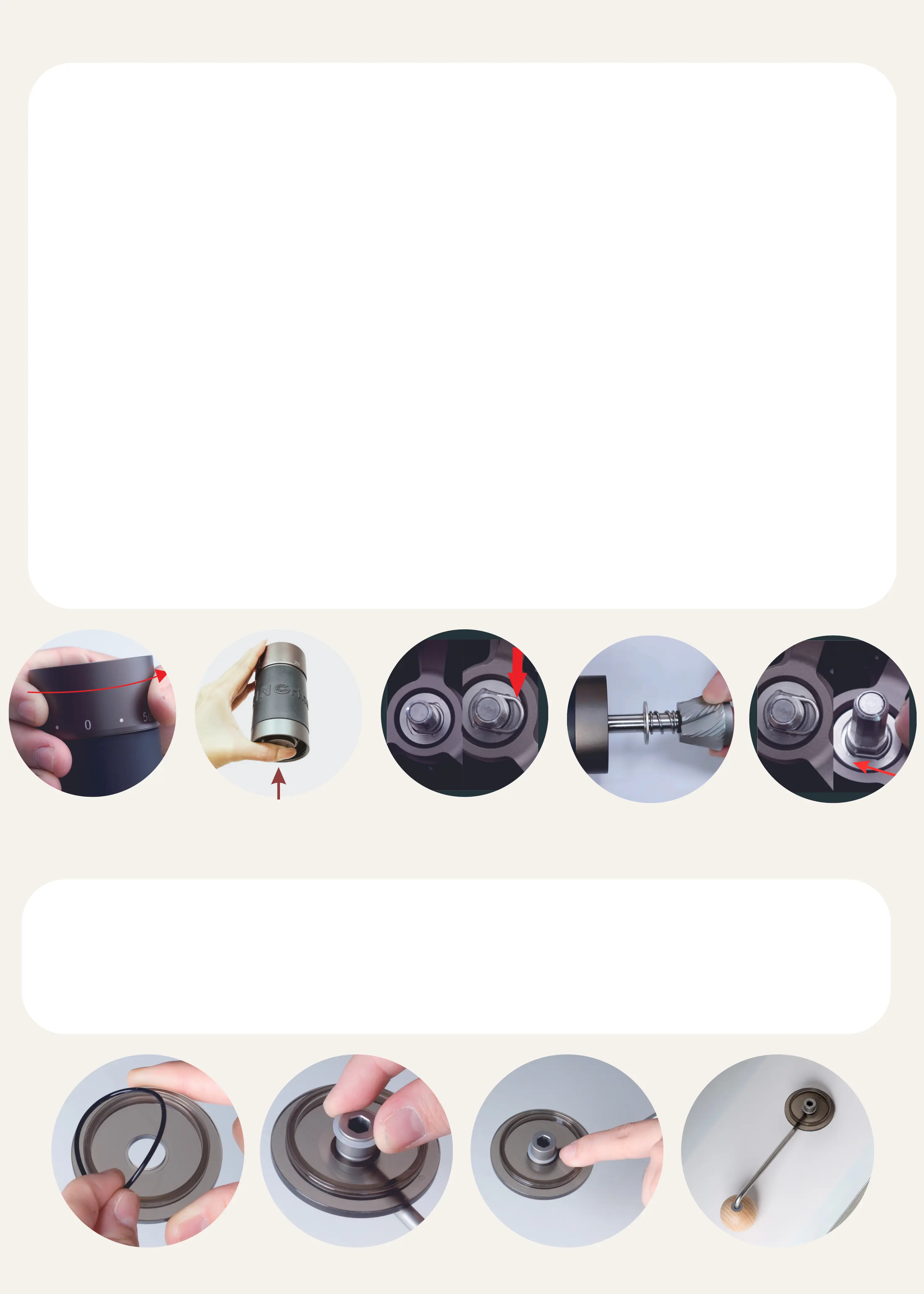
HOW TO CLEAN THE GRINDER?
Disassemble:
Rotate the adjustment nut anti-clockwise for three or four rotations.1.
Holding the burr set while removing the circlip.2.
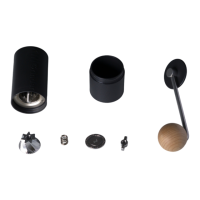
Take out the components in order. The burr set (attached with the central
shaft), the bearing cover, and the spring from the burr set. The top bearing
cover and the top bearing from the above. In this state, do not rotate the
adjustment nut as it is an unnecessary step.
3.
Assemble:
Put the components in order. Place the spring and the bearing cover into the
burr set and install the burr set back to the grinder.
1.
While holding the burr set, place the top bearing and the top bearing cover.
Note that there are two shapes of the top bearing cover: flat design & curved
design. Ensure that the curved design of the top bearing cover faces upward.
2.
Slide the circlip onto the top bearing cover while still holding the burr set. 3.
Take out the black O-ring from the groove on the PC lid.1.
Insert the provided white O ring.2.
Ensure that the white O-ring is correctly installed into the groove on the
handle for proper fixation.
3.
HOW TO ASSEMBLE THE PC LID AND HANDLE?



 To Next Page