the thermometer is used to help prevent the spread of germs.
EXTENSION CORD
An optional extension cord is included, which may help you see the screen of your mobile device more
easily during temperature taking. Connect the extension cord between the mobile device and the
thermometer.
OPERATING YOUR KINSA SMART THERMOMETER
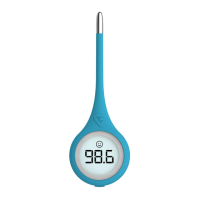
The Kinsa Smart Thermometer must be connected (directly, or using the included extension cord) to
the headphone jack of the mobile device to take a temperature.
Setting Up Your Mobile Device for Temperature Taking (only required for initial use)
a. Download the Kinsa app from the iTunes App Store or Google Play. The app can also be downloaded
by going directly to kinsahealth.com/download. Please see kinsaheahh.com/devices for the full
list of supported devices.
b. When installation is complete, tap the “Kinsa” app icon on your home screen to open the
application.
c. An animation will guide you through the setup procedure, which consists of the following steps:
Open back of case Place
Remove adapter from back of case thermometer rare
Plug Kinsa Smart Thermometer into adapter
Plug combination of thermometer and adapter into the headphone jack
Wait for the device to set up (12 seconds or Less)
Separate adapter from your mobile device and the Kinsa Smart Thermometer
Plug only the Kinsa Smart Thermometer into headphone jack
Wait for device to complete setup (6 seconds or less)
Setup is now complete and you will be directed to the home screen
Place adapter back into case, for future use.
Note: Setup procedure is only required once per device. You do not need to perform this sequence
every time you take a temperature.
Taking a Temperature
a. Open the Kinsa app, tap “Take Temperature on the home screen, and choose your reading location.
b. An animation screen will prompt you to plug the thermometer into the mobile device, and insert the
thermometer. Use of the optional extension cord may allow you to see the screen more easily during
temperature taking. You may connect the extension cord between the mobile device and the
thermometer.
c. Once the mobile device detects a rise in temperature, a progress screen with bubbles will appear.
d. Readings typically take 10 seconds. To ensure accuracy, a reading may take longer at higher
ambient temperatures.
e. Incorrect thermometer placement or movement during temperature taking may result in longer
reading times or inaccurate readings.
RELIABLE METHODS TO MEASURE TEMPERATURE
Body temperature is one of the most important indicators of illness and so it is important that
temperatures be taken accurately. Please follow these instructions for use closely.
Oral User
Place the probe tip well under the tongue in a heat pocket. See Figure 1 for correct placement. Keep
mouth closed while the temperature reading is bang taken. A normal oral temperature is considered
97.0° – 99.0° F (36.1° – 37.2° C).


 To Next Page
 Loading...