(1) Head Light Switch
(A) “OFF” (B) “ON (LOW)”
(C) “ON (HIGH)”
(3) HEAD LIGHT SWITCH
(A): Head lights OFF.
(B): Head lights - Low Beam ON.
(C): Head lights - High Beam ON.
S41O514A S41O515A
(1) Brake Pedal (L) (2) Brake Pedal (R)
(3) Brake Pedal Lock
(A) Lock (B) Release
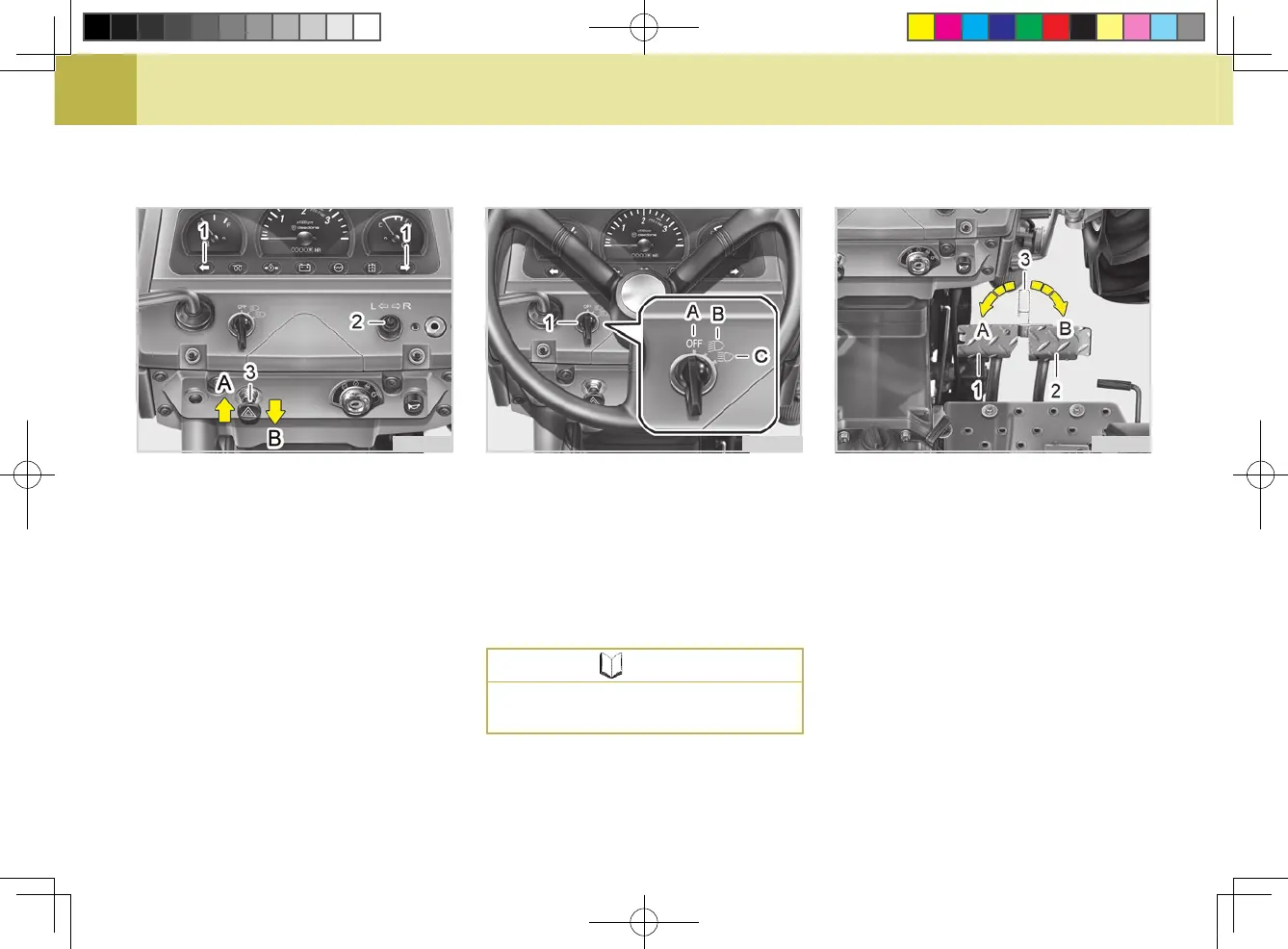
(1) HAZARD LIGHT SWITCH
When hazard light switch is pulled
out, the hazard lights ash along with
the indicator on the instrument pan-
el. Push the switch in to turn off the
light.
(2) TURN SIGNAL LIGHT SWITCH
To indicate a right turn, toggle right.
To indicate a left turn, toggle left.
2. SELECTING LIGHT SWITCH PO-
SITIONS
(1) Hazard / Turn Signal Indicator
(2) Turn Signal Light Switch
(3) Hazard Light Switch
(A) Push (B) Pull
S41O513B
Be sure to return switch to center
position after turning.
NOTE



 To Next Page