K110sm8e3.doc
8-25
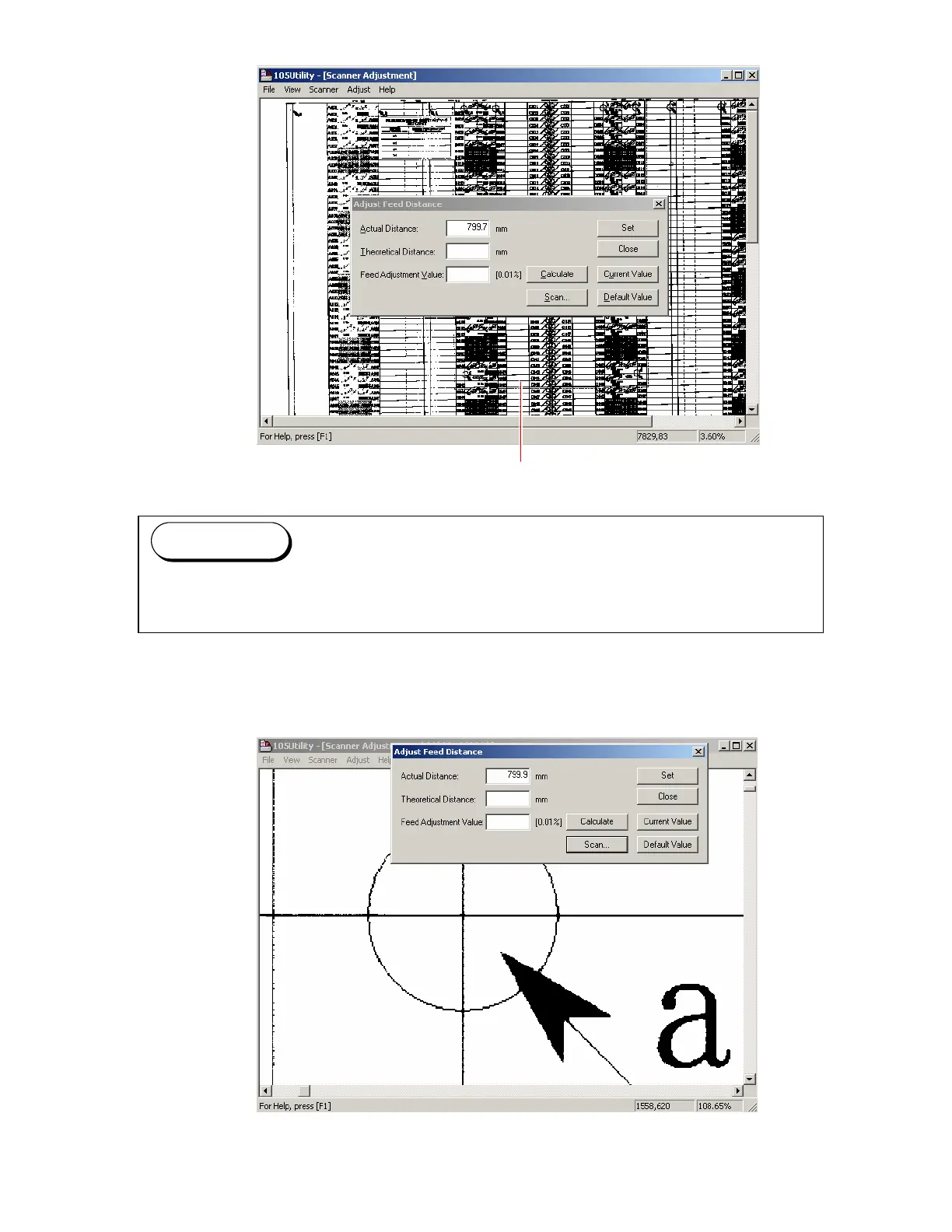
8. The scan image of the Target Sheet is indicated in the screen of K105 Utility Software.
Scan image of Target Sheet
9. Indicate the enlarged image of “a point” on the screen, which was the measuring point at the
former step “1”.
You can enlarge the scan image by dragging with the right button of mouse.
Press the F2 Key when you would like to go back to the reduced image.
Reference



 To Next Page