K110sm5e2.doc
5-8
5. 2 Base Unit
5. 2. 1 Replacing DC Power Supply
1. Remove Top Cover, Side Cover L, Operation Panel Assembly and Front Covers.
See [5.1.1 Removing Top Cover], [5.1.3 Removing Side Cover L], [5.1.4 Removing Operation
Panel Assembly] and [5.1.5 Removing Front Covers]
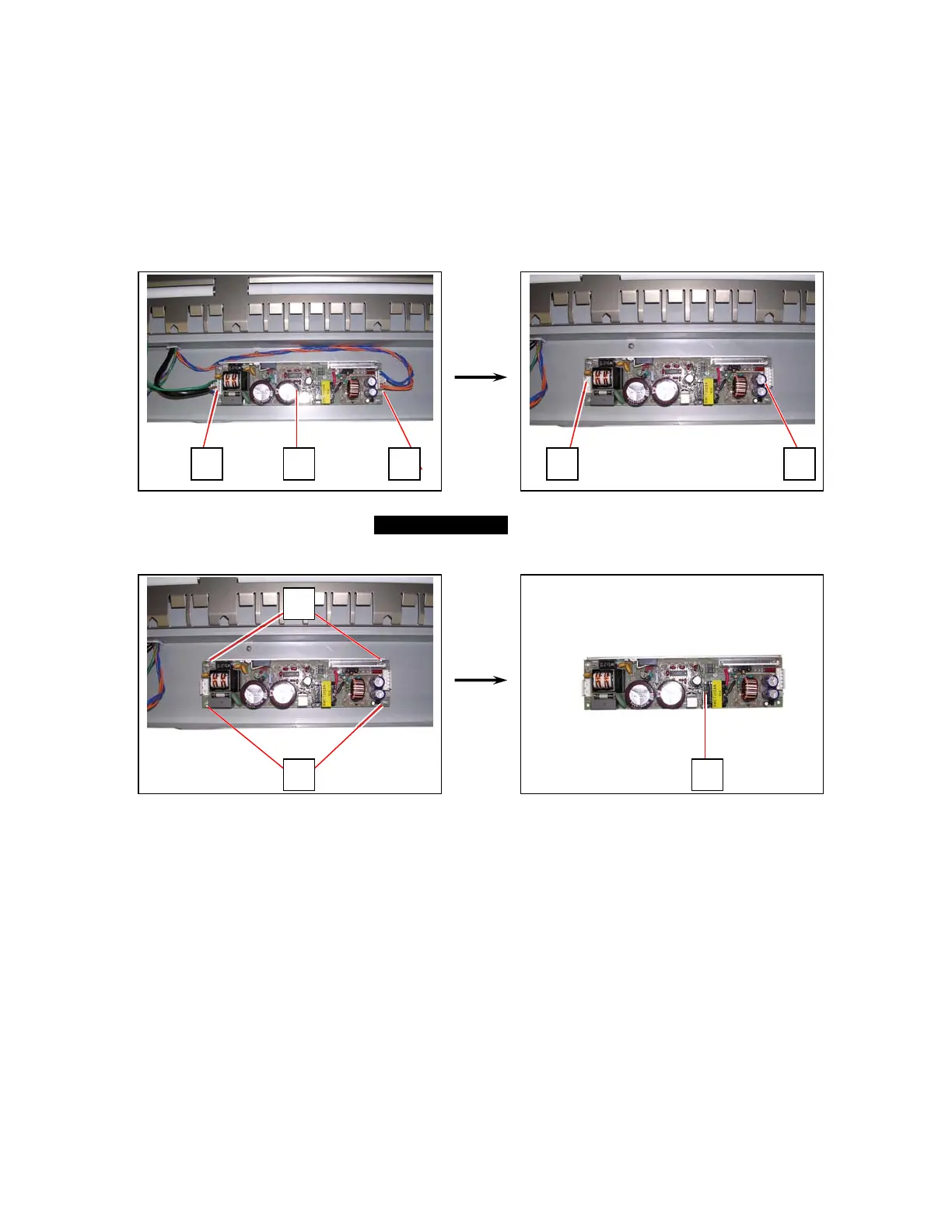
2. Disconnect the harnesses (2) from DC Power Supply (1).
3. Remove 4 screws (3) to remove DC Power Supply (1).
Replace it with a new one.
22 1
3
3
1
22



 To Next Page