K110sm5e4.doc
5-27
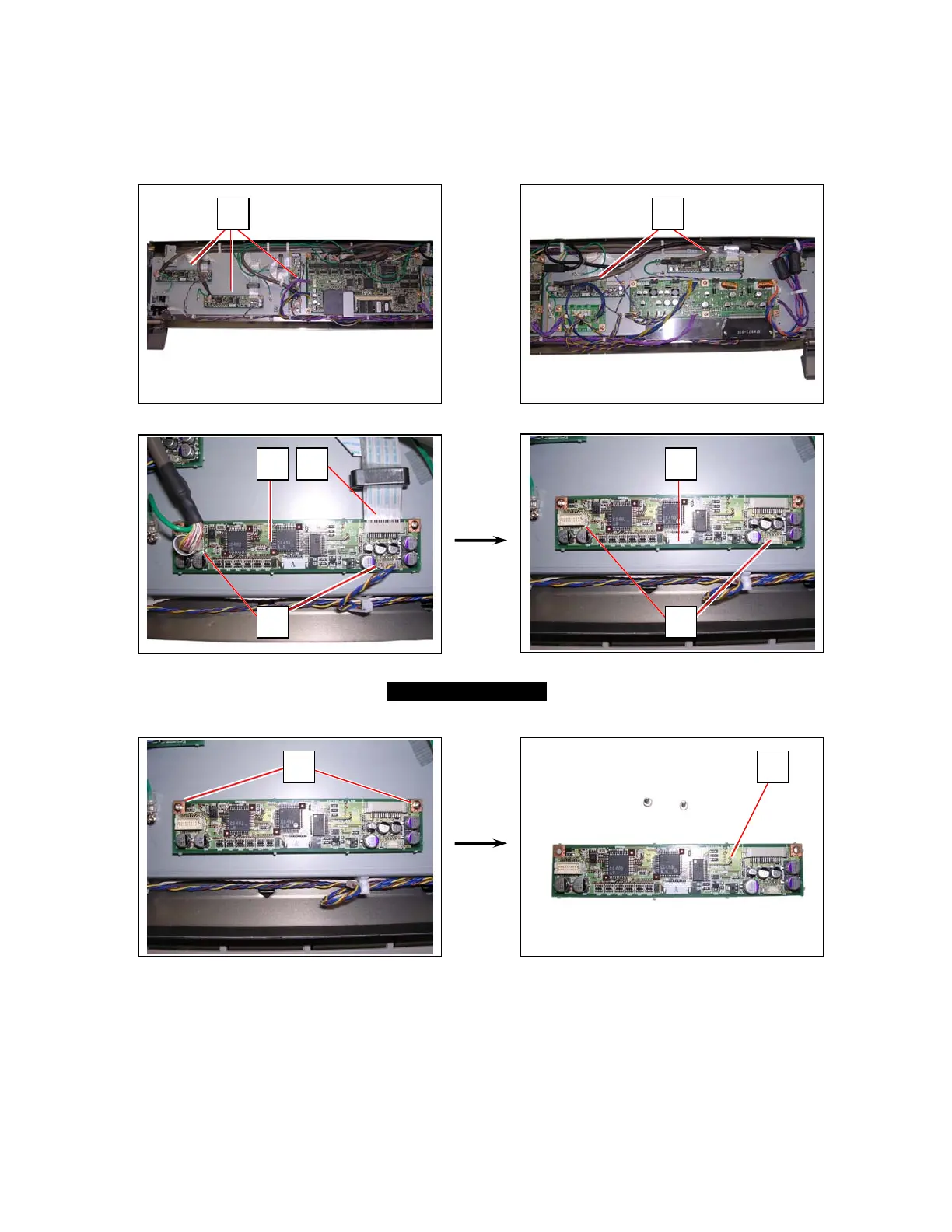
5. 3. 3 Replacing CIS Controller Board
1. Remove Top Cover and Shield Cover N.
See [5.1.1 Removing Top Cover] and [5.1.2 Removing Shield Cover N].
2. Disconnect the harness (2) and Flexible Cable (3) from CIS Controller Board (1).
3. Remove 2 screws (4) and remove CIS Controller Board (1).
Replace it with a new one.
1 1
1 3
2
1
4 1
2



 To Next Page