K110sm5e5.doc
5-36
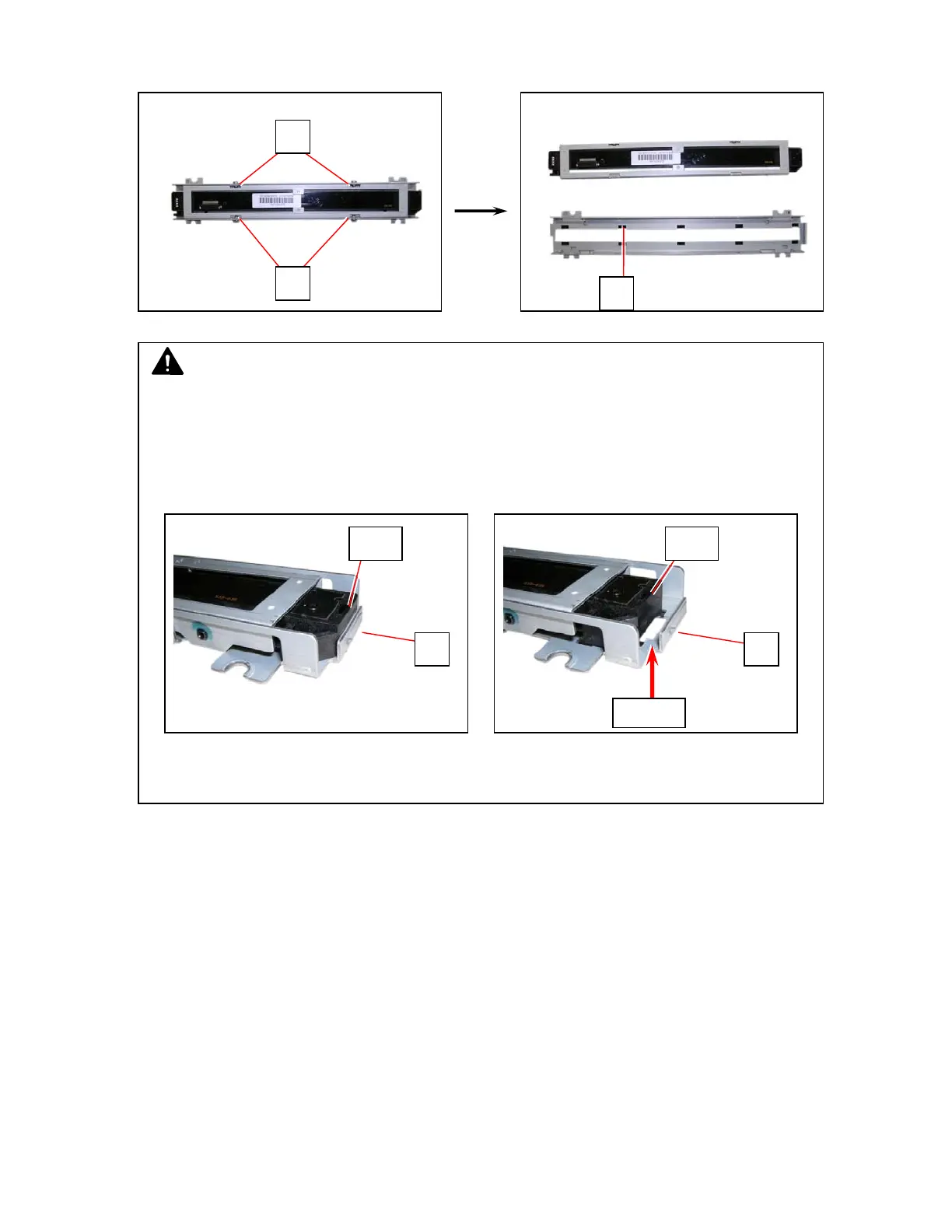
4. Remove 4 screws (5) and remove CIS (6) and Scan Glass Assembly (7).
Replace them with new ones.
NOTE
(1) Clean CIS Selfoc Lens and Scan Glass if dirty.
Wipe Selfoc Lens with dry cloth only.
Wipe Scan Glass with neutral detergent (or alcohol) and with dry cloth.
(2) When reinstalling, align CIS and Scan Glass Assembly’s end.
There should be no space between them.
Good No good
5
5
6
s
ace
6 6
CIS CIS



 To Next Page