EasyManua.ls Logo

Kirisun PT8000 - User Manual

Kirisun PT8000
11 pages
Print Icon
To Next Page IconTo Next Page
Loading...
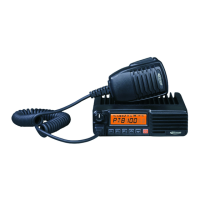
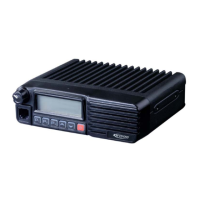
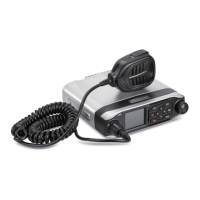
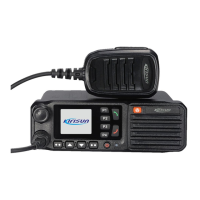
PT8000
INSTRUCTION MANUAL
FM MOBILE TRANSCEIVER

Other manuals for Kirisun PT8000

Questions and Answers

  • D
    Dr. Claudia GreenAug 21, 2025
    What to do if there is no talkback on my Kirisun Radio?
    • J
      Joseph LopezAug 21, 2025
      If you experience no talkback on your Kirisun Radio, there might be a few reasons: * The frequency may be incorrect. Try reselecting the channel with the correct frequency. * The CTCSS/DCS code might not match. Reset the CTCSS/DCS code. * You might be out of the effective communication range.
  • L
    lisa57Sep 3, 2025
    How to fix Kirisun PT8000 Radio when there is no signal?
    • B
      Bethany GarciaSep 3, 2025
      If your Kirisun Radio shows no signal, several factors could be responsible. Start by checking the antenna connection; ensure it is securely fastened. If the antenna is secure, the high-frequency amplifying tube Q18, mixing tube Q19, or the FM processing chip IC6 might be broken, requiring replacement. Additionally, the squelch level might be set too high, preventing the squelch from opening; reset the squelch level to resolve this.
  • A
    adamsjohnSep 1, 2025
    Why can't I hear other radios on my Kirisun PT8000 Radio?
    • M
      Melinda AguirreSep 1, 2025
      If you cannot communicate with or hear other radios using your Kirisun Radio, it might be due to a few reasons. First, the frequency of your radio’s current channel may not match that of the other radio; in this case, reselect a channel. Second, the CTCSS/DCS settings might be different; reset them to match. Third, the radio might be out of the effective communication range.
  • B
    Barbara MclaughlinAug 30, 2025
    What to do if Kirisun Radio has no power?
    • A
      Ashley CastilloAug 31, 2025
      If your Kirisun Radio fails to power on, there are several potential causes. First, ensure the power cable is securely connected to both the accumulator and the radio; if not, reconnect it. Second, check the power cable's fuse; a burnt-out fuse should be replaced. Third, the power button might have poor contact, requiring replacement of the rubber key or the key PCB. Fourth, the accumulator may be out of power, so charge it or replace it with a new one. Finally, the CPU might be broken, necessitating replacement of the IC.
  • G
    Gabriel GarnerAug 29, 2025
    What to do if the red transmission indicator lights up on my Kirisun Radio, but no sound is heard?
    • L
      Lisa StantonAug 29, 2025
      If the red transmission indicator lights up on your Kirisun Radio but you hear no sound, it could be due to a damaged power module IC1 with no power output, which requires module replacement. It could also be a damaged MIC, which also requires replacement.
  • F
    frank77Aug 27, 2025
    What to do if the green receiving indicator lights up on my Kirisun PT8000, but no sound is heard?
    • S
      Suzanne HobbsAug 27, 2025
      If the green receiving indicator is lit on your Kirisun Radio but you hear no sound, it might be that the speaker is broken and needs replacement. Alternatively, the audio power amplifier IC7 could be broken, requiring IC replacement.
  • J
    Janet MoraAug 27, 2025
    Why does my Kirisun Radio keep beeping (phase lock loop unlocked)?
    • J
      Jeremiah HollowayAug 27, 2025
      If your Kirisun Radio is beeping due to a phase lock loop unlock, it could be due to: * The channel frequency is beyond the supported range. Reset the channel data. * The crystal X1 of the phase lock loop is broken and needs replacement. * The oscillator tube is broken, you should replace it. * The IC3 of the phase lock loop is broken, you should change the IC.
  • T
    Timothy WilsonAug 25, 2025
    How to fix a power on failure on a Kirisun Radio?
    • C
      clarkrebeccaAug 25, 2025
      If your Kirisun Radio fails to power on, here are several things to check: 1. Ensure the power cable is securely connected to both the accumulator and the host. 2. Inspect the power cable's protective tube for burnout; replace it if necessary. 3. Examine the power button for poor contact; consider replacing the silica gel or PCB button. 4. Verify the rechargeable battery has sufficient power; recharge or replace it if needed. 5. The CPU might be broken, consider replacing the IC.
  • M
    Michael HallAug 23, 2025
    What to do if my Kirisun PT8000 Radio has no receiving signal?
    • R
      Robert CampbellAug 23, 2025
      If your Kirisun Radio isn't receiving a signal, consider the following: * Check the antenna connection. Ensure the antenna head is securely fastened. * The high-frequency amplifying tube Q18 might be broken and needs replacement. * The squelch level could be set too high. Reset the squelch level. * The mixed tube Q19 may be damaged and require replacement. * The FM IC6 might be broken, requiring IC replacement.

Summary

Package-opened Inspection and Installing

Supplied Accessories

Lists items included in the radio package, quantity, and visual representation.

Preparation

Details on connecting power cable and installing the radio unit with safety warnings.

Radio Overview

Description of External View

Identifies and explains the external components and indicators of the radio unit.

Display Screen

Explains the symbols and indicators shown on the radio's display screen during operation.

Rear Panel

Details the interfaces and connections located on the rear of the radio unit.

Basic Operation

Programmable Button Function

Radio Call

Talk-around

Scan

Start;End Scan Function

Instructions on enabling and disabling the channel scanning feature.

Nuisance Delete

Method for temporarily removing noisy or interfering channels from the scan list.

Public Address

Lone worker

Emergency Alarm

Remote kill, stun, activate and revive

Wired Clone Mode

Trouble Shooting Guide

Major Specifications

Kirisun PT8000 Specifications

General IconGeneral
BrandKirisun
ModelPT8000
CategoryRadio
LanguageEnglish

Related product manuals