EasyManua.ls Logo

Kirisun PT8100 - User Manual

Kirisun PT8100
12 pages
Print Icon
To Next Page IconTo Next Page
Loading...
1 of 12 2011-9-23
INSTRUCTION MANUAL
PT8100
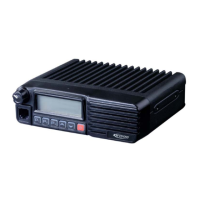
VHF/UHF MOBILE RADIO
INSTRUCTION MANUAL
VHF/UHF MOBILE RADIO
MANDATORY SAFETY INSTRUCTIONS TO INSTALLERS AND USERS
Use Only manufacturer or dealer supplied antennas.
Antenna minimum safe distance: 108 cm.
Antennas used for this transmitter must not exceed an antenna gain of 3 dB.
The FCC (Federal Communications Commission) has adopted a safety standard for human exposure to RF
energy which is below the OSHA (Occupational Safety and Health Act) limits.
Antenna mounting: The antenna supplied by the manufacturer or radio dealer must not be mounted at a location
such that during radio transmission, any person can come closer than the above indicated minimum safe distance
to the antenna (i.e. 108cm).
To comply with current FCC RF Exposure limitations, the antenna must be installed at or exceeding the minimum
safe distance indicated above, and in accordance with the requirements to the antenna manufacturer or supplier.
Vehicle installation: The antenna can be mounted at the center of a vehicle metal roof or trunk lid if the minimum
safe distance is observed.
Antenna substitution: Don't substitute any antenna for the one supplied or recommended by the manufacturer
or radio dealer. You may be exposing person(s) to excessive radio frequency radiation. You may contact your radio
dealer or the manufacturer for further instructions.
Maintain a separation distance from the antenna to person(s) at least 108cm.
This transmitter is authorized to operate with a maximum duty factor of 50%, in a typical push-to-talk
mode, for satisfying FCC RF exposure compliance requirements.
Warning
Caution:
Changes or modifications not expressly approved
by the party responsible for compliance could void
the user's authority to operate the equipment.
Operating Instruction of PT8200
Contents
1. Package-opened Inspection and Installing...................................................................................2
2. Radio Overview............................................................................................................................3
3. Basic Operation............................................................................................................................5
4. Programmable Button Function....................................................................................................5
5. Radio Call.....................................................................................................................................6
6. Select Zone..................................................................................................................................7
7. Talkaround....................................................................................................................................7
8. Utilities..........................................................................................................................................7
9. Scan.............................................................................................................................................8

Questions and Answers

  • M
    Mr. William GrantJul 31, 2025
    How to troubleshoot power on failure in Kirisun PT8100?
    • D
      Dawn LevineJul 31, 2025
      If your Kirisun Radio fails to power on, it could be due to several reasons. First, ensure the power cable is securely connected to both the accumulator and the host. If the protective tube of the power cable is burnt out, it should be replaced. A faulty power button might also be the cause, in which case consider changing the silica gel or PCB button. If the accumulator is out of power, replace it. In the most severe case, the CPU might be broken, and it also needs replacement.
  • D
    Danielle LopezAug 5, 2025
    What to do if the red transmission indicator lights but no sound is heard on Kirisun PT8100?
    • K
      Kristina LongAug 5, 2025
      If your Kirisun Radio shows a red transmission indicator but no sound is heard, it could be due to a broken power amplifier IC1, which prevents power output and needs replacement. Alternatively, the microphone may be faulty and needs replacement.
  • H
    hillgregoryAug 10, 2025
    Why is my Kirisun PT8100 not receiving a signal?
    • J
      Johnathan SheltonAug 10, 2025
      If you are not receiving a signal on your Kirisun Radio, first ensure that the antenna is properly connected and fastened. If it is, the issue might be with internal components such as a broken high-frequency amplifying tube Q18, a mixed tube Q19, or the FM IC 6; any of these would need replacement. Also, check that the squelch level isn't set too high and reset it if necessary.
  • B
    Brandon GilmoreAug 15, 2025
    What to do if receiving indicator lights but no sound is heard on Kirisun PT8100?
    • J
      Jocelyn CarterAug 16, 2025
      If you can't hear any sound when receiving on your Kirisun Radio, the audio power amplifier TDA1519C might be broken and needs replacing.
  • A
    amandahamiltonAug 20, 2025
    Why is my Kirisun Radio beeping with phase lock loop unlocked error?
    • D
      Douglas EdwardsAug 20, 2025
      If you experience a phase lock loop unlocked error (beeping) with your Kirisun Radio, it could be due to a broken crystal X1, a broken oscillator tube, or a broken IC 3. In any of these cases, the component needs to be replaced.
  • D
    Danielle WalkerAug 25, 2025
    What to do if there is no talkback on Kirisun PT8100 Radio?
    • D
      deanmichaelAug 26, 2025
      If you have no talkback on your Kirisun Radio, ensure you have selected the correct frequency channel. Also, verify that the CTCSS/DCS code is correctly set. If the issue persists, check the TX/RX signaling system of both devices and ensure you are within the effective communication range.

Summary

Mandatory Safety Instructions

Package-opened Inspection and Installing

Supplied Accessories

Lists the accessories included with the radio, such as brackets, cables, and microphones.

Preparation

Details initial setup steps, including power cable connection.

Radio Installing

Provides instructions on securely mounting the radio unit and connecting its components.

Basic Operation

Programmable Button Function

Radio Call

Send Selective Call

Guides on how to initiate a selective call to another radio unit.

Scan

Start;End Scan Function

Details on how to activate and deactivate the channel scanning feature.

Set Priority Channel

Configuration process for setting priority channels within the scan list.

Channel edit (Manual modulation)

Trouble Shooting Guide

Major Specifications

Kirisun PT8100 Specifications

General IconGeneral
Channel Capacity16
Operating Voltage7.4V
Audio Output1W
IP RatingIP54
Power Output5W
Frequency Range400-470MHz
Battery2000mAh Lithium-ion

Related product manuals