Need help?
Do you have a question about the Kistler 5073A Series and is the answer not in the manual?
Details about the contents of the CD included with the manual.
Essential safety instructions for operating the ICAM Type 5073A... safely.
Information on the device's compliance with EMC requirements and standards.
Guidance on how to effectively use and navigate the instruction manual.
Explanation of terms and abbreviations used throughout the instruction manual.
Guidelines for the proper disposal of the electronic equipment at its end of life.
Procedures and considerations for installing software upgrades and updates for the device.
Instructions for unpacking the device and checking for transit damage.
Safety precautions and recommendations for storing the amplifier during prolonged periods.
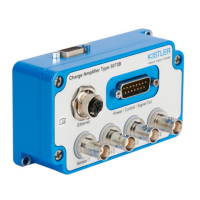
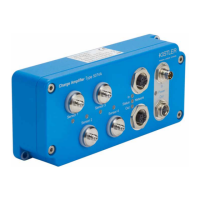
Overview of the different available variants and configurations of the ICAM charge amplifier.
List of standard accessories provided with the ICAM charge amplifier.
Information on optional accessories available for purchase to enhance the functionality of the ICAM.
Explanation of the components and function of a typical piezoelectric measuring chain.
Principles of piezoelectric measurement, including sensor operation and handling.
Presentation of the mathematical model describing the behavior of a piezoelectric measuring chain.
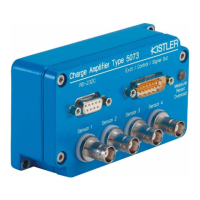
Detailed explanation of the ICAM charge amplifier's design and operating principles.
General overview of the ICAM charge amplifier's functionality and features.
Visual representation of the internal block diagram of the ICAM charge amplifier.
Details on power supply requirements, control inputs, and analog output connections via the D-Sub 15 connector.
Information regarding the RS-232C serial interface for parameter setting and data communication.
Explanation of the peak value acquisition feature and its operating modes.
Overview of device and channel-specific setting options.
Detailed descriptions of the various parameters that can be configured for the ICAM channels.
Instructions for installing the ICAM charge amplifier in an industrial environment.
Guidelines for connecting piezoelectric sensors to the ICAM charge amplifier.
Procedures for connecting the RS-232C interface and the D-Sub 15-pin connector.
Information on connecting the power supply and utilizing the digital inputs for control.
Details on the analog outputs and peak memory signals provided by the ICAM.
Step-by-step guide for installing the ManuWare PC software on a computer.
Instructions on how to start and launch the ManuWare application.
Overview of the main window and user interface elements of the ManuWare software.
Guide to performing a simple measurement using ManuWare.
Prerequisites and setup steps before performing a measurement with ManuWare.
Guide on how to open or create new projects within ManuWare.
Process for automatically scanning and connecting devices to ManuWare.
Instructions on setting up graphical display objects for measurement visualization.
Method for assigning measurement channels to display objects in ManuWare.
Procedures for initiating and terminating measurements using the ManuWare software.
Steps for adjusting measurement parameters and optimizing settings in ManuWare for better results.
How to back up and restore device settings and project configurations using ManuWare.
Routine visual checks and maintenance procedures for the ICAM during normal operation.
Instructions for loading new firmware onto the ICAM charge amplifier.
Explanation of output signal drift and its potential causes.
Explanation of the first cause of output signal drift and troubleshooting steps.
Explanation of the second cause of output signal drift and troubleshooting steps.
Explanation of the third cause of output signal drift and troubleshooting steps.
Specifications related to the different design variants of the ICAM charge amplifier.
Technical data concerning the charge input specifications and characteristics.
Technical specifications for the voltage output variants of the ICAM.
Technical specifications for the current output variants of the ICAM.
Technical specifications for the symmetrical current output variants of the ICAM.
Data related to the measuring accuracy, repeatability, and reset/measure jump.
Specifications regarding the dynamic response of the signal, including filter options.
Technical data for the peak value acquisition feature, including error and offset.
Information on the operating temperature range and humidity for the device.
Details on the required power supply voltage and current consumption.
Specifications for the bipolar optocoupler control inputs.
Information on the types and specifications of connectors used on the ICAM.
Description of the status indicated by the LED indicators on the device.
Technical specifications for the RS-232C serial interface.
Mechanical specifications including vibration, shock resistance, material, and weight.
Compliance information related to EMC directives and harmonized standards.
Physical dimensions of the ICAM charge amplifier.
Overview of the command set for RS-232C communication.
Explanation of the syntax for sending commands to the ICAM.
Details on the feedback messages received from the ICAM.
A comprehensive list of commands for ICAM interaction.
Practical examples of serial communication with the ICAM.
Definitions of key terms and technical vocabulary used in the manual.
Information on measurement uncertainty, systematic errors, and accuracy of the measuring chain.
Official declaration of the product's compliance with relevant EU directives and standards.

 To Next Page
 General