BATTERY FAILURE OVERRIDE
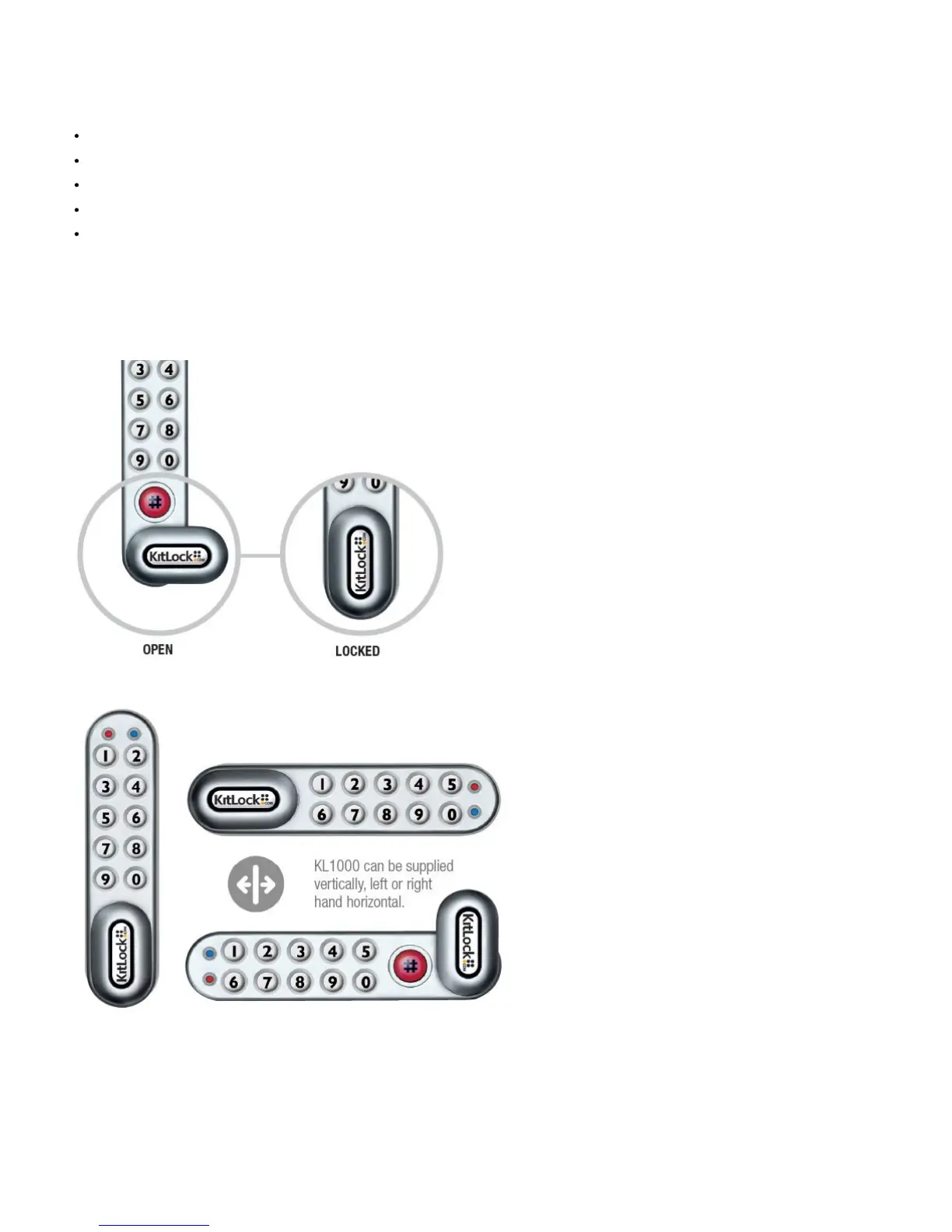
The KitLock has been designed so anexternal PP3 battery can be placed againstthe contact points surrounding the Blueand Red LED’s so the lock can be
openedto replace the batteries should they fail.
The procedure is as follows:
Place the contact points of the PP3battery against the contact pointssurrounding the Blue and Red LED’s.
The positive + PP3 terminal against theRed LED contact point and the negative– PP3 terminal against the Blue LED.
Enter the Master Code.
The motor will withdraw the locking pinallowing the lock to be opened.
Fit new batteries by removing theupper fixing bolt and swinging the lockdown over the edge of the door. Refitthe lock.
Programming
To program – the lock must be in theopen position with the#button visible.Every program command must commenceby pressing the # button, followed
byeither the Master Code, Sub‐Master Codeor User Code.
MASTER CODE COMMANDS
CHANGE THE MASTER CODE
#Master Code•01•New Master Code•New Master Code••
Example: #11335577•01•12345678•12345678••
Result: Master Code has been changed to 12345678.


 To Next Page