12 | USING THE STAND MIXER ATTACHMENT
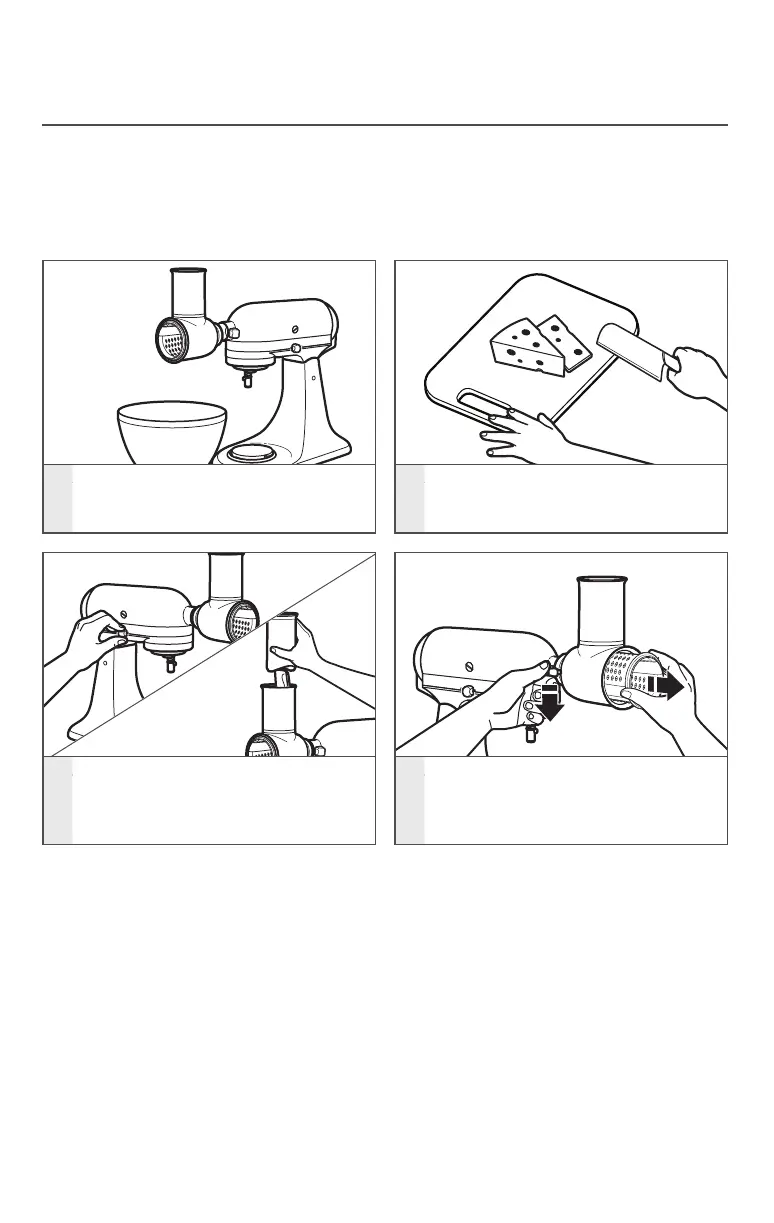
1
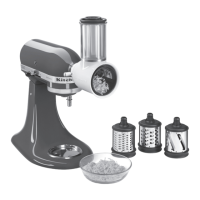
Place a large bowl under the Fresh
Prep Slicer/Shredder attachment to
catch food as it comes out�
2
Cut food so that it fits in the
feed tube�
3
Turn the Stand Mixer to Speed 4,
then use the appropriate food
pusher to feed the food item
into the feed tube�
4
Push down on the release lever and
pull out the blade, in order to change
to a new blade�
USING THE FRESH PREP SLICER/SHREDDER ATTACHMENT
USING THE STAND MIXER ATTACHMENT
NOTE: For best results, feed only one item at a time into the feed tube (ex� carrot)�
Do not feed items into the feed tube by hand; always use the food pushers� If food
remains in the Fresh Prep Slicer/Shredder attachment after running, turn the Stand Mixer
to “0” (Off), remove the remaining items, and place back into the feed tube to shred
or slice again�
W10916600A_01_EN_v15.indd 12 1/25/17 3:37 PM



 To Next Page