8
OPERATING THE COFFEE MAKER
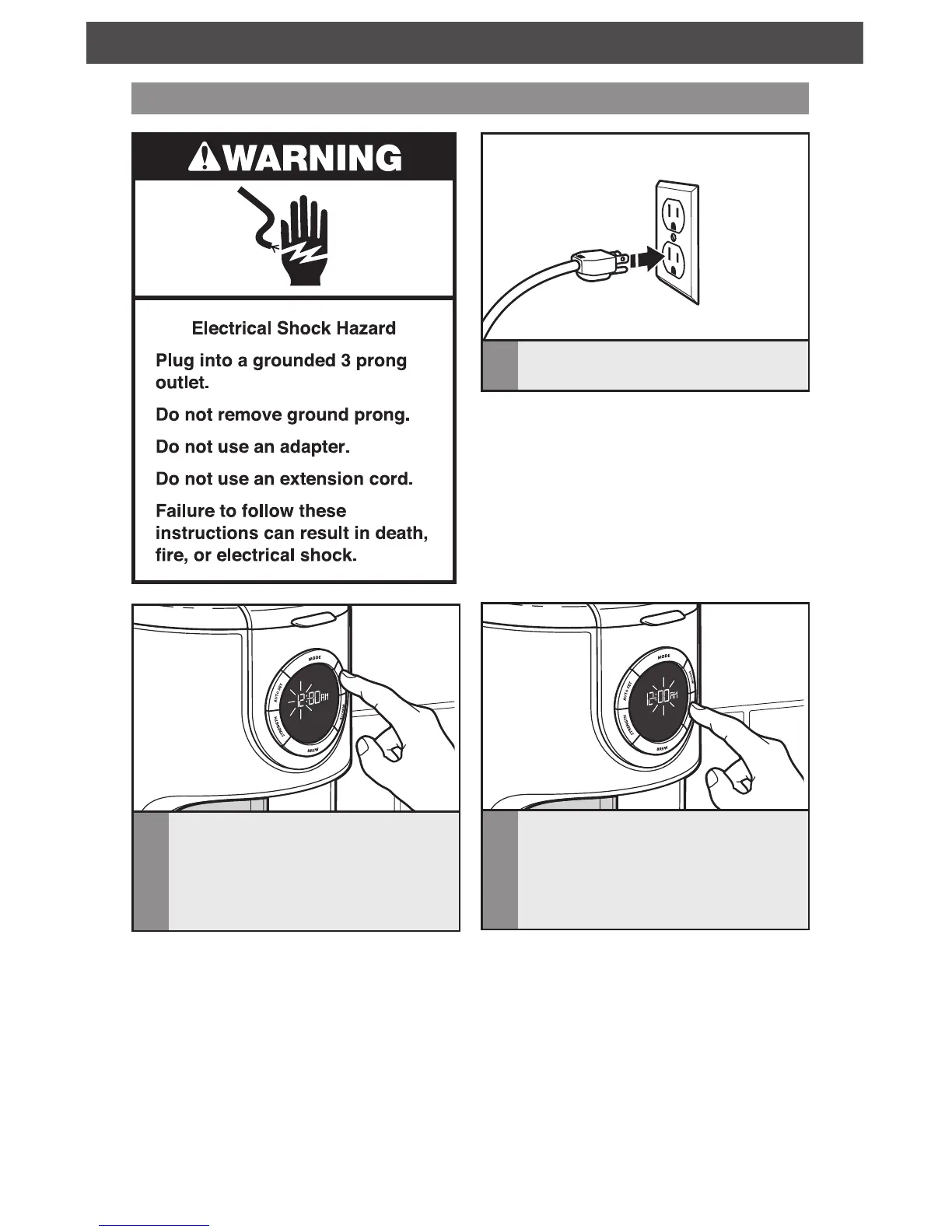
Setting up the clock
3
To set the Minutes: Press MINUTE.
The Hour setting will switch to a solid
display and the Minute setting will begin
to blink. The Minute digits will change
with each press; or PRESS AND HOLD
and the Minute digits will scroll rapidly.
1
Plug into a grounded 3-prong outlet.
2
To set the Hour: Press HOUR. The
Hour setting will begin to blink. The
Hour digits will change with each press;
or PRESS AND HOLD and the Hour
digits will scroll rapidly.
NOTE: When the Coffee Maker is first
plugged in or when power is restored after
an interruption, the brew timer display will
initially show 12:00 AM.









 To Next Page