EasyManua.ls Logo

KitchenAid KEBS278D - Page 11

KitchenAid KEBS278D
50 pages
Print Icon
To Next Page IconTo Next Page
To Previous Page IconTo Previous Page
Loading...
*L/sing
Your
Oven
K
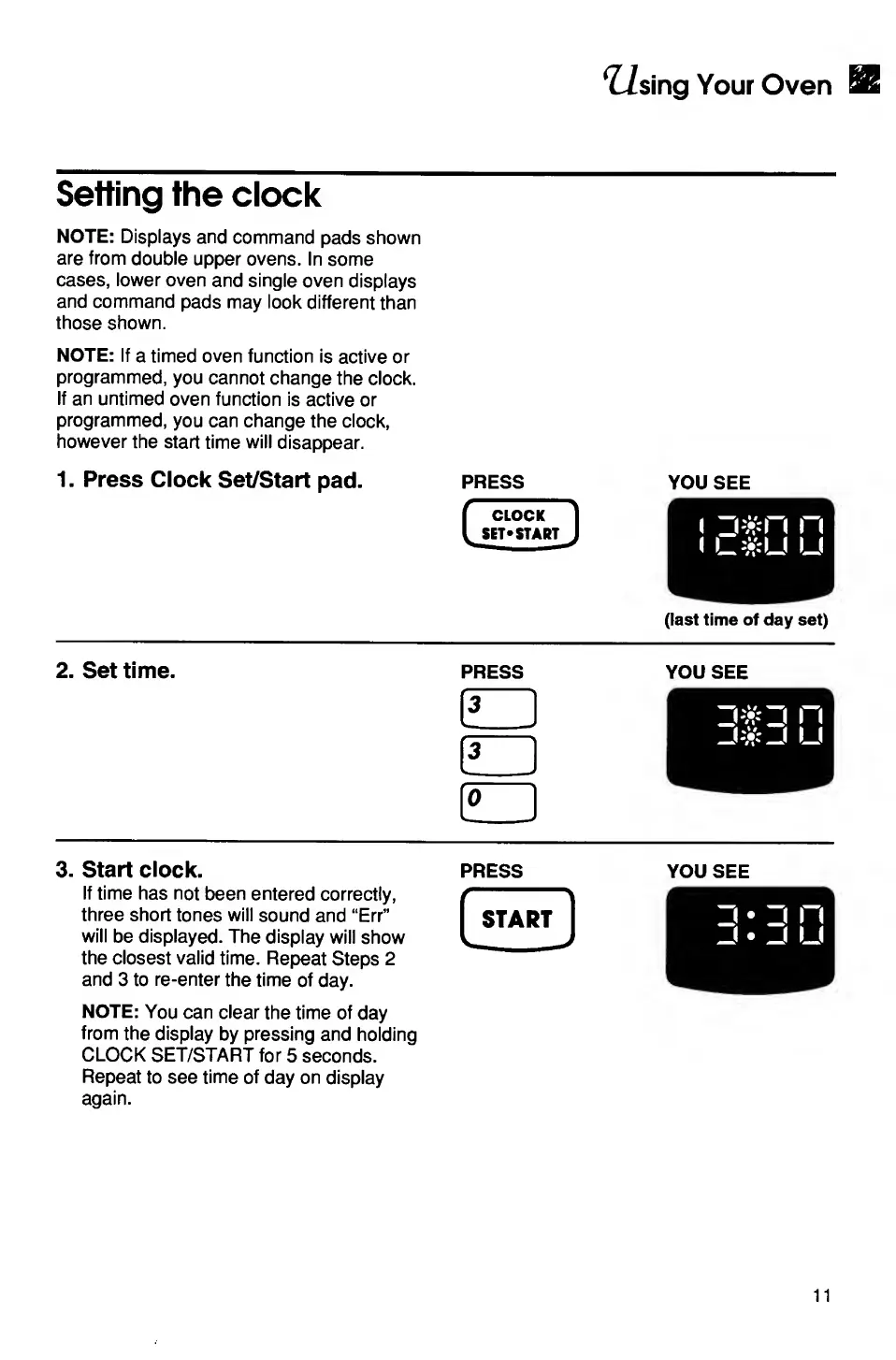
Setting
the
clock
NOTE:
Displays
and
command
pads
shown
are
from
double
upper
ovens.
In
some
cases,
lower
oven
and
single
oven
displays
and
command
pads
may
look
different
than
those
shown.
NOTE:
If
a
timed
oven
function
is
active
or
programmed,
you
cannot
change
the
clock.
If
an
untimed
oven
function
is
active
or
programmed,
you
can
change
the
clock,
however
the
start
time
will
disappear.
1
.
Press
Clock
Set/Start
pad.
press
you
see
(last
time
of
day
set)
2.
Set
time.
PRESS
3
3
0
YOU
SEE
3.
Start
clock.
If
time
has
not
been
entered
correctly,
three
short
tones
will
sound
and
“Err”
will
be
displayed.
The
display
will
show
the
closest
valid
time.
Repeat
Steps
2
and
3
to
re-enter
the
time
of
day.
NOTE:
You
can
clear
the
time
of
day
from
the
display
by
pressing
and
holding
CLOCK
SET/START
for
5
seconds.
Repeat
to
see
time
of
day
on
display
again.
PRESS
START
_
YOU
SEE
11

Related product manuals