'_sing and Caring for Your Oven
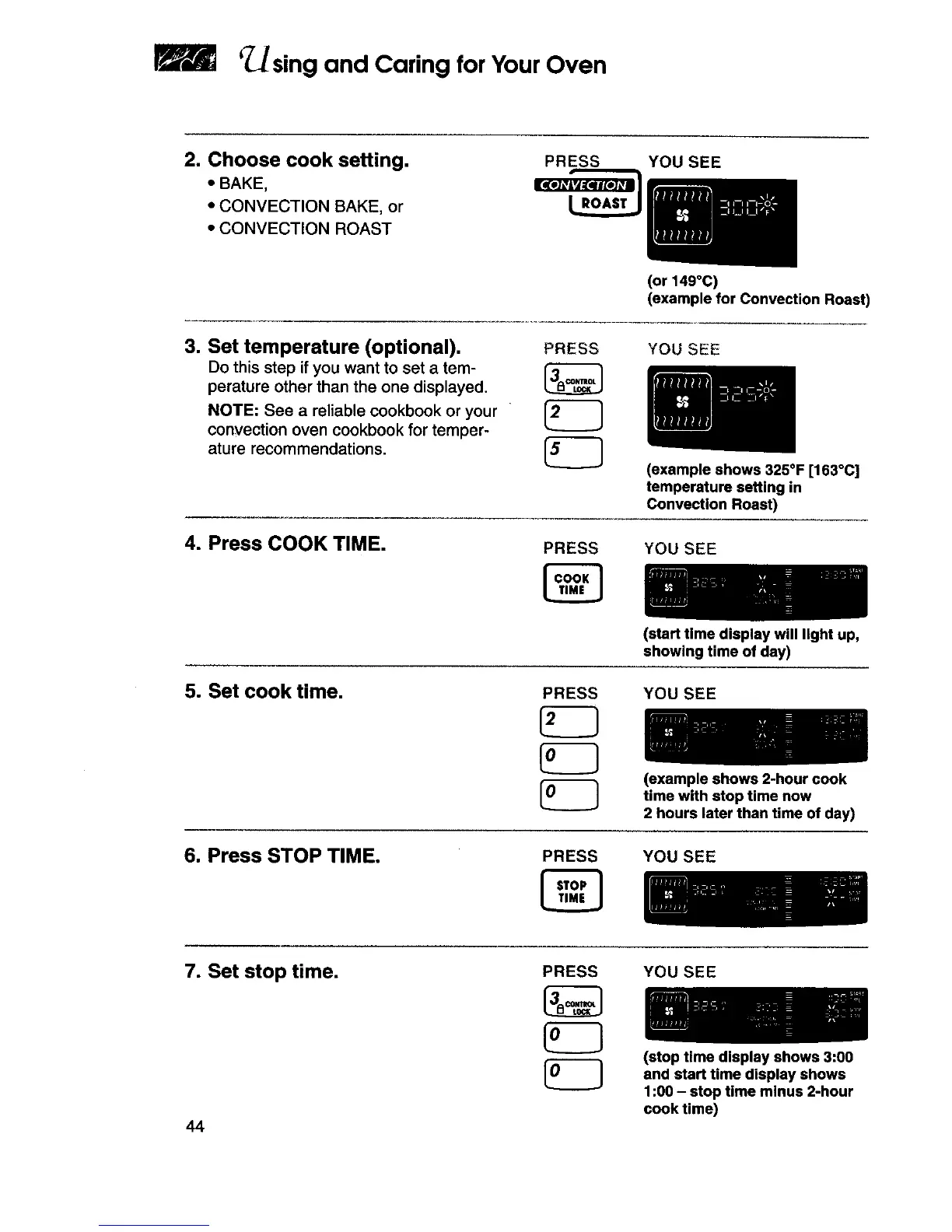
2. Choose cook setting.
• BAKE,
• CONVECTION BAKE, or
• CONVECTION ROAST
PRESS YOU SEE
(or 149°C)
(example for Convection Roast)
3. Set temperature (optional).
Do this step if you want to set a tem-
perature other than the one displayed.
NOTE: See a reliable cookbook or your
convection oven cookbook for temper-
ature recommendations,
PRESS
YOU SEE
(example shows 325°F [163°C]
temperature setting in
Convection Roast)
4. Press COOK TIME.
PRESS
YOU SEE
5. Set cook time.
PRESS
(start time display will light up,
showing time of day)
YOU SEE
(example shows 2-hour cook
time with stop time now
2 hours later than time of day)
6. Press STOP TIME. PRESS YOU SEE
7. Set stop time.
44
PRESS YOU SEE
(stop time display shows 3:00
and start time display shows
1:00 - stop time minus 2-hour
cook time)







 To Next Page