_._Isingand Caring forYour Oven
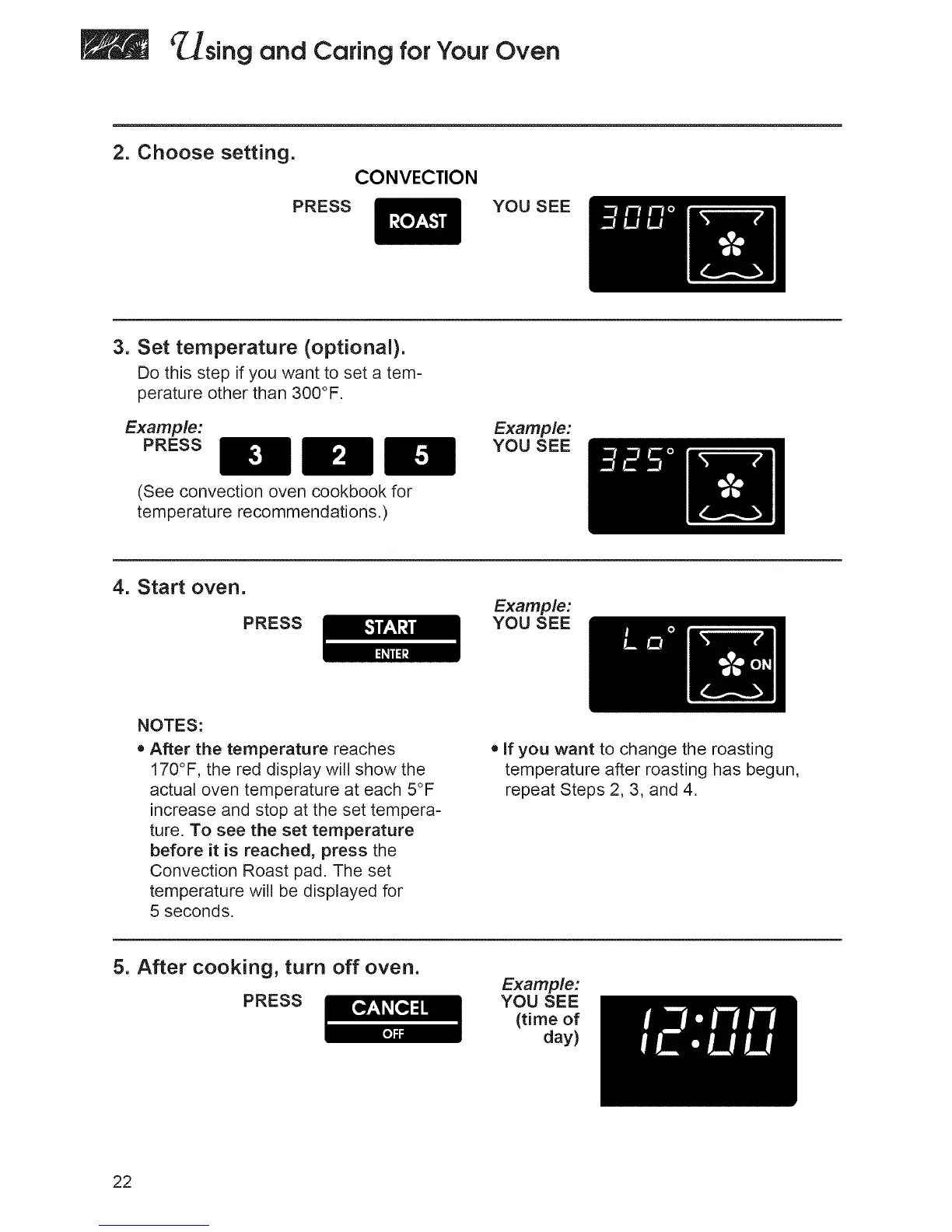
2. Choose setting.
CONVECTION
PRESS YOU SEE
3. Set temperature (optional).
Do this step if you want to set a tem-
perature other than 300°F.
Example:
PRESS
(See convection oven cookbook for
temperature recommendations.)
Example:
YOU SEE
4. Start oven.
PRESS
Example:
YOU SEE
NOTES:
• After the temperature reaches
170°F, the red display will show the
actual oven temperature at each 5°F
increase and stop at the set tempera-
ture. To see the set temperature
before it is reached, press the
Convection Roast pad. The set
temperature will be displayed for
5 seconds.
• If you want to change the roasting
temperature after roasting has begun,
repeat Steps 2, 3, and 4.
5. After cooking, turn off oven.
PRESS
Example:
YOU SEE
(time of
day)
22







 To Next Page