"Using and Caring forYour Oven
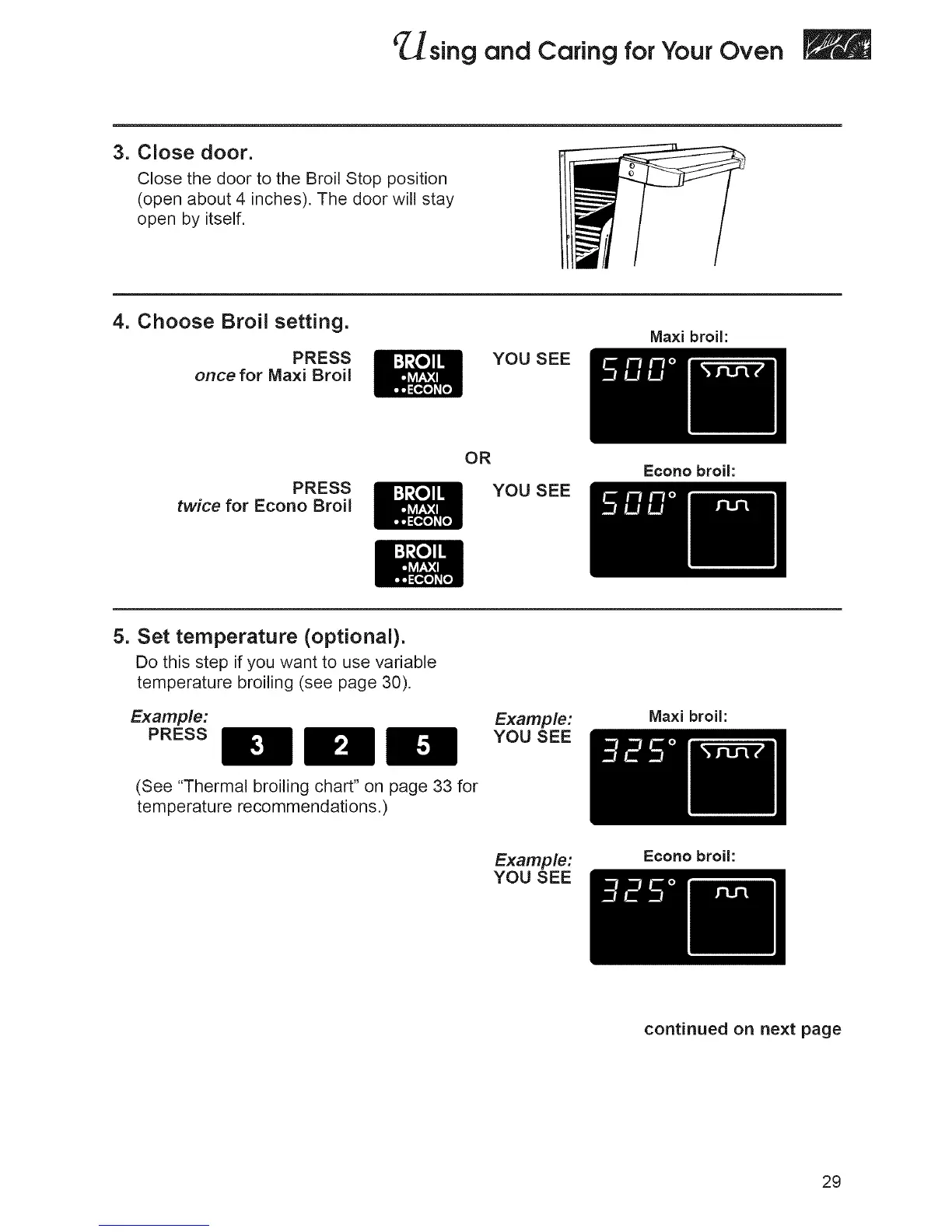
3. Close door.
Close the door to the Broil Stop position
(open about 4 inches), The door will stay
open by itself,
4. Choose Broil setting.
PRESS
once for Maxi Broil
YOU SEE
Ma×i broil:
PRESS
twice for Econo Broil
OR
YOU SEE
Econo broil:
5. Set temperature (optional).
Do this step if you want to use variable
temperature broiling (see page 30).
Example:
PRESS
Example:
YOU SEE
Ma×i broil:
(See "Thermal broiling chart" on page 33 for
temperature recommendations.)
Example:
YOU SEE
Econo broil:
continued on next page
29







 To Next Page