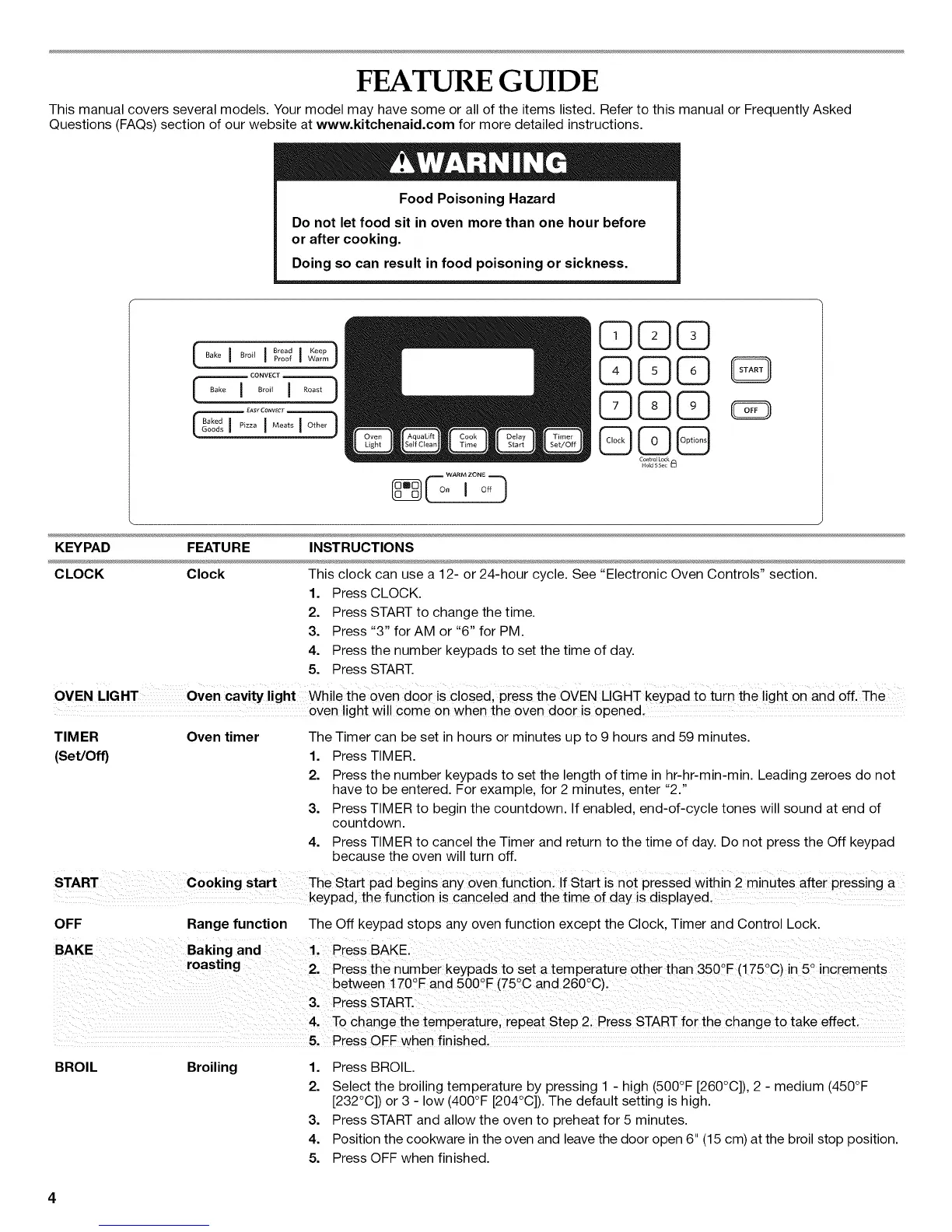
FEATURE GUIDE
This manual covers several models. Your model may have some or all of the items listed. Refer to this manual or Frequently Asked
Questions (FAQs) section of our website at www.kitchenaid.com for more detailed instructions.
Food Poisoning Hazard
Do not let food sit in oven more than one hour before
or after cooking.
Doing so can result in food poisoning or sickness.
[ Bak°I °r°"I °'°" )
Proof I Keep
Warm
L--
Ba N Pizza Meats Other
©©©
Q©C)
©C)Q
@©@
Contro Lock
Hold 5 Se¢
KEYPAD FEATURE INSTRUCTIONS
CLOCK Clock This clock can use a 12- or 24-hour cycle. See "Electronic Oven Controls" section.
1. Press CLOCK.
2. Press START to change the time.
3. Press "3" for AM or "6" for PM.
4. Press the number keypads to set the time of day.
5. Press START.
OVEN LIGHT Oven cavity light While the oven door is CloSed, press the OVEN LIGHT keypad to turn the light on and off. The
oven light wi!! come on when the oven door is opened,
TIMER Oven timer The Timer can be set in hours or minutes up to 9 hours and 59 minutes.
(Set/Off) 1. Press TIMER.
2. Press the number keypads to set the length of time in hr-hr-min-min. Leading zeroes do not
have to be entered. For example, for 2 minutes, enter "2."
3. Press TIMER to begin the countdown. If enabled, end-of-cycle tones will sound at end of
countdown.
4. Press TIMER to cancel the Timer and return to the time of day. Do not press the Off keypad
because the oven will turn off.
START cooking start The Start pad begins any oven function, if start is not pressed Within 2 minutes after pressing a
keypad, the function is canceled and the time of day is disp!ayed,
OFF Range function The Off keypad stops any oven function except the Clock, Timer and Control Lock.
roasting o o o
i 2. Press the number keypads to set a temperature other than 350 E (175 C) in 5 increments
between ! 70QFand 500 E (75 C and 260 C).
3' Press START.
........4, To change the temperature, repeat Step 2, Press START for the change to take effect,
5. Press OFF when finished.
BROIL Broiling
1. Press BROIL.
2. Select the broiling temperature by pressing 1 - high (500°F [260°C]), 2 - medium (450°F
[232°C]) or 3 - low (400°F [204°C]). The default setting is high.
3. Press START and allow the oven to preheat for 5 minutes.
4. Position the cookware in the oven and leave the door open 6" (15 cm) at the broil stop position.
5. Press OFF when finished.







 To Next Page